

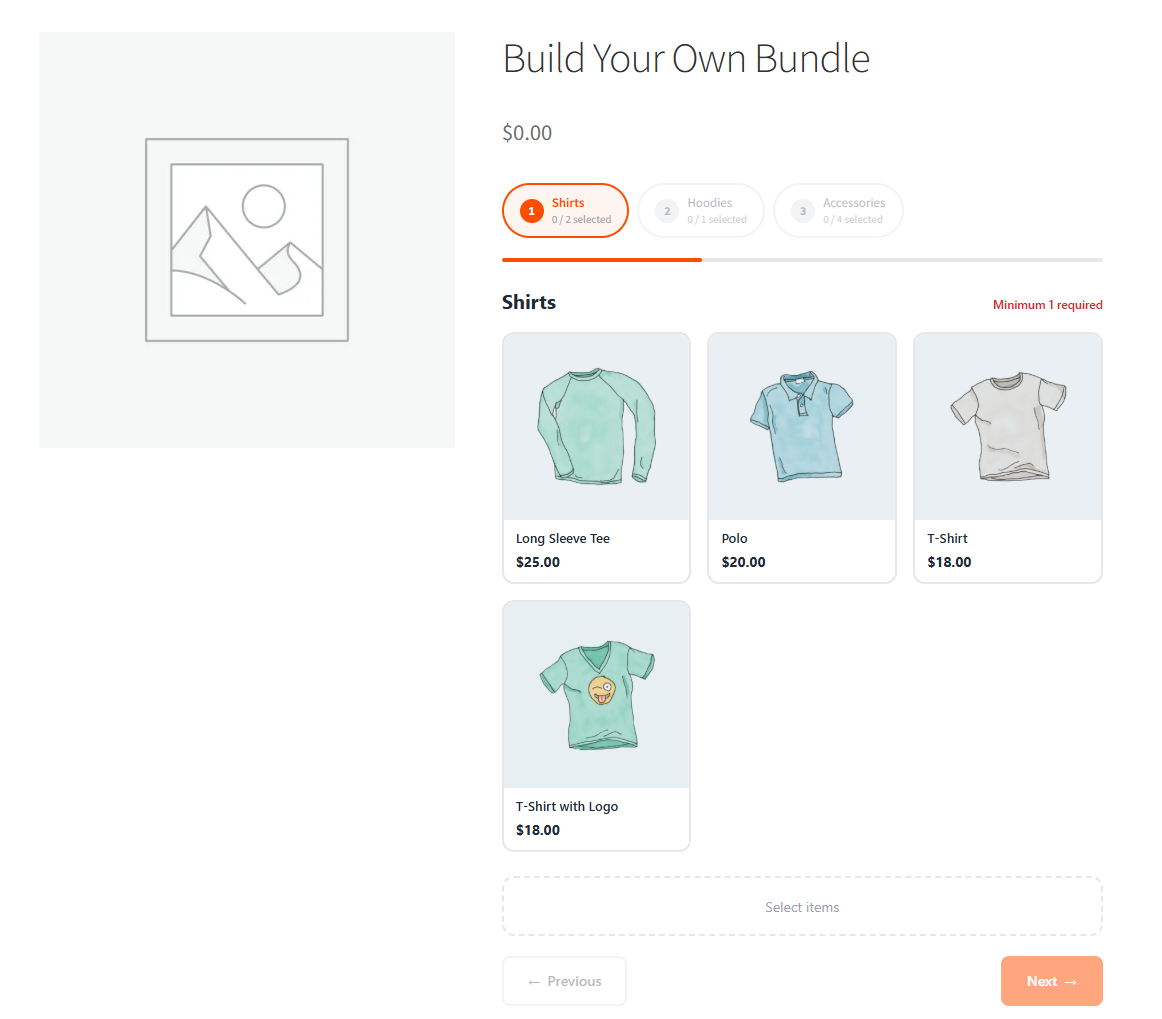
Bundle Builder for WooCommerce lets your customers build custom product bundles through a guided, step-by-step wizard directly on the product page. Define bundle steps, choose pricing strategies, and give shoppers a smooth, interactive experience that increases average order value.
With seamless WooCommerce integration, the builder supports three pricing modes, real-time stock checking, and proper parent-child cart handling — while admins get full control over appearance, cart behavior, and order display from a centralized settings page.
Key Features
- Create multi-step bundle wizards with custom step titles and min/max quantity rules
- Populate steps from product categories or hand-picked product lists
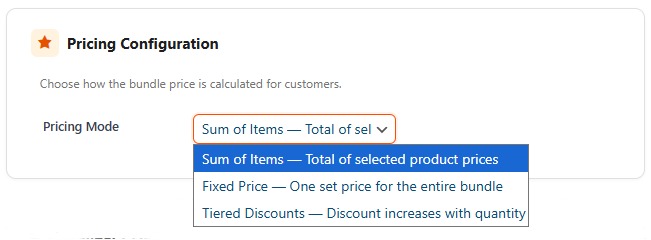
- Three pricing modes: fixed price, sum of items, or tiered volume discounts
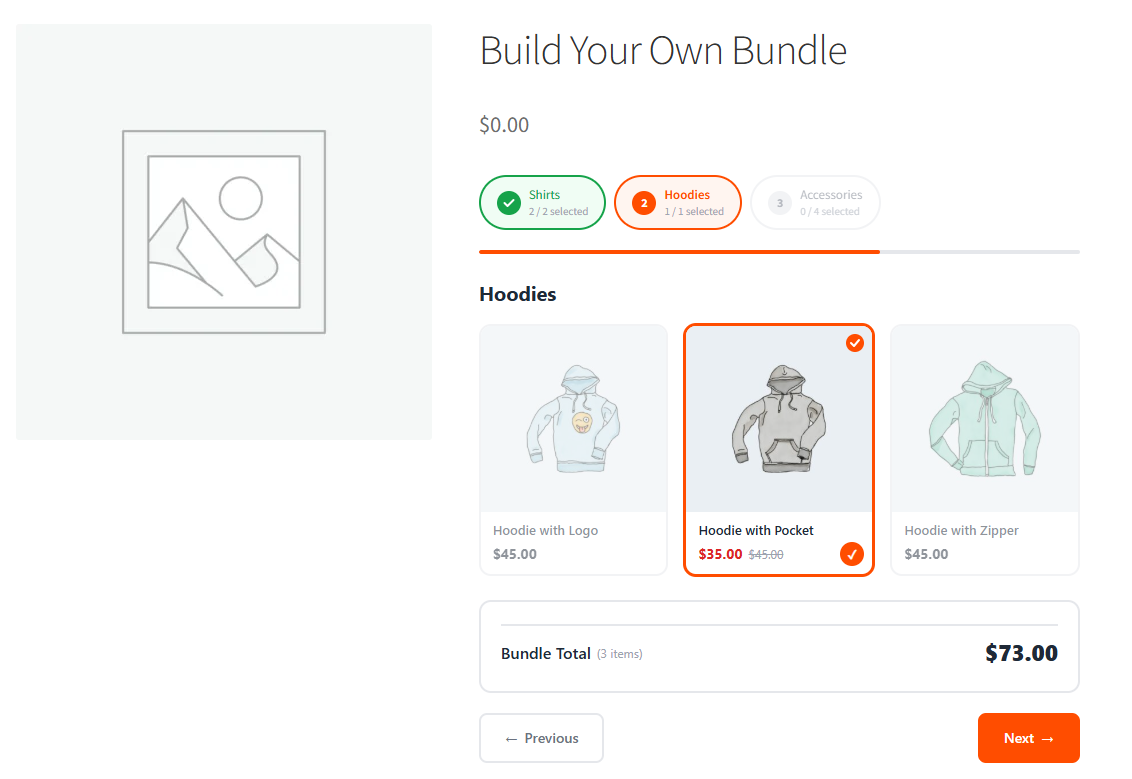
- Live price preview that updates as customers make selections
- Real-time stock checking with automatic out-of-stock detection
- Sortable step builder with drag-and-drop ordering in the admin
- Customizable accent color, card styles (bordered, shadow, minimal), and progress styles (pills, numbered, bar)
- Configurable grid columns for desktop and mobile layouts
- Toggle visibility for product prices, stock badges, savings indicators, and step counters
- Guest and registered user support
- REST API endpoints for bundle data, stock checking, and price calculation
- WooCommerce Cart and Checkout Blocks compatible
- HPOS (High-Performance Order Storage) compatible
- Theme compatibility layer for Storefront, Astra, GeneratePress, Kadence, OceanWP, and block themes
- Integrated license activation system via AddOnePlugins API
How It Works
- Upload and activate the plugin via Plugins > Add New in WordPress.
- Activate your license key through WooCommerce > Bundle Builder > License.
- Create a new product and select “Bundle Builder” as the product type.
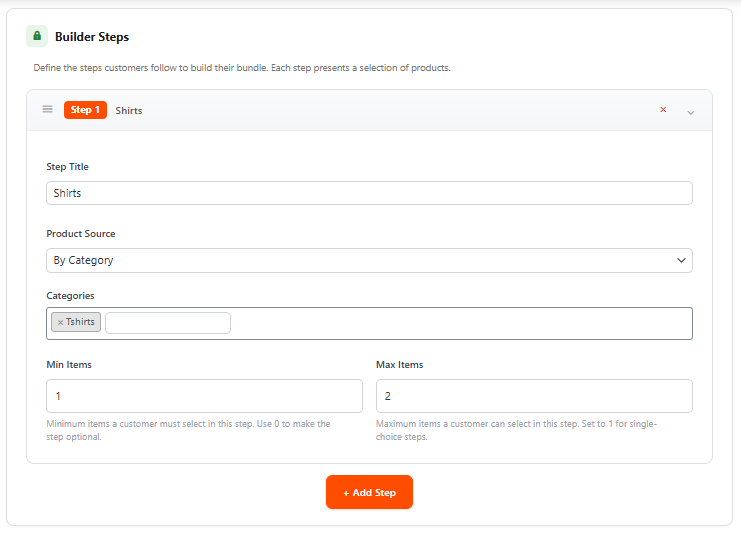
- Add bundle steps, choose a product source (category or hand-picked), and set min/max quantities for each step.
- Select a pricing mode — fixed, sum of items, or tiered discounts — and configure pricing rules.
- Customize the builder appearance from the settings page (colors, card style, progress style, grid layout).
- Customers follow the step-by-step wizard on the product page to build and add their bundle to the cart.
Cart and Order Handling
The plugin manages bundles properly throughout the entire purchase flow:
- Parent-child cart structure — each selected product is a real cart item under a parent bundle row for accurate stock deduction
- Removal and restore sync — removing the parent bundle removes all child items automatically
- Locked quantities — child item quantities cannot be changed independently in the cart
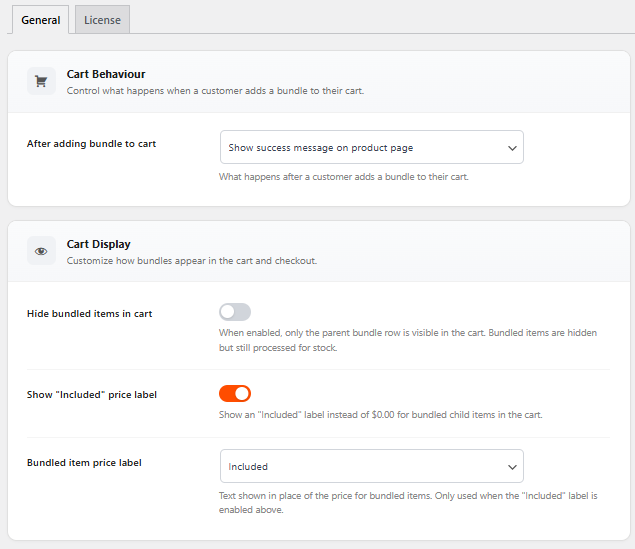
- Configurable child item visibility — hide bundled items in the cart or show them with customizable labels (Included, Bundled, Part of bundle)
- Order admin display with bundle badges, child summaries, and pricing breakdowns
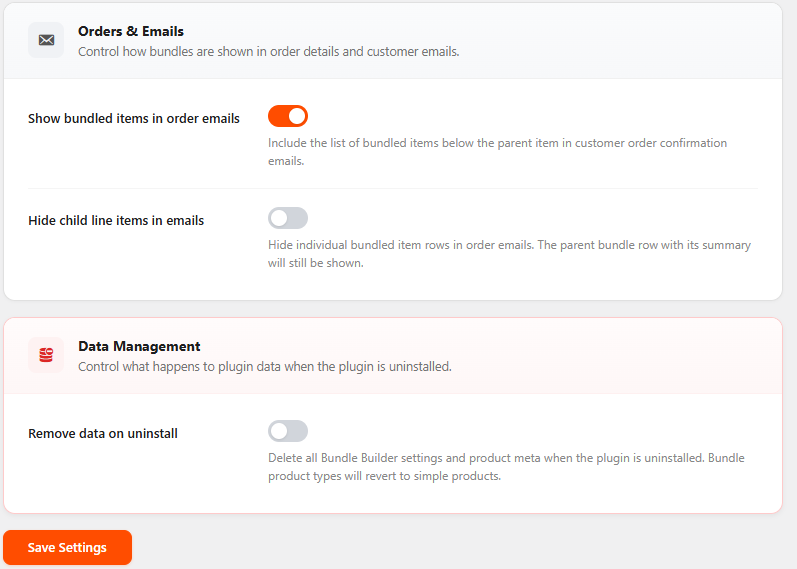
- Email integration — include or hide bundled item details in order confirmation emails
- WooCommerce Blocks Cart and Checkout fully supported via Store API extension
Pricing Modes
- Fixed Price — Charge a single price for the entire bundle, regardless of which products the customer selects.
- Sum of Items — The bundle price equals the total of all selected product prices. What you see is what you pay.
- Tiered Discounts — Define quantity thresholds with percentage discounts. The more items customers add across all steps, the bigger the discount.
Builder Appearance Settings
Customize the look and feel of the builder without writing code:
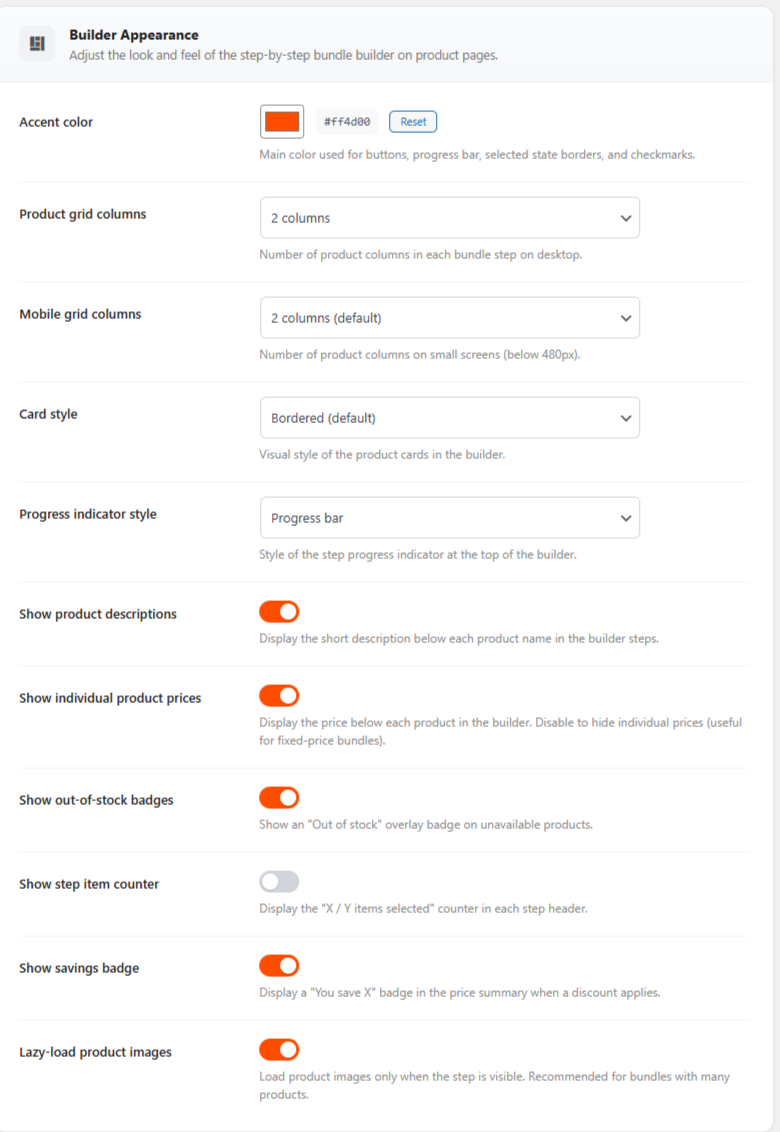
- Accent color — applied to buttons, progress bar, selected card borders, and checkmarks
- Card style — bordered (default), shadow (elevated cards), or minimal (subtle background)
- Progress style — pills (scrollable step pills), numbered (connected circles), or bar (simple progress bar with percentage)
- Grid columns — 2, 3, or 4 columns on desktop
- Mobile columns — 1 or 2 columns on small screens
- Show or hide product descriptions, individual prices, stock badges, step counters, savings badges, and lazy-loaded images
License Management
- Activate your license via AddOnePlugins API
- Daily license verification ensures features stay active and secure
- Easy updates via license system
Perfect For
- Stores selling customizable product kits or bundles (meal kits, gift boxes, starter packs)
- Offering volume discounts that reward customers for selecting more items
- Letting customers mix and match products from different categories
- Fixed-price bundles where customers choose from curated selections
- Any store looking to increase average order value through guided product bundling
Version 1.0.0 — Initial Release
- Custom “Bundle Builder” WooCommerce product type with admin UI
- Step-by-step React builder on the product page
- Three pricing modes: fixed, sum of items, tiered discounts
- REST API endpoints for bundle data, stock checking, and price calculation
- AJAX add-to-cart with parent-child cart structure
- WooCommerce Cart and Checkout Blocks and HPOS compatible
- Order admin display with bundle metadata
- Theme compatibility layer
- Security hardening with rate limiting
- License activation via AddOnePlugins API
You must be logged in to post a review.
Reviews
There are no reviews yet.