
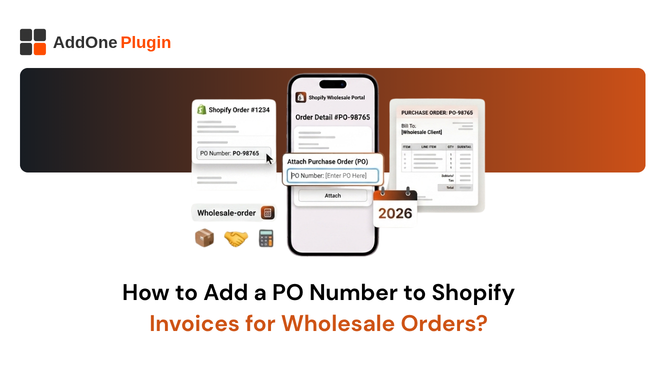
Your wholesale buyer sends over a purchase order. Your team processes the order in Shopify. The buyer receives an invoice. Their accounts payable team opens it, looks for the PO number, does not find it, and puts the invoice in a queue for manual resolution. Meanwhile, your payment clock has not started.
PO numbers are the connective tissue of B2B purchasing. They are how buyers’ accounts payable teams match incoming invoices to approved purchase orders, release payment, and close the purchasing cycle. An invoice without a PO number when one was issued creates friction that delays payment and signals to your buyer that your systems are not built for wholesale trade. This guide covers how to capture PO numbers, display them on invoices, and automate the entire process.
Why Wholesale Buyers Require a PO Number on Every Invoice
Understanding why buyers insist on PO numbers helps clarify how seriously to treat the requirement.
What a Purchase Order Number Is and How AP Departments Use It
A purchase order (PO) is a formal document issued by the buyer authorising a purchase. It specifies what is being ordered, at what price, and under what terms. The PO number is the unique identifier that ties together the purchase order, the invoice, and the payment in the buyer’s financial system. When an invoice arrives, the accounts payable team searches for the matching PO number in their system. If they find it, payment is released. If they do not, the invoice goes into an exceptions queue.
Large organisations may process thousands of invoices monthly. Their AP teams cannot manually verify each transaction from scratch. The PO number is what allows the process to run at scale, automatically, with minimal human intervention.
No PO Number Means No Payment: The B2B Reality
For many enterprise and mid-market buyers, an invoice without a PO number cannot be processed at all. Their accounting systems require a PO number to create an invoice record. Without it, the invoice is returned to the supplier with a request to reissue with the correct PO reference. Every time this happens, the payment cycle resets.
Smaller wholesale buyers may be more flexible, but the principle holds: PO numbers exist to make the payment process faster and more reliable for both parties. Merchants who accommodate this requirement get paid faster.
The Difference Between a PO Number and an Order Number
Shopify generates an order number automatically (e.g., #1247) when a buyer places an order. This is Shopify’s internal reference, not the buyer’s PO number. A purchase order number is generated by the buyer’s procurement system and is meaningful only in the buyer’s context. The two are entirely different identifiers, and the buyer’s AP team does not know or care about your Shopify order number. What they need is their own PO number reflected on your invoice.
Does Shopify Support PO Numbers Natively?
Partially, and only under specific conditions.
Shopify B2B (Plus) PO Number at Checkout
Shopify Plus merchants with the B2B channel enabled can collect PO numbers at checkout through the B2B storefront. When a company location is set up in Shopify’s B2B system, buyers can enter a PO number during checkout, and that number is attached to the order record. This is the most seamless native implementation, but it is restricted to Shopify Plus and requires the B2B channel to be active.
Draft Orders Adding PO Numbers via Custom Attributes
For non-Plus merchants, draft orders offer a workaround. When creating a draft order in the Shopify admin, you can add custom attributes to the order record, including a PO number field. This requires manual entry by your team for every wholesale order. If your customer is self-ordering through the standard Shopify storefront, there is no native way for them to provide a PO number at checkout.
Standard Plans Where the Gap Exists
Standard Shopify plans have no native PO number field in the checkout flow. Wholesale customers who need to provide a PO number must either call your team, email the number separately, or use the order notes field as an informal workaround. None of these approaches automatically surfaces the PO number on the invoice. The data is captured in one place and the invoice is generated from another, with no connection between the two.
How to Capture PO Numbers From Wholesale Customers
Regardless of your Shopify plan, there are reliable ways to collect PO numbers and make them available for invoice display.
Custom Checkout Fields (Shopify Plus)
Shopify Plus merchants can add custom fields to the checkout using Shopify Functions or checkout customisation apps. A “Purchase Order Number” field added to the checkout allows buyers to enter their PO number before placing the order. The field value is stored as a custom attribute on the order record and is accessible to InvoiceForge for display on the invoice.
Order Notes and Metafields as Workarounds
For standard plan merchants, the most common workaround is to use the order notes field as a PO number capture point. Your checkout page can include instructions asking wholesale buyers to enter their PO number in the order notes. InvoiceForge can be configured to read a specific order note or custom attribute field and display it as the PO number on the invoice.
A more structured approach uses Shopify metafields to add a dedicated PO number attribute to the order object. This requires a small configuration step but produces a clean, labelled data point that maps directly to the invoice template.
Using InvoiceForge to Capture and Display PO Numbers
InvoiceForge provides a PO number field in its invoice template that maps to the designated order attribute (custom attribute, order note, or metafield) where you have configured PO number capture. Once the mapping is set up, PO numbers flow from the order record onto the invoice automatically, regardless of which capture method you use
How to Display the PO Number on Your Invoice PDF
Capturing the PO number is only half the job. Displaying it correctly on the invoice is what matters to the buyer.
Mapping the PO Field to Your Invoice Template
In InvoiceForge’s template editor, the PO number field is a configurable block that can be positioned anywhere on the invoice. Connect it to the order attribute where you capture PO numbers, and InvoiceForge will populate it automatically for every order that includes a PO number. Orders without a PO number simply show an empty field or hide the row, depending on your template settings.
Positioning the PO Number Where Buyers Expect It
Convention places the PO number in the invoice header, typically alongside the invoice number and date. This is where accounts payable teams look first. Position your PO number field in the upper section of the invoice, clearly labelled as “Purchase Order Number” or “PO Number,” and formatted consistently across all invoices.
Some buyers have specific formatting requirements for PO numbers (alphanumeric, with specific prefixes). Ensure your capture field accepts the format your buyers use and passes it to the invoice without modification.
Handling Orders With and Without PO Numbers
Not every order will include a PO number. Retail orders, small wholesale purchases, and new customers testing your products may not have formal purchase orders. Your invoice template should handle both cases gracefully: showing the PO number when present and omitting the field cleanly when it is not. InvoiceForge handles conditional field display automatically based on whether the attribute is populated.
PO Number Invoicing Workflow End to End
Here is how the complete workflow operates when all the pieces are in place.
Buyer Submits Order With PO Number
The wholesale buyer places an order through your Shopify storefront or through a draft order sent by your team. They enter their PO number in the designated field at checkout (or your team records it in the custom attribute during draft order creation). The PO number is attached to the Shopify order record as a custom attribute.
InvoiceForge Generates Invoice With PO Displayed
When the order is created (or when your configured trigger fires), InvoiceForge reads the order record, finds the PO number attribute, and generates a PDF invoice with the PO number displayed prominently in the header. The invoice also includes all mandatory VAT or GST fields, the sequential invoice number, and the buyer’s business details. The invoice is emailed automatically to the buyer.
Buyer’s AP Department Matches Invoice to PO and Pays
The buyer’s accounts payable team receives the invoice, locates the PO number in their system, matches it to the approved purchase order, and schedules payment under the agreed terms. The matching process is automated in most modern AP systems. With the PO number on your invoice, you are a frictionless supplier. Without it, you are a problem to be resolved.
FAQ: PO Numbers on Shopify Invoices
Can I Add a PO Number After the Order Is Already Placed?
Yes. If a buyer contacts you after placing an order to provide a PO number, you can update the order attribute in Shopify and reissue the invoice from InvoiceForge. The reissued invoice carries the same sequential invoice number but now includes the PO number. Depending on your workflow, you may want to void the original and issue a corrected version, or simply resend with an updated note. InvoiceForge supports both approaches.
What If a Buyer Has Multiple PO Numbers for One Order?
Some large buyers split a single order across multiple PO numbers, particularly when the order covers multiple departments or cost centres. In these cases, the cleanest approach is to process separate orders in Shopify for each PO, or to use a custom text field that allows you to enter multiple PO references. InvoiceForge displays whatever is in the configured attribute field, so a comma-separated list of PO numbers is a practical solution for multi-PO orders.
PO numbers on invoices are a basic expectation in B2B trade. Wholesale buyers have formal purchasing processes that depend on them. Merchants who accommodate this requirement build stronger wholesale relationships and get paid faster. Those who cannot provide PO-referenced invoices create administrative friction that eventually costs them accounts.
Install InvoiceForge free from the Shopify App Store and start displaying PO numbers on your wholesale invoices automatically.
[…] teams matching invoices against their own records. We’ve written a full walkthrough on adding a PO number to Shopify invoices for wholesale orders if you want to set this up […]