
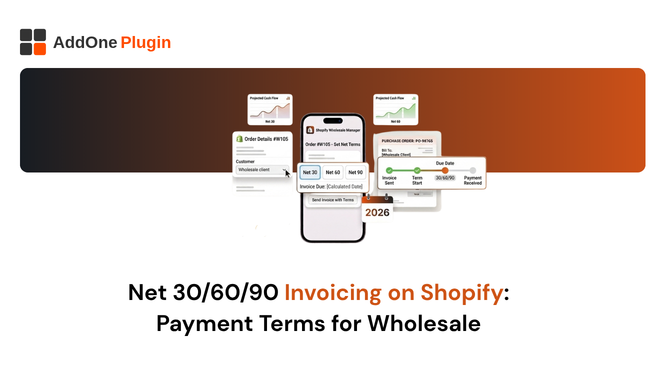
Wholesale buyers do not pay immediately. That is the fundamental difference between retail and B2B trade. When a business places an order for five thousand units, they expect to pay in thirty, sixty, or ninety days, not at checkout. If your Shopify store cannot accommodate that expectation, you are not ready for serious wholesale, regardless of how good your products are.
Net payment terms are the mechanism that makes B2B purchasing work. They create a window between order delivery and payment due, giving buyers time to sell, account for the purchase, and align the payment with their own cash flow cycles. This guide covers what Net payment terms are, how Shopify handles them (and where it does not), what your invoices need to include, and how to manage the full payment cycle from invoice to collection.
What Are Net Payment Terms and Why Do Wholesale Buyers Expect Them?
Net payment terms define when payment is due after an invoice is issued or goods are delivered.
Net 30, Net 60, Net 90: What Each Term Means
“Net 30” means the buyer must pay the full invoice amount within 30 days of the invoice date (or sometimes the delivery date, depending on the agreed terms). Net 60 gives 60 days. Net 90 gives 90 days. The term “net” refers to the total amount due, distinguishing it from payment structures that offer discounts for early payment (such as “2/10 Net 30,” which means a 2% discount is available if payment is made within 10 days; otherwise the full amount is due in 30 days).
Other common variations include “Due on receipt” (payment expected immediately upon invoice delivery) and “EOM” (End of Month, meaning payment is due at the end of the month following the invoice date). The specific terms you offer should reflect your industry norms, your buyer’s expectations, and your own cash flow requirements.
Why Offering Payment Terms Wins (and Keeps) Wholesale Accounts
Wholesale buyers are allocating capital across multiple suppliers simultaneously. Offering Net 30 or Net 60 terms means your goods are effectively financing themselves for a period: the buyer receives the inventory, sells it (or uses it), and pays you from the resulting revenue. This makes your products significantly more accessible to buyers who operate on tight cash flow cycles.
Merchants who offer payment terms consistently report stronger wholesale relationships and higher average order values than those who require upfront payment. Buyers prefer suppliers who understand how B2B purchasing works.
The Cash Flow Trade-Off: How to Protect Your Business
Payment terms help buyers. They also create a cash flow gap for you: goods ship before money arrives. Managing this gap is your responsibility. Common approaches include requiring a deposit for new accounts (e.g., 50% upfront, balance on Net 30), offering terms only to established accounts with a payment history, and setting a credit limit above which terms are not automatically extended.
Equally important: automated payment reminders sent before and after the due date dramatically improve on-time payment rates. An invoicing app that handles this automatically makes terms-based selling far less administratively intensive.
Does Shopify Support Net Payment Terms Natively?
Partially, and with significant limitations on standard plans.
Shopify Plus B2B Company Location Payment Terms
Shopify Plus merchants with the B2B channel enabled can configure payment terms per company location. Options include Net 30, Net 60, Net 90, Due on fulfilment, and Due on receipt. When a company location has terms configured, those terms are displayed at checkout and on the buyer’s order confirmation. Shopify also tracks when invoices are overdue relative to the configured terms.
This is Shopify’s most complete implementation of payment terms, but it is restricted to the Plus plan and requires the B2B feature to be activated and company profiles to be set up for each buyer.
Draft Orders Manual Payment Term Workaround
For non-Plus merchants, draft orders provide a workaround. When you create a draft order in the Shopify admin and send it to the buyer as an invoice, you can add payment terms information to the email or the invoice template. However, Shopify does not natively calculate or track a due date from draft orders on standard plans. The payment terms are informational only, not enforced by the system.
Standard Shopify Plans Where Terms Are Not Available
Standard plan storefronts have no payment terms functionality. A buyer cannot select terms at checkout, and the platform does not track payment due dates against standard orders. For merchants on standard plans who want to offer Net payment terms, an invoicing app that handles terms configuration, due date calculation, and payment reminders is the only practical solution without upgrading to Plus.
How Your Invoice Must Change When You Offer Payment Terms
Payment terms fundamentally change what a B2B invoice must communicate.
Due Date and Payment Terms Displayed Prominently
When you offer Net 30, 60, or 90 terms, the invoice must show the payment due date calculated from the invoice date. “Net 30” as a label is helpful context. “Payment due by 23 July 2026” is what the buyer’s AP system needs to schedule the payment. Both should appear. InvoiceForge calculates the due date automatically from the configured terms and populates it on the invoice.
The payment terms section of your invoice should be prominent and unambiguous. Burying it in small text at the bottom increases the likelihood of late payment.
“Amount Due” vs “Amount Paid” Formatting for Unpaid Invoices
A standard retail invoice shows “Amount Paid” because the buyer has already paid at checkout. A Net terms invoice shows “Amount Due” and “Balance Outstanding,” because payment has not been collected. Your invoice template must reflect this distinction. An invoice that says “Amount Paid: £0.00” on a Net 30 sale is confusing and unprofessional.
InvoiceForge displays the correct payment status based on the order’s payment state in Shopify. Unpaid orders show the outstanding balance and due date. Paid orders show the confirmed payment. The template adapts automatically.
Bank Details or Payment Link for Deferred Payment
The buyer needs to know how to pay when the due date arrives. Your invoice must include clear payment instructions: your bank account details for bank transfer, your preferred payment method, or a payment link if you accept online payment for wholesale orders. Some merchants generate a secure payment link for each invoice that the buyer can use to pay by card when the terms expire. InvoiceForge can include payment links or static bank details on every invoice based on your configuration.
Setting Up Net 30/60/90 Invoicing With InvoiceForge
InvoiceForge extends payment terms capabilities to all Shopify plans, not just Plus.
Configuring Payment Terms per Customer or Customer Group
In InvoiceForge, you configure payment terms at the customer level, the customer group level (using tags), or as a store-wide default for all B2B orders. A tagged customer group labelled “Net60Accounts” can have 60-day terms applied automatically to every order. Individual accounts can have custom terms. Standard retail customers default to “Due on receipt” or “Paid” based on the order payment status.
Auto-Generating Invoices With Due Dates Calculated Automatically
When an order is placed by a customer with Net 30 terms, InvoiceForge generates the invoice with the due date automatically calculated as 30 days from the invoice date. No manual arithmetic, no risk of entering the wrong date. The due date is calculated, displayed on the invoice, and stored in InvoiceForge’s payment tracking dashboard where you can monitor outstanding balances across all accounts.
Install InvoiceForge free from the Shopify App Store and start offering Net payment terms to your wholesale accounts from your next order.
Sending Payment Reminder Emails Before and After the Due Date
InvoiceForge’s payment reminder feature sends automated emails at configured intervals: for example, a reminder seven days before the due date, another on the due date, and a follow-up seven days after if payment has not been received. Reminders are sent in your brand voice with the invoice attached, so buyers can find the document without searching through their inbox.
Managing Overdue Invoices on Shopify
Even with good terms configuration and automated reminders, some invoices will go overdue. Having a clear process for managing this protects your cash flow.
Automated Reminders: When and How Often to Send
The standard reminder cadence for most wholesale operations: one reminder three to five days before the due date, one on the due date, one seven days after, and one fourteen days after. Beyond fourteen days overdue, a more personal outreach (phone call or direct email) is typically more effective than automated messages. Configure InvoiceForge to handle the automated reminders through to the fourteen-day point, then flag overdue accounts in your dashboard for personal follow-up.
Tracking Outstanding Balances Across Multiple Orders
Wholesale relationships often involve multiple open invoices simultaneously. InvoiceForge’s dashboard provides an overview of all outstanding invoices by account, sorted by due date. You can see at a glance which accounts have upcoming due dates, which are overdue, and which have partially paid. This visibility is essential for cash flow management in a wholesale operation.
When to Escalate Collections and Credit Holds
If an account is consistently late paying, or if an invoice goes significantly overdue despite reminders, you have two primary options: escalate to a collections process (formal demand letters, collections agency) or put the account on a credit hold (no new orders until outstanding balance is cleared). Either decision should be made with a clear picture of the account’s total outstanding balance and payment history, which InvoiceForge’s dashboard provides.
Credit holds in Shopify can be managed by changing the customer’s payment settings or by using a B2B app that enforces balance requirements before allowing new orders.
FAQ Net Payment Terms on Shopify
Can I Offer Different Payment Terms to Different Customers?
Yes. InvoiceForge supports customer-level payment terms configuration. Your longest-standing wholesale account might have Net 60 terms. A newer account might start on Net 30, moving to Net 60 after six months of on-time payment. A high-risk account might be on “Due on receipt.” Each account’s terms are stored in InvoiceForge and applied automatically to every order, regardless of how the order is placed.
What Happens If a Buyer Pays Late?
Late payment is a commercial risk you accept when extending terms. Your options include charging late payment interest (must be specified in your terms and conditions at the time of the original agreement), suspending future orders until the balance is cleared, or absorbing the delay and adjusting the account’s future terms accordingly. The most important thing is to have a documented process that is applied consistently. InvoiceForge records the actual payment date against each invoice, giving you the data to make informed decisions about each account.
Net payment terms are the price of entry for serious wholesale trade. Buyers who place large orders expect the flexibility to pay later. Merchants who accommodate this expectation win the accounts. Those who cannot offer terms or cannot manage them efficiently miss out.
Install InvoiceForge free from the Shopify App Store and start offering Net 30, 60, or 90 payment terms with automated invoice delivery, due date tracking, and payment reminders.