
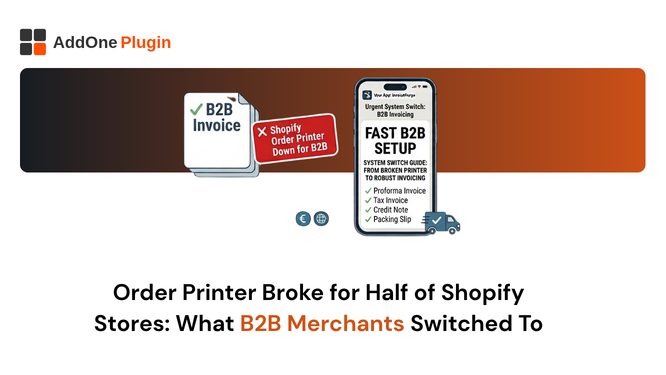
Shopify’s free Order Printer app was never designed for B2B invoicing. It was built for printing packing slips and basic receipts in single-store retail operations. Then merchants discovered it in the app store, installed it for its zero price tag, and tried to make it work for wholesale invoicing, compliance documentation, and bulk PDF exports. Inevitably, it broke.
Browser-based PDF generation that freezes at volume. No automatic invoice delivery. Template customisation locked behind Liquid and HTML knowledge. These are not edge cases; they are the daily reality for B2B merchants who outgrow Order Printer. This guide covers exactly why it fails for B2B, what the alternatives actually offer, and what merchants are switching to.
Why Shopify’s Free Order Printer Stopped Working for B2B Stores
Order Printer’s limitations are not bugs. They reflect a fundamental design decision: the app was built as a manual, on-demand document printer, not as an automated B2B invoicing system.
Browser-Based PDF Generation Fails at Volume
Order Printer generates PDFs in the browser using the merchant’s local machine. For a store processing five to ten orders a day, this is manageable. For a wholesale operation processing fifty, one hundred, or five hundred orders daily, the browser-based approach fails. PDFs render incorrectly, exports freeze or time out, and bulk download attempts produce corrupted files or simply stop mid-process.
This is not a fixable setting. It is an architectural limitation. Apps designed for high-volume document generation use server-side rendering that produces consistent PDFs regardless of order volume.
No Automatic Invoice Delivery to Customers
Order Printer cannot send invoices to customers automatically. Every invoice requires a merchant to log into the Shopify admin, locate the order, open the Order Printer interface, generate the document, and either print it or email it manually. For a single order, this takes two to three minutes. For a wholesale business processing dozens of B2B orders daily, manual invoice delivery is a full-time job.
B2B customers expect to receive their invoice automatically when they place an order, or at the latest when payment is confirmed. Waiting for a merchant to manually generate and send a document is not an acceptable workflow at any meaningful scale.
HTML and Liquid Editing Required for Any Customisation
Adding your logo to an Order Printer template requires HTML knowledge. Changing the layout requires Liquid. Adding a new field, like a VAT number or a sequential invoice number, requires understanding how Shopify’s Liquid template engine works and which object properties are available.
For merchants without development resources, this means accepting the generic default template, which lacks the branded presentation and compliance fields that B2B customers expect. Shopify Theme Support can assist with minor template changes, but it does not offer invoicing compliance consulting.
Order Printer App vs Invoicing App: Why the Distinction Matters
The fundamental distinction between these two categories determines everything about which tool is right for your operation.
Order Printer Apps Generate Documents From Live Order Data
An order printer app generates a document by reading the current state of a Shopify order at the moment you request the document. This means if an order has been edited, the document reflects the edited state. If the same order is printed again a week later, the document may look different from the one printed originally. Order printer apps do not store invoices as independent records. They render documents on demand from live data.
For retail packing slips, this is perfectly adequate. For financial invoices, it is a compliance problem. A tax invoice must be an immutable record of what was transacted at the time of the transaction, not a snapshot of the current order state.
Invoicing Apps Store Invoices as Independent Financial Records
A proper invoicing app generates an invoice at a defined point in the order lifecycle, stores that invoice as an independent document with its own sequential number, and locks it against further modification. If the underlying Shopify order is edited or cancelled later, the original invoice remains unchanged. The invoicing system maintains its own registry of financial documents independent of Shopify’s order management.
This is the architecture required for HMRC, EU tax authority, ATO, and GoBD compliance. The invoice you issued is the invoice on record, permanently.
Why B2B Compliance Requires the Invoicing Approach
A B2B buyer’s accounts payable team processes your invoice as a financial instrument. They match it to a purchase order, enter it into their accounting system, and schedule payment against it. The invoice number they record must match the document they received. If your invoicing system generates a different document each time the same order is viewed, or if your invoice numbers are not sequential and immutable, you are introducing errors into your buyer’s financial records. That creates disputes, delayed payments, and damaged relationships.
What B2B Merchants Actually Need From an Invoice App
These are the non-negotiable features for any Shopify merchant operating a B2B or wholesale channel.
Sequential Invoice Numbering That Survives Cancellations
Your invoice number series must be continuous, sequential, and immutable. If order 1247 is cancelled after invoice IF-2026-1247 is generated, the next invoice must be IF-2026-1248, and there must be a voided record for IF-2026-1247. No gaps, no duplicates, no reuse of numbers.
This requirement exists in UK, EU, and Australian tax law. It is the basis of the invoice audit trail that tax authorities rely on. Any invoicing app that allows gaps, duplicates, or resequencing after the fact fails this requirement.
Buyer VAT Number Capture and Validation
B2B invoices in the UK and EU must include the buyer’s VAT registration number. The app must capture that number from the buyer at checkout or from their customer profile, validate it against VIES or HMRC’s API, and include the validated number on the invoice. For cross-border EU B2B orders, an invalid VAT number means you must charge VAT rather than applying zero-rating.
Auto-Send PDF Invoices by Email After Every Order
The invoice must be emailed automatically to the buyer as a PDF attachment. Not as a link to an order status page. Not as something the buyer has to request. As a PDF attachment to an email sent automatically when the order is placed, or payment is confirmed, whichever is appropriate for your workflow.
Credit Notes, Proforma Invoices, and Delivery Notes
A complete B2B document set includes more than invoices. Credit notes for refunds, proforma invoices for orders requiring pre-approval, and delivery notes for shipped goods are all standard documents in professional wholesale operations. Each must be linked to the corresponding invoice and order, maintaining a complete paper trail.
The Apps B2B Merchants Are Switching To (And Why)
The market for Shopify invoice apps has matured significantly. Here is how the leading options compare for B2B operations.
InvoiceForge Built for VAT, GST, and Wholesale From Day One
InvoiceForge is designed specifically for the compliance and automation requirements of B2B merchants. It handles UK VAT, EU VAT with reverse charge detection, German GoBD and ZUGFeRD compliance, and Australian GST with ABN display. It generates sequential, locked invoices automatically for every order, emails them as PDF attachments, supports credit notes, proforma invoices, and delivery notes, and provides B2B-specific fields including PO numbers and payment terms.
The freemium model means you can start generating compliant invoices immediately without a paid commitment. Pricing scales with order volume as your wholesale business grows.
Sufio Established Compliance-First Invoicing
Sufio is a well-established invoicing app with strong compliance credentials and official Shopify partner status. It covers 40+ languages, supports B2B wholesale features, and has been investing in e-invoicing capabilities for European markets. It is priced higher than InvoiceForge at scale, which makes it better suited to larger merchants with complex multi-regional operations who need maximum customisation and support.
Order Printer Pro Best for High-Volume Packing Slip Printing
Order Printer Pro is the best upgrade from Shopify’s legacy Order Printer if your primary need is reliable bulk printing of packing slips and basic documents. It is faster, more reliable, and more customisable than the free app. However, it remains an order printer rather than an invoicing system: documents are generated from live order data, there is no sequential invoice numbering, and automatic delivery requires workarounds. It is the right tool for warehouse operations focused on fulfilment, not for B2B compliance invoicing.
How to Migrate From Order Printer to InvoiceForge in 10 Minutes
The transition is straightforward and does not require any technical expertise.
Install and Connect Your Store
Install InvoiceForge from the Shopify App Store. The app connects to your Shopify store automatically and reads your existing tax settings, customer data, and product information. No manual data import is required. Setup takes less than two minutes.
Import Your Branding and Tax Settings
Upload your logo, enter your business name, address, and tax registration numbers (VAT number, GST number, ABN, Steuernummer, as applicable). Select your regional invoice template. InvoiceForge pre-configures the correct mandatory fields for your store’s primary market automatically.
Test With a Live Order Before Going Full Auto
Before enabling auto-send for all orders, run a test using a draft order or a low-value test purchase. Confirm that all required fields appear, the VAT or GST calculation is correct, and the PDF delivers successfully to the designated email address. Once the test invoice meets your standard, enable auto-send and you are live.
FAQ Switching From Order Printer
Will I Lose My Historical Invoice Records?
InvoiceForge generates new invoices going forward from the date of installation. It does not retroactively generate invoices for historical orders processed through Order Printer. Your existing Order Printer documents are unchanged. If you need historical invoice records for accounting or audit purposes, you can continue to access them through your Shopify admin, or export them from Order Printer before making the switch.
Can I Run Both Apps During the Transition?
Yes. InvoiceForge and Order Printer can run simultaneously during a transition period. You can use InvoiceForge for all new orders while retaining Order Printer for access to historical document formats. Once you are confident that InvoiceForge is meeting all your needs, you can disable Order Printer entirely. There is no conflict between running both apps simultaneously.
Order Printer was a useful tool for the era of simple retail Shopify stores. The era of B2B wholesale, international compliance, and automated document delivery has moved well beyond what it can support. The merchants who have switched to proper invoicing apps are the ones whose wholesale customers stay, pay on time, and order again.
Install InvoiceForge free from the Shopify App Store and send your first compliant B2B invoice in under ten minutes.