
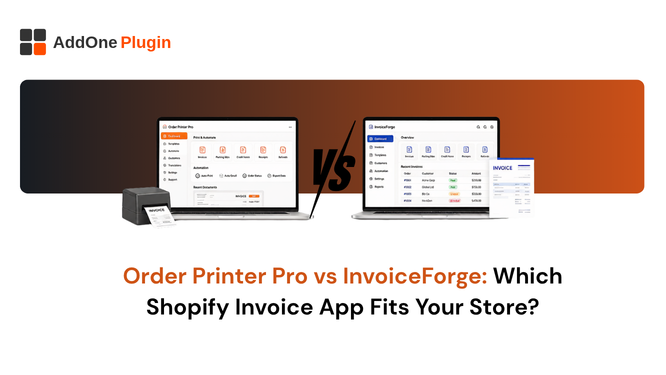
Order Printer Pro is one of the most installed order printer apps on Shopify, and for good reason: it is capable, well-supported, and free to start. InvoiceForge takes a different approach built around true automation and a wider set of B2B document types. Here is an honest, feature-by-feature look at where each one wins.
Order Printer Apps vs. Invoicing Apps
Order Printer Pro generates documents from live order data every time you print or download one, which means the document can change if the underlying order changes later. InvoiceForge creates a fixed document at the moment it is generated and issues a separate credit note for any later adjustment, which matters for compliance and audit trails.
Automation: Manual Download Links vs. Built-In Rules
This is the single biggest functional difference between the two apps, and it shapes almost everything else in the comparison.
How Order Printer Pro Handles Automation
Order Printer Pro’s “automation” works by generating a unique download link that you manually insert into your Shopify order confirmation or shipping confirmation email template. The document is only created when the customer actually clicks that link, which means nothing is generated in advance and there is no guarantee every customer receives one.
How InvoiceForge Automation Rules Work
InvoiceForge automation rules trigger on an order event, paid, fulfilled, or refunded, and generate and send the document automatically without requiring the customer to click anything. Our guide on automating Shopify order paperwork walks through setting this up end to end.
Document Types and Template Editing
Both apps let you customize your documents, but the editing experience and the range of document types differ meaningfully.
Liquid Code vs. Drag-and-Drop
Order Printer Pro’s templates are edited in HTML, CSS, and Liquid, which gives experienced developers granular control but locks out anyone who does not write code. InvoiceForge uses a drag-and-drop editor with live preview, so logo placement, colors, and fonts can be changed by anyone on the team. Our invoice customization guide covers the design side in detail.
Accounting and Bookkeeping
Neither invoicing setup is complete without a clean path into your accounting software.
Exporting to QuickBooks and Xero
InvoiceForge includes a built-in export to QuickBooks, Xero, and CSV on its Starter plan. Order Printer Pro does not include a native accounting export, which means stores using it typically pair it with a separate reconciliation app. See our full guide to exporting Shopify invoices to QuickBooks and Xero for how that gap gets closed either way.
Pricing Side-by-Side
Order Printer Pro’s free plan is generous for basic use, with paid tiers scaling up around volume and premium support. InvoiceForge’s free plan includes all six document types (invoices, packing slips, receipts, credit notes, quotes, and proforma invoices) with no watermark, reserving accounting export for the Starter paid tier. Neither app requires a credit card to start on the free plan.
Which App Fits Your Store
The right choice depends less on which app is “better” overall and more on which specific gap you are trying to close.
Choose Order Printer Pro If
You are comfortable editing Liquid templates, you only need invoices and packing slips, and you do not need built-in accounting export or B2B document types like proforma invoices and credit notes as first-class features.
Choose InvoiceForge If
You want true automation without manually inserting download links, you need a wider range of document types for B2B and wholesale, you want a no-code template editor, or you want accounting export built into the same app that generates your invoices. For a look at other alternatives beyond just these two, see 5 Best Order Printer Pro Alternatives.
Both apps solve the core problem of getting a document into a customer’s hands, but they solve it differently enough that the right pick depends on your workflow, not a star rating. Try InvoiceForge free and compare the automation setup against whatever you are running today.