
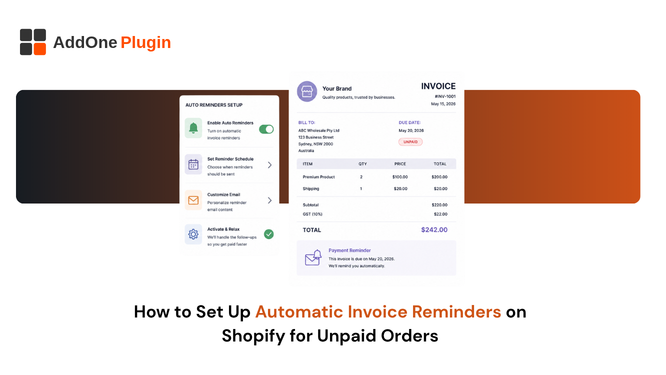
Chasing unpaid invoices by hand is tedious and easy to fall behind on, especially once you have more than a handful of wholesale accounts on net terms at any given time. Shopify has a native reminder feature that covers basic cases, and it has real limits worth knowing about before you rely on it for a growing B2B operation with increasingly complex accounts receivable. This guide covers both the native option and when it makes sense to move to something built specifically for wholesale collections.
Shopify’s Native Payment Reminders
Shopify includes a built-in payment reminder feature for orders with assigned payment terms, letting you schedule up to five reminders relative to the due date without installing any additional app or paying for a separate subscription just to get basic reminder functionality running.
What They Can and Can’t Do
Native reminders can be scheduled on the due date or up to thirty days after it, and they are not sent for subscription, preorder, or try-before-you-buy purchase options, which rules them out for stores relying heavily on those specific order types as part of their broader sales mix. They also do not support more advanced logic like escalating tone across multiple reminders or automatically cancelling an order that stays unpaid past a certain point, both of which become genuinely useful once your accounts receivable volume grows past a handful of active wholesale accounts you are tracking manually in a spreadsheet or your own memory.
This gap becomes especially noticeable once a store has enough wholesale accounts that some are reliably prompt payers and others are consistently late. A one-size-fits-all reminder schedule treats both groups identically, which either annoys your best customers with unnecessary reminders or fails to escalate quickly enough with the accounts that genuinely need a firmer follow-up.
There is also no native way to segment reminder cadence by account size or order value, which matters once a handful of large wholesale accounts represent a disproportionate share of outstanding receivables. A missed payment from your single largest buyer deserves a different follow-up pace than a small, occasional retail order left unpaid.
Setting Up Reminders in Settings > Notifications
Getting the native feature running takes only a few minutes if payment terms are already assigned to your orders through Shopify B2B or a manual terms field on the order itself.
Step-by-Step Configuration
From your Shopify admin, go to Settings > Notifications, then find the Payment reminder section under Orders and click Manage payment reminders. From there you can create up to five reminders, each tied to the due date or a set number of days after it, with customizable email content for each one so the tone can shift appropriately from a gentle nudge to a firmer follow-up as an invoice ages further past its original due date without payment.
Take the time to actually customize the wording on each reminder rather than leaving Shopify’s default text in place across all five. A reminder sent on the due date should read differently from one sent three weeks later, and buyers notice when every message in a sequence sounds identical regardless of how overdue the balance has become.
When Native Reminders Aren’t Enough
The native feature works well for stores with a small, simple set of B2B accounts, but it starts to strain once wholesale volume grows and accounts begin carrying multiple invoices at different stages simultaneously, each with its own due date and its own balance.
Wholesale Accounts With Multiple Open Invoices
A wholesale buyer with several open invoices across different due dates needs reminders that reference the correct invoice number and balance, not just a generic order reminder that does not distinguish between which specific document is actually overdue at any given moment. Native Shopify reminders are tied to individual orders, which becomes hard to manage once a single company account has multiple concurrent invoices outstanding at once, each at a different point in its own payment cycle relative to the others. Our wholesale invoicing setup guide covers how to structure invoicing for accounts with recurring, multi-invoice activity so this kind of tracking stays manageable as volume grows over time.
This becomes particularly important once a buyer starts asking for a consolidated view of what they owe across several invoices at once, a request that is entirely reasonable from their side but genuinely difficult to answer accurately if your own reminder system was never designed to track multiple concurrent balances against a single company account in the first place.
Automating Overdue Reminders From Your Invoicing App
For B2B stores with meaningful accounts receivable volume, tying reminders directly to the invoice record itself, rather than the underlying Shopify order, gives a clearer picture of what is actually outstanding at any given moment across every active account you manage.
This approach also makes it far easier to answer a buyer’s own question when they ask what they currently owe across all their open orders, since the reminder system and the invoice records are the same underlying data rather than two separate systems that need to be manually cross-referenced to produce an accurate answer.
Linking Reminders to Actual Invoice Due Dates
InvoiceForge tracks invoice due dates as part of the document record, so reminders can reference the specific invoice number and outstanding balance rather than just the original order, which is what a buyer’s own accounts payable team actually needs to process the payment correctly and quickly on their end. This keeps communication accurate when a buyer has multiple invoices at different stages of the payment cycle, rather than sending a vague reminder that leaves the buyer guessing which specific balance is actually being referenced in the email they received. Correct upfront invoice numbering makes this tracking cleaner from the start; see our invoice number format guide for how to set that up properly before volume grows large enough to make retrofitting it a genuine project.
Auto-Cancelling Orders That Never Get Paid
Reminders alone do not solve every collections problem. At some point, an unpaid order needs a resolution beyond another email that may simply be getting ignored or lost in a busy inbox somewhere on the buyer’s end.
Balancing Recovery Attempts Against Freeing Inventory
Auto-cancelling an unpaid order after a defined number of days frees up the inventory it was holding and closes the loop cleanly, but cancelling too early risks losing a sale that was simply delayed rather than genuinely abandoned by the buyer for good. Most stores land somewhere between 7 and 30 days depending on typical payment behavior from their specific customer base, with B2B net-terms accounts generally given more room than retail orders paid upfront, since a wholesale buyer’s own internal approval process can legitimately take longer than a typical retail transaction moving through a single decision-maker.
It is worth setting a different cancellation window for wholesale accounts versus any retail orders on payment terms you might also process, since lumping both into a single policy tends to be too aggressive for one group and too lenient for the other. A wholesale buyer with a long-standing relationship and a clean payment history is a very different risk than a first-time retail order left unpaid for weeks.
If a payment does eventually surface as a genuine dispute rather than simple lateness, our guide on handling invoice disputes and corrections covers the right next steps, since treating every late payment as a straightforward collections problem rather than checking for a legitimate dispute first can damage a relationship that was actually salvageable with a quick, simple correction rather than an escalating series of reminders that only frustrate a buyer who was never actually at fault.
It is worth reviewing your reminder cadence and cancellation window every so often rather than treating the initial setup as permanent. A cadence that worked well for a smaller set of accounts may need adjusting as your wholesale book grows and the range of buyer payment behaviors you are dealing with becomes more varied than it was at the start.
Unpaid invoices left unchased are lost revenue, even when the buyer genuinely intended to pay and simply lost track of the due date amid their own workload. InvoiceForge ties reminders to actual invoice due dates, so B2B accounts with multiple open invoices get accurate follow-up instead of generic order-based reminders that leave real ambiguity about what is actually owed.