
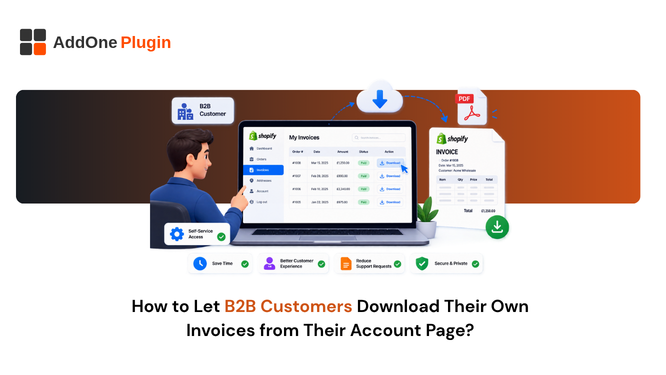
Every “can you resend that invoice” email is a small, avoidable interruption, and for a wholesale store handling dozens of B2B accounts, those interruptions add up fast, pulling someone away from other work to dig up a document that already exists somewhere in the system. Shopify’s customer accounts show order history by default, but order history and a downloadable invoice aren’t the same thing, and the gap between them is exactly where these support requests come from. It’s a solvable gap, and closing it takes less work than most merchants assume once you know which piece of Shopify’s account system needs to be in place. This guide covers what it takes to let your B2B customers pull their own invoices directly from their account page, without a support request in between.
Why B2B Buyers Expect Self-Serve Invoice Access
B2B buyers increasingly expect the same self-service standard from a wholesale supplier that they get from any modern SaaS product. A generation of buyers used to logging into a subscription dashboard to pull their own billing history doesn’t see why a wholesale supplier should work any differently.
The Accounting Department Problem: Emails Aren’t Enough
A B2B customer’s accounting team usually needs to retrieve an invoice weeks or months after the original order confirmation email has been archived or lost. Relying on that original email as the only invoice record puts your customer in the position of digging through their inbox, or worse, contacting you to resend something you already sent them once. Multiply that across every recurring wholesale account you have, and it becomes a predictable, recurring source of friction rather than an occasional edge case.
How Manual Invoice Requests Drain Support Time
Every manual invoice resend is a small task, but a wholesale store with a steady base of repeat B2B buyers can end up handling this request dozens of times a month. None of it is complicated work, but all of it is time that a self-serve option would eliminate entirely, and it’s rarely the kind of task that gets prioritized or measured, which means it tends to stay invisible even as it accumulates.
What Shopify’s Native Customer Accounts Show By Default
Shopify’s customer accounts give buyers a useful order history, but that history stops short of what most B2B buyers are actually looking for. It’s worth understanding exactly where the native feature set ends before deciding what needs to be added on top.
Order History vs Actual Invoice Documents
Out of the box, a logged-in customer can see their past orders, dates, and totals. What they generally can’t do is download a formal invoice document showing itemized VAT or GST, business details, and an invoice number, since Shopify’s native order history view isn’t structured as an invoice archive. It’s a summary of what happened, not a compliant financial document, and the two shouldn’t be confused even though they sit in the same part of the account experience.
Where the Gap Sits for B2B and Wholesale Buyers
This gap matters most for wholesale accounts specifically, since a B2B buyer’s bookkeeping process depends on a real invoice document in a way a casual retail customer usually doesn’t. A retail shopper checking on a past order rarely needs more than order history; a wholesale buyer’s finance team almost always does, and treating both types of customer the same way on the account page is where the friction starts.
Do You Need Customer Account UI Extensions for This?
Whether you can close this gap, and how, depends heavily on which version of Shopify’s customer accounts your store is running. This is worth checking before evaluating any invoicing app on the strength of its account-page features, since the app’s capability doesn’t matter if your store’s account system can’t support it yet.
New Customer Accounts vs Legacy Accounts
Shopify’s newer customer accounts system supports Customer Account UI Extensions, which let third-party apps embed additional functionality, including invoice download links, directly into the account and order status pages. Legacy customer accounts don’t support this extension model, so confirming which system your store is on is the first practical step before anything else here matters. Stores that migrated some time ago or set up B2B early are the most likely to still be on the legacy system without realizing it, since the switch to new customer accounts isn’t always automatic.
What UI Extensions Can and Can’t Add to the Account Page
UI extensions can add elements like a “download invoice” or “view invoice” link next to each past order, styled to match your store’s branding. What they can’t do is retroactively generate a compliant invoice for an order that was never invoiced correctly in the first place. The extension surfaces the invoice; something still needs to have created it properly at the time of the order. Adding a download link on top of a broken or inconsistent invoicing process just makes the underlying gaps more visible to your customers, not less.
Setting Up Self-Serve Invoice Downloads Step by Step
Getting this working is less about a single toggle and more about making sure two separate pieces, your account system and your invoicing app, are both configured correctly. Skipping either half leaves you with a download link that doesn’t work or an invoice that has nowhere to live.
Enabling New Customer Accounts on Your Store
If your store is still on legacy customer accounts, you’ll need to migrate to Shopify’s new customer accounts system first, since UI extensions won’t work otherwise. This is a store-level setting change and worth testing on a small scale before rolling it out broadly, since account URLs and some customer-facing behavior change as part of the switch. It’s worth scheduling this migration for a quiet period rather than mid-launch, since existing B2B customers will need to sign back in under the new system the first time they return.
Adding an Invoice Download Link to the Order and Account Page
Once new customer accounts are active, an invoicing app that supports customer account UI extensions can add the download link itself, typically appearing next to each order on both the account’s order history and the individual order status page. Buyers logging in later to check a past order see the link sitting right where they’d expect it, without having to know it exists or ask for it separately.
Keeping Self-Serve Invoices Accurate for B2B Buyers
A self-serve download link is only as good as the invoice sitting behind it. Adding the feature without checking the underlying document first is a common mistake, and it tends to surface the problem to customers rather than hiding it.
Making Sure VAT Numbers and Payment Terms Display Correctly
For a B2B customer, the invoice behind that download link needs to show their VAT number, the correct tax treatment for their transaction, and any agreed payment terms accurately. A wholesale invoicing setup that already handles B2B pricing and terms correctly makes this part straightforward; if that setup isn’t solid yet, self-serve access just gives buyers faster access to invoices that still have problems. Self-serve access effectively raises the stakes on invoice accuracy: a mistake that used to sit quietly in an email thread is now one click away for the customer to notice at any time, not just at the moment the invoice was originally sent.
How InvoiceForge Approaches Customer Account Invoice Access
InvoiceForge generates the underlying VAT and GST-compliant invoice for every order, which is the piece that needs to exist correctly before any self-serve download link is worth adding. Customer Account UI Extensions support specifically is still being finalized on our end, so if self-serve account-page access is the deciding factor for your evaluation, it’s worth confirming current availability directly with the InvoiceForge team rather than assuming it’s already live. In the meantime, invoices generated through InvoiceForge can still be shared with B2B customers via the order confirmation and any manual resend, so the underlying document quality doesn’t depend on account-page access being available yet. For a broader look at how this compares across invoicing apps, our InvoiceForge versus Sufio comparison covers where the two currently differ.
Fewer Emails, Faster Bookkeeping
Self-serve invoice access is one of those features that quietly removes friction rather than adding a headline benefit. Your B2B buyers stop waiting on a reply to get a document they need for their own books, and your team stops fielding the same resend request on a loop. It’s not a feature that shows up in a sales pitch, but it’s exactly the kind of detail that repeat wholesale buyers notice, since it signals that ordering from you is as easy as ordering from a well-run SaaS vendor. Get the underlying invoice right first, per the B2B invoice versus retail receipt distinction, and the self-serve access on top of it becomes a small addition rather than a fix for a bigger problem.