
A customer returns a $340 wholesale order, and suddenly you’re staring at two documents that seem to do the same job. One is a return form. The other is a credit note. Pick the wrong one, or skip the one you actually needed, and you’ve either left a gap in your VAT records or handed a customer paperwork that means nothing to their accountant.
This mix-up is more common on B2B Shopify stores than most merchants admit. A return form and a credit note aren’t interchangeable, and treating them that way creates real problems at tax time. Here’s what each document actually does, when you need one, the other, or both, and how to stop guessing every time a return comes in.
What a Return Form Actually Does
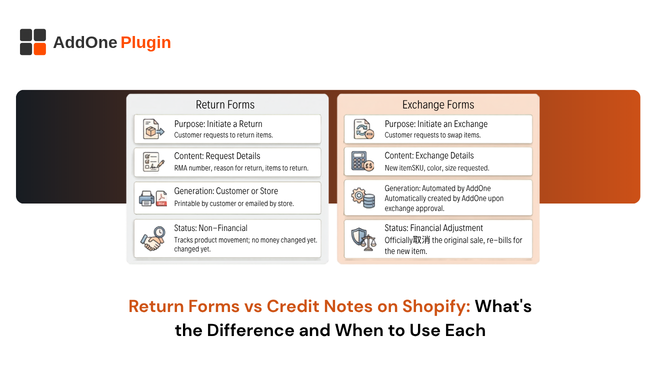
A return form is an operational document. It records that a customer wants to send goods back, why, and what should happen to those goods once they arrive. That’s it. It has no financial standing on its own.
The information a return form captures
A well-built return form usually includes the order number, the specific line items being returned, a reason code (damaged, wrong item, no longer needed, doesn’t meet spec), and the customer’s preferred outcome, refund, exchange, or store credit. For B2B orders, it often also captures a purchase order reference so the buyer’s procurement team can match the return against their own records.
None of this data creates a financial obligation. It’s a request, not a transaction.
Where it sits in the order lifecycle
A return form comes first. It’s the trigger that starts the return process, before the goods are received, before anyone decides whether a refund is owed, and before any money or credit changes hands. Shopify’s self-serve returns feature, now available for B2B orders as well as direct-to-consumer ones, essentially digitizes this step: the customer initiates the return through their account, and the merchant approves or declines it.
Why a return form alone isn’t a financial document
Here’s where merchants get tripped up. A return form doesn’t adjust your VAT liability, doesn’t change what you reported on your last return, and doesn’t give the customer anything they can hand to their bookkeeper as proof of a reduced charge. If you close out a return using only the return form and never issue a credit note, your books and your VAT filings still show the original, full-value sale. That’s a compliance gap waiting to surface at audit time.
What a Credit Note Actually Does
A credit note is a financial and tax document. It formally reduces, partially or fully, the amount a customer owes or has paid, and it adjusts the VAT or sales tax originally charged on that amount.
Credit notes as VAT/tax adjustment documents
When you issue a credit note, you’re not just telling the customer “we’ve reduced your balance.” You’re creating a record that your tax authority expects to see reflected in your VAT return. If a $340 order included $56.67 in VAT and the customer returns the full order, the credit note needs to reverse both the $340 and the $56.67, not just note that a refund happened.
Shopify’s native Credit Notes vs. manual credit notes
Since mid-2024, Shopify automatically generates a Credit Note whenever a merchant fully or partially cancels charges on an invoice, these are viewable and downloadable from the Billing section of the admin, with a refund mechanism tied either to the original payment method or Shopify Account Credits. That native feature covers Shopify’s own billing to merchants; it’s separate from the credit notes a merchant issues to their own customers, which is what a VAT-compliant invoicing app handles.
When a credit note is legally required, not optional
In most VAT and GST jurisdictions, if you’ve issued a tax invoice and the transaction is later reduced or cancelled, a credit note isn’t a nice-to-have, it’s the only document that legally corrects your original invoice. Simply refunding the payment through your payment processor and calling it done leaves your tax invoice standing as-is on paper, which creates a mismatch between what you reported and what actually happened.
When Do You Need Both?
Most returns need both documents, just at different stages. The return form handles the “what’s coming back and why.” The credit note handles “how does this change what was owed.”
Full return, full refund
The customer sends everything back, and you’re refunding the full amount. Here the credit note should mirror the original invoice exactly, reversing every line item and the full tax amount.
Partial return, exchange, or store credit
Only some items come back, or the customer wants a replacement rather than money back. This is where a lot of manual errors creep in, a partial credit note has to match precisely which line items and which portion of the tax were affected, not just an arbitrary dollar figure.
B2B orders on payment terms (unpaid at time of return)
This is the trickiest case, and it’s a genuine gap in Shopify’s native tooling right now. When a B2B customer has payment terms and hasn’t paid yet, returning an item doesn’t automatically reduce the order’s outstanding balance in Shopify, merchants have reported the order total staying unchanged even after a return is processed. In this scenario, a credit note isn’t just good practice; it’s the mechanism that actually corrects the amount the customer owes before the invoice is due.
How InvoiceForge Handles Credit Notes for B2B Shopify Stores
Once you’re processing more than the occasional return, doing this by hand, recalculating tax, checking it matches the original invoice, formatting a new document, is where mistakes multiply.
Auto-generating a compliant credit note on refund or cancellation
InvoiceForge generates a credit note automatically when a refund or cancellation is processed on an order, pulling the original tax treatment through so the numbers reconcile without manual recalculation. That’s the difference between a document that looks right and one that’s actually correct against your VAT return.
Matching credit notes to the original invoice number
A credit note that doesn’t reference the invoice it’s correcting is close to useless for audit purposes. InvoiceForge ties every credit note back to its originating invoice number automatically, so there’s a clean paper trail if a tax authority, or your own accountant, ever asks to see it.
Keeping return forms and credit notes from creating duplicate records
Because the return form and the credit note serve different purposes, it’s easy to end up with both floating around disconnected from each other. Structuring your workflow so the credit note is generated directly from the approved return, rather than created separately by whoever’s handling customer service that day, keeps the two documents linked instead of duplicated.
Getting Your Return-to-Credit-Note Process Right
The fix here isn’t complicated once the distinction is clear. It just needs to be built into your process rather than decided case-by-case.
A simple decision checklist
Ask three questions on every return: Has the customer already paid? Is the return full or partial? Does the resolution involve money moving, or just goods? If money moved or is owed either way, a credit note follows. If it’s purely a goods-tracking exercise before a decision is made, the return form is enough for now.
Common mistakes that create VAT reporting errors
The two most frequent errors are refunding through the payment processor without ever issuing a corresponding credit note, and issuing a credit note for the full order value when only part of it was actually returned. Both leave your VAT records out of step with what actually happened, and both are avoidable by simply generating the credit note as a required step in the return workflow rather than an afterthought.
Getting the distinction right protects two things at once: your customer’s trust that the paperwork they’re getting actually reflects what happened, and your own VAT filings when it’s time to reconcile the quarter. Once your return process automatically routes into a compliant credit note instead of leaving it to memory, this stops being a decision you have to make every single time.
If you’re still generating credit notes by hand, or discovering gaps between your returns and your VAT records after the fact, it’s worth looking at how InvoiceForge handles the full refund-to-credit-note workflow on Shopify B2B orders, it’s built specifically to close that gap automatically rather than relying on someone catching it manually.