
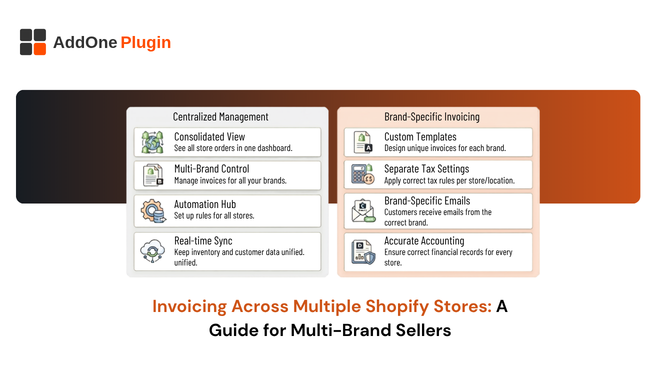
You launched your second brand on its own Shopify store, and now you’ve got two invoice numbering systems, two sets of tax settings, and two places customers might get confused about which entity they’re actually buying from. By the time you’re running three or four stores, invoicing has quietly become the messiest part of the operation.
This is a problem specific to multi-brand sellers, and it doesn’t get talked about much because most invoicing content assumes you’re running one store. If you’re managing invoicing across multiple Shopify stores, here’s what’s actually realistic to standardize, what isn’t, and how to set each store up so your accountant isn’t reconciling four different systems every quarter.
Why Multi-Brand Sellers Struggle With Invoicing Specifically
Every additional Shopify store you launch is, for invoicing purposes, a completely separate environment. That’s the root of the problem, and it’s worth understanding before you try to fix it.
Separate Shopify orgs mean separate everything by default
Unless you’re on Shopify Plus with a custom multi-store setup, each store you run is its own instance with its own admin, its own apps, and its own settings. An invoicing app installed on Brand A’s store has no visibility into Brand B’s orders. There’s no toggle that merges them.
Inconsistent invoice numbering across brands
Without a deliberate scheme, it’s common to end up with Brand A on invoice #1042 and Brand B independently on invoice #1042 too, because both stores started counting from the same default. If your bookkeeping ever needs to reference “invoice 1042” without specifying which brand, you’ve created an ambiguity that shouldn’t exist.
Different tax settings, VAT numbers, or entities per brand
Some multi-brand sellers run each brand under the same legal entity and VAT number. Others structure each brand as a separate registered business. Either is legitimate, but the invoicing setup has to match reality, an invoice showing the wrong VAT number for the entity that actually made the sale is a compliance problem, not just a branding inconsistency.
What “Consolidated” Invoicing Realistically Means on Shopify
Before building a process, it helps to be honest about what’s actually achievable without a custom development project.
True consolidation (rare, usually Shopify Plus + custom dev)
A single invoice pulling line items from orders placed across multiple separate Shopify stores is technically possible, but it typically requires Shopify Plus, a headless or custom storefront setup, and real development work to merge order data across store instances. For most multi-brand sellers, this isn’t worth building unless customers are regularly placing combined orders across brands, which is uncommon outside of dropshipping parent/child store setups.
Standardized invoicing (realistic for most multi-brand sellers)
What’s actually achievable, and what solves 90% of the real pain, is standardizing how invoicing works on each store independently: same branding conventions, same numbering logic, same VAT/tax configuration approach, same export routine to your accounting software. The invoices aren’t merged, but they’re consistent enough that managing four stores doesn’t feel like managing four different businesses.
Where per-store apps like InvoiceForge fit into each model
InvoiceForge, like most Shopify invoicing apps, installs and runs per store. That’s not a limitation specific to this app, it’s how the vast majority of Shopify apps work, because each store is its own contained environment. The practical implication is that you’ll set InvoiceForge up once per brand, and the goal becomes making those individual setups consistent with each other.
How Do You Keep Invoice Numbering Consistent Across Brands?
This is the single most common source of confusion in multi-brand operations, and it’s also the easiest to fix upfront.
Prefix-per-brand numbering schemes
The simplest fix is a brand-specific prefix baked into the invoice number itself, something like AB-1001 for Brand A and CD-1001 for Brand B. Anyone looking at an invoice number instantly knows which brand it belongs to, without needing to check the letterhead.
Avoiding number collisions when brands share a back office
If the same finance person or bookkeeper handles invoices for every brand you run, unprefixed numbering is where collisions cause real confusion, two unrelated invoices both labeled “1042” sitting in the same spreadsheet or accounting export. A prefix eliminates this at the source rather than requiring someone to cross-reference which store an invoice came from after the fact.
Documenting the scheme so your accountant isn’t guessing
Write the numbering convention down somewhere your bookkeeper or accountant can see it, a one-page reference showing which prefix maps to which brand, and which store’s admin panel to check if something needs verifying. This sounds obvious, but it’s the step most sellers skip until the first time an accountant asks “which store is CD-1042 from?”
What happens if you skip this and try to retrofit it later
Renumbering an existing sequence of invoices after the fact is far messier than setting the convention up correctly from the start. Once invoices have gone out to customers, changing the numbering scheme risks creating gaps or duplicates in a sequence that tax authorities generally expect to be continuous, which is a much bigger headache than the ten minutes it takes to decide on a prefix convention before your second brand’s first invoice ever goes out.
Setting Up InvoiceForge Consistently Across Multiple Stores
Once the numbering and structure decisions are made, the actual app setup is where you put them into practice on each store.
Branding each store’s invoice template to match the storefront
Each brand should have its own invoice template reflecting that brand’s logo, colors, and contact details, not a shared generic template that makes every invoice look identical regardless of which store the customer bought from. InvoiceForge’s branded template customization lets you set this per store, so Brand A’s invoices look like they came from Brand A, not from a generic backend system.
Replicating VAT/GST settings correctly per store’s tax jurisdiction
If your brands sell into different regions, or one is VAT-registered and another isn’t yet, each store’s InvoiceForge setup needs its own tax configuration reflecting that store’s actual registration status. Copying settings from one store to another without checking whether the same VAT number and tax rules actually apply is one of the more common, and more consequential, multi-brand mistakes.
What isn’t shared automatically between installs
Because each install is independent, changes you make on one store’s InvoiceForge setup, template edits, numbering format, tax rules, don’t carry over to another store automatically. If you update your invoice template on Brand A, you’ll need to make the equivalent change on Brand B, C, and D separately. Building this into a quarterly review, rather than assuming it happens automatically, keeps the brands from drifting out of sync with each other over time.
A Practical Setup Checklist for Multi-Brand Operators
Before launching a new brand, or auditing the ones you’re already running, a short checklist keeps invoicing from becoming an afterthought.
Before you launch brand number two, decide on your numbering prefix convention, confirm which legal entity and VAT number applies to the new store, and set up the invoicing app’s branding and tax settings before your first order comes in rather than retrofitting it after invoices are already going out with the wrong details.
On a quarterly basis, it’s worth reconciling invoice records across all your brands at once: checking that numbering schemes haven’t drifted, that VAT settings still match each brand’s current registration status, and that templates across stores are still reasonably consistent with each other. This is a smaller task than it sounds like once the initial setup is done properly, it’s really just confirming nothing has quietly diverged.
Assigning ownership, even if it’s just you
In a small multi-brand operation, it’s tempting to assume invoicing consistency will just happen naturally because you’re the one running everything. In practice, the brand that gets the most attention day-to-day is usually the one whose invoicing setup stays current, while a secondary or newer brand’s setup quietly falls behind. Explicitly assigning, even to yourself, a recurring check-in for each brand’s invoicing configuration is a small process fix that prevents this drift from becoming invisible simply because no single person is watching for it.
Multi-brand selling multiplies almost every operational task, and invoicing is no exception. The sellers who avoid the mess aren’t the ones who find a magic consolidation feature, they’re the ones who build the same disciplined setup into every store from day one. Get the numbering convention and tax configuration right before brand two launches, and you’ll spend a lot less time untangling it later.
If you’re setting up a new brand’s invoicing from scratch, it’s worth reviewing how InvoiceForge’s invoice numbering customization works before you pick a prefix scheme, getting it right on day one avoids a much messier renumbering exercise down the line.