
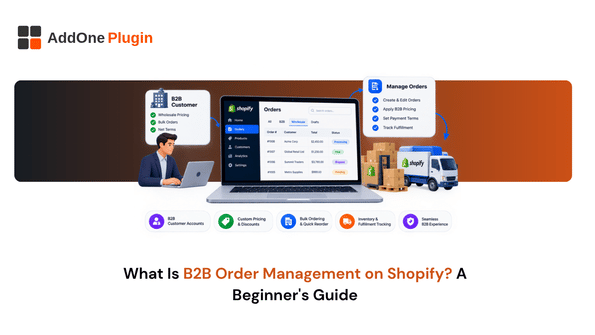
If your wholesale orders are still living in a mix of email threads, spreadsheets, and sticky notes, you already know something is broken. B2B order management on Shopify is the system that replaces that mess: a repeatable way to take a business order from first contact through payment without losing track of who ordered what, on what terms, and when it’s due. This guide breaks down what that process actually involves, what Shopify gives you natively, and where most small to mid-sized sellers need to add a layer of their own.
What B2B Order Management Actually Means
B2B order management is the set of steps a wholesale seller uses to capture, confirm, fulfill, and get paid for a business customer’s order. Unlike a retail sale, a B2B order usually involves negotiation, custom pricing, and a payment window instead of an instant checkout.
The core stages, quote, order, fulfill, invoice, pay
Most B2B orders move through five stages. A buyer requests pricing or availability (the quote stage), the seller confirms the order details, the warehouse picks and ships the goods, an invoice goes out, and the buyer pays according to agreed terms. Each stage produces its own document or record, and the whole process only works smoothly if those records stay connected to each other. Miss a handoff between stages and you end up with mismatched paperwork, delayed payments, or orders that ship before anyone confirmed pricing.
How it differs from standard retail (B2C) order handling
A retail customer pays at checkout and the transaction is done. A B2B customer often has negotiated pricing, a credit account, and 30 to 90 days to pay after the goods arrive. That gap between “order placed” and “payment received” is where most of the complexity in B2B order management lives, and it’s the part that generic retail-focused Shopify setups tend to handle poorly.
The Building Blocks of B2B Order Management on Shopify
Once you understand the stages, the next question is what each one actually looks like inside Shopify’s admin. Three components do most of the work.
Company accounts and customer tiers
Shopify’s B2B tools let you group customers into company accounts, each with its own assigned pricing, product catalog, and payment terms. This is what lets your best wholesale accounts see different prices than a new buyer, without you manually adjusting anything at checkout.
Purchase orders, sales orders, and invoices
A purchase order comes from the buyer, a sales order (handled through Shopify’s draft orders) confirms what you’re fulfilling, and an invoice requests payment once the order ships. Keeping these three documents consistent with each other is the backbone of clean B2B order management, and it’s a big enough topic that we’ve covered it in detail in our comparison of purchase orders, sales orders, and invoices on Shopify.
Payment terms and pricing rules
Net 30, Net 60, and similar terms let a buyer pay after delivery instead of at checkout. Shopify supports these natively at the company level, but applying the right term to the right customer, and making sure your invoices reflect it, usually takes a bit of extra setup.
Do You Need Shopify Plus for B2B Order Management?
You do not need Shopify Plus to run a functional B2B order management process. Plus adds convenience features like unlimited catalogs and deposit handling, but the core building blocks, company accounts, payment terms, and draft orders, are available on Basic, Grow, and Advanced plans too.
What’s native on Basic/Grow/Advanced plans
On these plans, you can already assign company-specific pricing, set Net payment terms per account, and use draft orders to handle custom quotes. What you don’t get is unlimited B2B catalogs or Plus-only checkout customization, neither of which is essential for most small to mid-sized wholesale operations.
Where apps fill the gap instead of upgrading
The features that tend to be missing at the app level, not the plan level, are things like automated invoice generation, bulk invoice sending, and detailed order-source tracking. For most sellers, a handful of well-chosen apps closes that gap for a fraction of the cost of moving to Plus.
Getting Invoicing Right From Day One
Of everything in the B2B order management stack, invoicing is usually the first thing to break down as order volume grows, and it’s worth setting up correctly before it becomes a bottleneck.
Why invoicing breaks first as B2B order volume grows
Manually creating and sending each invoice works fine for five orders a month. At fifty, it starts eating hours you don’t have, and small inconsistencies (a missing PO number, a wrong due date) start showing up in your accounts receivable. This is usually the point where sellers start looking for a dedicated solution.
Automating invoice generation and delivery with InvoiceForge
InvoiceForge generates a compliant, branded invoice automatically as orders come in, so you’re not recreating the same document by hand every time. It’s worth setting this up early, before manual invoicing becomes the thing slowing down your whole order process.
Next Steps for Setting Up B2B Order Management
Getting your process in order doesn’t require a full platform migration. It just requires setting the pieces up in the right order.
A simple starter checklist
Start by setting up company accounts and assigning payment terms to each one. From there, confirm your draft order workflow for custom quotes, and put an invoicing process in place that doesn’t depend on you remembering to do it manually every time.
When to bring in dedicated apps vs. build custom
If your order volume is still low and manageable by hand, native Shopify B2B tools may be enough for now. Once invoicing, reconciliation, or customer self-service starts costing you real time each week, that’s the signal to bring in purpose-built apps rather than trying to patch the gap with workarounds.
Getting B2B order management right on Shopify is less about finding one big feature and more about making sure quotes, orders, and invoices all stay connected to each other as volume grows. Start with the native tools Shopify already gives you, and layer in automation for the parts, invoicing especially, that tend to break down first. If invoicing is the piece still costing you time every week, InvoiceForge is built to take that off your plate.