
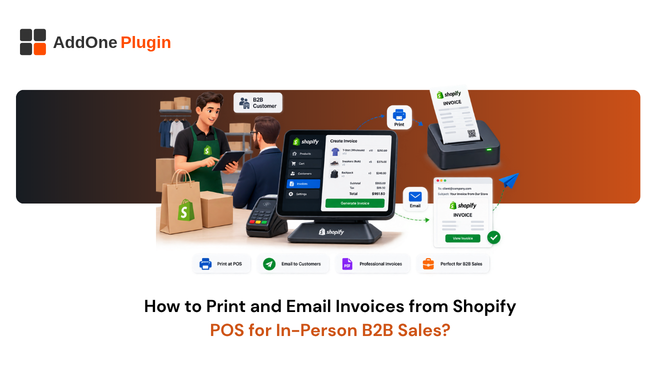
A wholesale buyer walking your trade show booth doesn’t want a retail receipt, they want a proper invoice their accounting department can actually process, and handing them the wrong document is a small but real friction point at exactly the moment you’re trying to close the sale. Shopify POS handles in-person sales well, but what it hands a customer by default is built for a retail transaction, not a B2B one. Merchants running showrooms, trade show booths, or wholesale counters run into this constantly: the sale itself goes smoothly, and then the buyer asks for “the actual invoice” a few minutes later. This guide covers how to print and email a real invoice from Shopify POS, and what changes when the person standing in front of you is buying wholesale.
Receipts vs Invoices: Why POS Transactions Need Both
The difference between a receipt and an invoice sounds minor until a B2B buyer’s accounts payable team rejects the document you gave them. It’s a distinction that rarely comes up in a purely retail context, which is part of why it catches merchants off guard the first time a wholesale customer pushes back on what they’ve been handed.
What Shopify POS Prints by Default
Out of the box, Shopify POS is built to print, email, or text a receipt at the end of a transaction. A receipt confirms the purchase happened and shows what was bought, but it’s not built to carry the full detail a business buyer needs for their own bookkeeping. This isn’t a flaw in Shopify POS specifically; retail receipts and B2B invoices are genuinely different documents serving different purposes, and Shopify’s default receipt was designed with the far more common retail use case in mind.
What a B2B Buyer’s Accounting Team Actually Requires
A business customer’s accounts payable process typically needs a document with a clear invoice number, both parties’ business details, itemized VAT or GST, and often a purchase order reference. A standard POS receipt usually leaves several of these out, which is exactly why “can I get an actual invoice” is such a common request at in-person B2B sales. Some accounting departments will simply refuse to process payment against a receipt at all, which turns a quick in-person sale into a delayed one while the correct document gets sorted out after the fact.
How to Email an Invoice Directly from Shopify POS
Getting an invoice into a customer’s inbox at the moment of sale is largely a settings question.
Setting Up Email Receipt Options in POS Settings
From your Shopify admin, go to Point of Sale, then Settings, and look under the Customization section for your receipt options. You can configure whether a digital receipt is offered automatically at checkout and whether staff have to actively select the email option or whether it’s the default. For a B2B-heavy location, it’s usually worth defaulting to email over print, since a digital copy is easier for a buyer to forward straight into their own accounting system than a paper printout is.
Customizing the POS Receipt Email Template
The email template itself is editable from Settings, Notifications, Customer notifications, under the POS and mobile receipt section. This is also where you can insert a link pointing to a full invoice document rather than relying on the receipt email alone to carry all the required detail. A common pattern is to keep the receipt email short and simple, and have it link out to a hosted invoice page that carries the full VAT or GST breakdown, rather than trying to cram everything into the receipt template itself.
How to Print a Full VAT/GST Invoice at the Point of Sale
Printing at the counter needs the right hardware and the right document type selected, not just a functioning printer.
Connecting a Receipt Printer to Shopify POS
Any printer compatible with your POS device can be connected and set as your default. Once it’s set up, you can choose how many copies print automatically after each transaction, and whether that setting applies to one location or across all of them. For a location that sees a mix of retail and wholesale foot traffic, it’s worth setting the copy count and print behavior per location rather than applying one blanket setting store-wide, since a busy retail counter and a quieter wholesale showroom usually want different defaults.
Printing Compliant Invoices Instead of Basic Receipts
The printer connection itself doesn’t change what document type gets sent to it. To print a full invoice rather than a basic receipt, you need an invoicing app configured to generate that document at the point of sale, since Shopify’s native printed receipt template isn’t designed to include full VAT or GST invoice detail by default. Without that piece in place, connecting a better printer just gets you a nicer-looking receipt, not a more complete one.
Handling Wholesale Pricing and PO Numbers on In-Person Orders
In-person B2B sales usually carry details a retail transaction never touches, and those details need to make it onto the final document.
Recording Purchase Order Numbers at Checkout
Many B2B buyers require their purchase order number to appear on the invoice before their accounts team will process payment. Capturing this at the point of sale, rather than chasing it down afterward, saves a follow-up email for both sides. It’s a small thing to add to your staff’s checkout process, but it’s the single most common reason a wholesale invoice gets bounced back for correction after the fact.
Applying B2B Pricing and Payment Terms In-Store
If a customer has agreed net payment terms rather than paying on the spot, that needs to be reflected on the invoice too. Shopify’s draft orders feature is often the cleanest way to handle this in person, letting staff build a custom order with the right pricing and terms before sending an invoice rather than processing it as a standard paid transaction. This matters particularly at trade shows, where a buyer might want to place an order on the spot but settle payment later according to terms already agreed with your sales team, rather than paying by card at the booth. Staff working the floor need a fast, low-friction way to pull up a customer’s agreed terms and pricing tier without slowing down the sale, which is usually a bigger practical hurdle than the invoicing itself.
Automating In-Person Invoicing for Trade Shows and Showrooms
For merchants doing regular in-person wholesale, whether at a permanent showroom or on the trade show circuit, manually handling this order by order doesn’t scale. What works fine for the occasional wholesale walk-in becomes a genuine bottleneck once in-person B2B sales are happening every week.
What to Look for in a POS-Compatible Invoicing App
Not every invoicing app that works well for online orders extends its features to point-of-sale transactions. Before committing to a tool for in-person B2B sales specifically, confirm directly with the vendor that POS printing and email are explicitly supported, rather than assuming that “works with Shopify” automatically means “works with Shopify POS.” It’s worth asking the question directly during evaluation, since app store listings don’t always spell out the distinction clearly, and finding out the gap exists after you’ve already committed to a tool is far more disruptive than confirming it up front.
Where InvoiceForge Fits Into Your In-Person B2B Workflow
InvoiceForge is built around generating VAT and GST-compliant invoices from Shopify orders, including the wholesale pricing and payment terms detail that in-person B2B sales tend to carry. If your sales happen primarily at the counter or on the trade show floor rather than online, we’d recommend confirming current POS-specific support directly with the InvoiceForge team before relying on it for that workflow, since POS coverage is still being finalized. In the meantime, the online side of the same workflow, generating correct wholesale invoices with PO numbers and payment terms for orders placed through Shopify’s admin or draft orders, is already solid ground to build on. The B2B invoice versus retail receipt breakdown is a useful reference for understanding exactly what needs to change between the two document types.
Making In-Person Sales Feel as Professional as Online Ones
A wholesale buyer judges your business on the paperwork almost as much as the product, and a generic retail receipt handed over at a trade show booth doesn’t do you any favors. Getting the invoice right at the point of sale, PO number, correct pricing, and proper VAT or GST detail included, means one less follow-up email and one more buyer who trusts your business to handle the details correctly. It’s a small operational fix compared to everything else involved in running an in-person B2B sales channel, but it’s also one of the easiest ones to overlook until a buyer flags it directly at the counter.