
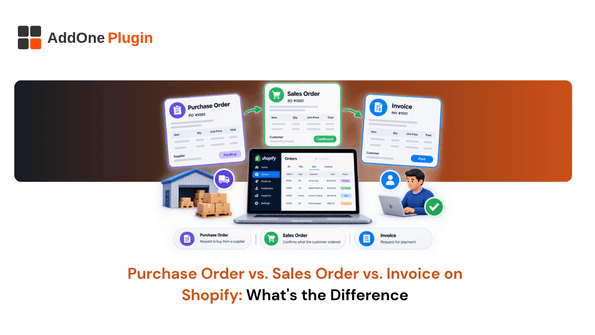
Three documents show up in nearly every B2B transaction, and they get confused constantly: the purchase order, the sales order, and the invoice. They can look similar at a glance, but each one serves a different job in the order process, and mixing them up is how sellers end up with mismatched paperwork and slow payments. This guide breaks down what each document does and, more usefully, how each one maps to a specific feature inside Shopify.
Three Documents, Three Different Jobs
Before looking at how Shopify handles each document, it helps to be clear on what each one is actually for and who creates it.
Purchase order, the buyer’s request
A purchase order (PO) comes from the buyer. It lists what they want, in what quantity, and at what agreed price, and it’s the buyer formally committing to the order before anything ships.
Sales order, the seller’s confirmation
A sales order is the seller’s response to that PO. It confirms the seller can fulfill the request, locks in the terms, and kicks off picking and shipping. Not every Shopify merchant uses this term, but the function still exists in the platform.
Invoice, the request for payment
An invoice is what the seller sends after the order ships, or according to whatever payment terms apply, requesting payment for what was delivered. It’s the only one of the three documents whose sole purpose is collecting money.
How Each One Maps to Shopify’s Actual Features
Generic definitions are useful, but the more important question for a Shopify merchant is where each of these documents actually lives inside your store.
Purchase orders and inventory transfers (receiving)
On the receiving side, when you’re buying stock from a supplier, Shopify’s native Purchase Orders and Transfers tool handles this directly. You create the PO, convert it into an inventory transfer, and mark items received as they arrive.
Draft orders as Shopify’s sales order equivalent
On the selling side, Shopify doesn’t have a feature literally called “sales order.” Draft orders fill that role: a sales rep or the buyer confirms an order’s details, pricing, and terms before it becomes a real order. We cover this mapping in more depth in what a sales order is and whether you need one on Shopify.
Where invoices come from on Shopify
Invoices are generated once an order (or draft order) is confirmed, either through Shopify’s native draft order invoice email or through a dedicated invoicing app for anything more customized than a basic confirmation.
Do You Need All Three, or Can You Skip One?
Not every seller needs a formal, separate version of all three documents, but skipping one entirely tends to create problems down the line.
Small wholesale operations, what’s actually essential
If you’re a smaller wholesale operation with a handful of repeat B2B customers, you may not need a formal purchase order process on the buying side, and a simple draft order can double as your sales order. The invoice, however, is not optional if you want a clean paper trail for accounting.
When skipping a document creates reconciliation problems later
The trouble starts when there’s no clear record connecting the original request to what actually shipped and what was billed. If a customer disputes an invoice, or your bookkeeper can’t tie a payment back to an order, the missing document is usually the reason.
Keeping the Paper Trail Straight With InvoiceForge
Once you know which document does what, the next challenge is making sure they stay linked to each other as your order volume grows.
Attaching PO numbers to generated invoices
Including the buyer’s PO number on the invoice you send back is a small detail that makes a real difference to accounts payable teams matching invoices against their own records. We’ve written a full walkthrough on adding a PO number to Shopify invoices for wholesale orders if you want to set this up properly.
Avoiding duplicate or mismatched records across the three documents
The most common breakdown happens when a draft order gets edited after the invoice was already generated, leaving the two out of sync. Building a habit of generating the invoice only once the order details are final avoids most of this.
A Quick Reference You Can Bookmark
With the definitions and the Shopify mapping covered, here’s the shorthand version to keep on hand.
Side-by-side comparison table
| Document | Created by | Purpose | Shopify equivalent | |—|—|—|—| | Purchase order | Buyer | Request goods at agreed terms | Native Purchase Orders and Transfers (receiving) | | Sales order | Seller | Confirm and commit to fulfilling | Draft orders | | Invoice | Seller | Request payment | Draft order invoice or invoicing app |
Common mistakes merchants make mixing these up
The most frequent mix-up is treating the invoice as the order confirmation, and sending it before the order details are actually locked in. Send the confirmation first, lock in the terms, then generate the invoice once, not the other way around.
Purchase orders, sales orders, and invoices are three different documents with three different jobs, and Shopify has a real feature behind each one even if the naming doesn’t always match the textbook terms. Get comfortable with how draft orders and invoices map to sales orders and billing, and the rest of your paper trail tends to fall into place. If keeping PO numbers and invoice details consistent across every order is still a manual chore, InvoiceForge is built to handle that automatically.