
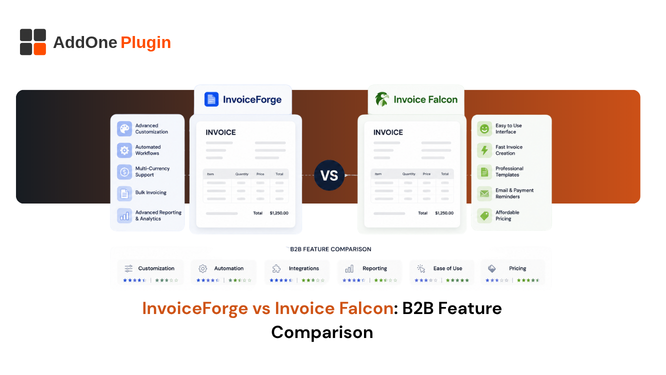
Invoice Falcon has built a loyal following on bulk printing and payment reminders at a budget-friendly price point. But for merchants with real B2B requirements, purchase order numbers, VAT number capture, proper credit notes, the gaps start to show fairly quickly. Here is how InvoiceForge compares to Invoice Falcon on the specific features that matter most for B2B compliance.
What Invoice Falcon Offers B2B Merchants
Invoice Falcon is an order-printer-category app with a specific, well-executed strength in payment tracking that many competitors in its price range simply skip.
Bulk printing and payment reminders
Invoice Falcon’s standout feature is scheduled, automatic reminders for unpaid invoices, a genuinely useful capability many competitors at a similar price point leave out entirely. Bulk printing and multi-currency support round out the core offering, making it a reasonable choice for merchants whose main pain point is chasing unpaid B2B accounts.
For a store where late payment is the single biggest operational headache, this focused strength genuinely matters more than a longer feature list elsewhere. A well-built reminder sequence, sent automatically without anyone having to remember to chase a customer manually, can meaningfully improve cash flow on its own.
Where its B2B feature set is limited: PO numbers, VAT capture
Invoice Falcon does not display purchase order numbers on documents, and it does not support capturing or validating VAT numbers from B2B customers, which limits its usefulness for wholesale and cross-border sellers with real tax compliance requirements to satisfy. For a store selling exclusively domestic B2C, this gap never surfaces. For a B2B wholesale seller, it becomes a real problem fairly quickly.
The practical impact shows up the first time a business customer’s finance team rejects an invoice for missing their PO number, or the first time a cross-border sale needs a VAT number the invoice simply has no field for. Neither situation is rare for a genuinely active B2B seller.
What InvoiceForge Offers in the Same Areas
These are exactly the fields that tend to surface as gaps only after a merchant has already been using an order-printer-style app for a while, once B2B and cross-border sales become a real part of the business rather than an occasional order.
VAT/GST number capture and validation
VAT and GST numbers are captured and displayed as part of the standard invoice template, without needing a workaround, a custom field, or a developer to add support for something that should be a default capability for a B2B-focused invoicing tool.
PO numbers and payment terms
Purchase order numbers and payment terms are supported natively, which matters directly for wholesale B2B accounts with procurement requirements that expect this information to appear correctly on every invoice they receive.
Credit notes and corrections
Refunds and corrections generate a proper credit note as an independent document, rather than a modified copy of the original invoice with the title changed and the total adjusted, which does not hold up the same way under a formal audit.
Which App Handles VAT/GST Compliance Better?
For VAT/GST compliance specifically, InvoiceForge covers more ground than Invoice Falcon out of the box, since VAT number capture, PO numbers, and proper credit notes are standard rather than missing entirely from the feature set.
Required invoice fields comparison
Invoice Falcon covers the basics well: professional formatting, payment tracking, multi-currency support. It falls short specifically on the fields that matter for formal B2B tax compliance, which InvoiceForge treats as core, non-negotiable functionality rather than an advanced feature.
It is worth mapping this against your own required field list rather than taking either app’s marketing at face value. Pull up a recent B2B invoice you have issued, list every field your customer’s finance team actually needed, and check it against each app’s stated feature set directly.
Multi-country support
Coverage varies by app and changes over time as both add new regions, so it is worth checking each provider’s currently supported markets directly against the specific countries you sell into, rather than assuming either app covers your full footprint by default.
Why B2B Merchants Choose InvoiceForge Over Invoice Falcon
The decision usually comes down to one question: does your business need the invoice itself to double as a compliance document, or is a clean payment record and a good reminder sequence enough for how you currently sell.
Compliance-first feature set
Where Invoice Falcon’s strength is payment tracking, InvoiceForge’s strength is making sure every single invoice meets the fields your tax authority actually requires, which is a different, and arguably more foundational, problem to solve well.
Reliable data accuracy between orders and invoices
Some Invoice Falcon reviews cite mismatches between discount totals shown at checkout and the final invoice amount. Consistent, accurate data between order and invoice matters most for B2B accounts reconciling against their own purchase orders, where even a small discrepancy can hold up payment.
A mismatch that a consumer might not notice on a $40 order becomes a real problem on a $4,000 wholesale invoice, where the customer’s own bookkeeping team is actively checking totals against what was originally agreed. Accuracy at that level is not a nice-to-have; it directly affects how quickly you get paid.
Pricing and support
Pricing on both apps is worth comparing directly against your actual order volume rather than the headline tier, since the features that matter most for B2B compliance, PO numbers, VAT capture, credit notes, are the ones worth checking are included at the plan level you would actually be paying for.
Making the Switch
Comparison recap
| Invoice Falcon | InvoiceForge | |
| Payment reminders | Strong, standout feature | Available |
| PO numbers | Not supported | Supported |
| VAT number capture | Not supported | Supported |
| Credit notes | Basic, resembles original invoice | Independent document |
| Bulk printing | Supported | Check current feature set |
Migration basics
Existing Invoice Falcon documents remain in your account for historical record-keeping purposes; there is no need to move past invoices anywhere. New orders begin generating through InvoiceForge from the point you switch your active template, which keeps the transition clean and avoids any gap in documentation. See why B2B merchants switched to InvoiceForge for more context on how other merchants have approached this same decision.
If payment reminders are the only feature you genuinely rely on, Invoice Falcon still does that job well, and there is little reason to switch. If PO numbers and VAT compliance matter to how you actually sell B2B, InvoiceForge closes gaps Invoice Falcon simply does not cover, and those gaps tend to matter more the more seriously your business treats wholesale and cross-border sales. See how to add PO numbers to your invoices for the specifics of that setup.