
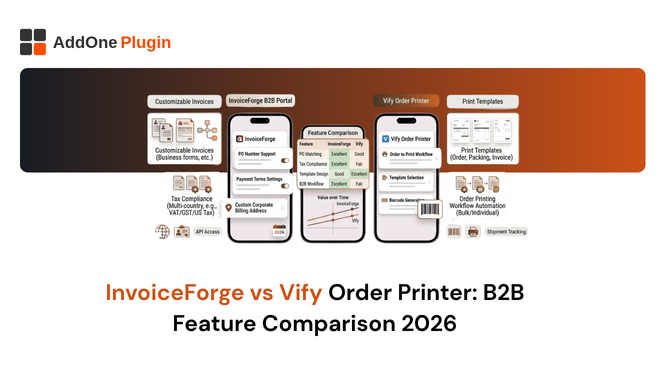
InvoiceForge and Vify Order Printer serve different audiences who often end up evaluating the same category. Vify is one of the most popular document printing apps on the Shopify App Store, praised for its no-code toggle-based interface and clean templates. InvoiceForge is built for B2B compliance. The overlap is real, but the differences determine which is right for your operation.
This comparison covers the features that matter most for B2B merchants: compliance, automation, sequential numbering, e-invoicing, credit notes, and pricing. If your primary need is packing slips and basic receipts, Vify is worth considering. If you need compliant B2B invoicing, the picture changes significantly.
What Each App Is Designed to Do
The design philosophy behind each app predicts the feature set.
InvoiceForge Compliance-First B2B Invoicing
InvoiceForge is built around a core premise: every B2B order should automatically generate a legally compliant tax invoice and deliver it to the buyer without any manual action. The compliance stack is the foundation: sequential locked invoice numbers, VAT number capture and validation, reverse charge detection, ZUGFeRD e-invoice generation, and GoBD-compliant archiving. Features are built on top of that foundation, not alongside it.
The result is an app where compliance is the default, not an add-on. You do not need to know what GoBD is to be GoBD-compliant when you use InvoiceForge. The app handles it.
Vify Order Printer Toggle-Based Document Printing for All Merchants
Vify Order Printer is designed for simplicity and accessibility. Its core value is a no-code interface where nearly all customisation is done through toggles and settings panels, with no HTML or Liquid required. It produces clean, professional-looking invoices, packing slips, and receipts. Its customer base is broad: retail merchants who want better-looking documents than Shopify’s defaults, merchants who need basic B2B invoice support, and stores that want multi-language capability without template coding.
Vify is an order printer app: it generates documents from the current state of a Shopify order on demand. It is not designed as a financial record management system.
Quick Feature Comparison
At a glance:
- Sequential invoice numbering (locked): InvoiceForge yes. Vify partial
- VAT number capture from buyers: InvoiceForge yes. Vify yes
- VIES validation in real time: InvoiceForge yes. Vify limited
- Reverse charge auto-detection: InvoiceForge yes. Vify requires manual setup
- ZUGFeRD e-invoicing: InvoiceForge yes. Vify no
- GoBD-compliant archiving: InvoiceForge yes. Vify no
- Auto-send PDF on order: InvoiceForge yes. Vify yes
- Credit notes: InvoiceForge auto-generated. Vify manual generation
- PO numbers: InvoiceForge yes. Vify yes
- Net payment terms: InvoiceForge yes. Vify limited
- No-code customisation: InvoiceForge yes. Vify yes (strength)
- Free tier: InvoiceForge yes. Vify yes (limited)
B2B Compliance Features Compared
This is where the two apps diverge most significantly.
Sequential Invoice Numbering and Audit Readiness
InvoiceForge maintains a dedicated sequential invoice number series, independent of Shopify’s order numbers. Numbers are assigned at the moment of invoice generation and locked. Cancelled orders produce voided invoice records, not gaps. The invoice register is a continuous, auditable sequence that satisfies HMRC, EU, ATO, and GoBD requirements.
Vify Order Printer does not maintain an independent invoice number series in the same manner. Document numbers are typically tied to Shopify’s order numbers or generated per-session. For tax jurisdictions that require continuous, unbroken sequential invoice numbering (which is most of them), this creates a compliance gap.
VAT/GST Number Display and Reverse Charge Logic
Both apps can display VAT and GST numbers on invoices. InvoiceForge validates EU VAT numbers against VIES in real time at checkout or from customer profiles, records the validation result, and uses it to automatically apply reverse charge logic on qualified cross-border B2B orders. The entire process is automatic.
Vify captures VAT numbers as custom fields and can display them on invoices. Reverse charge detection is not automatic in Vify; it requires manual template configuration to apply zero-rating and add reverse charge language based on customer type or manual triggers. For merchants with consistent manual control over their order process, this is manageable. For merchants with high order volumes or international B2B buyers who may or may not have valid VAT numbers, automatic validation and detection is significantly safer.
Credit Notes and Proforma Invoice Support
InvoiceForge auto-generates credit notes when a refund is processed in Shopify. The credit note is linked to the original invoice by number, carries a sequential credit note document number, and is sent to the buyer automatically. No manual action is required from your team.
Vify supports credit note generation, but creation is manual rather than automatic. You initiate the credit note from the Vify dashboard rather than having it triggered by the refund event. For low-volume merchants with time to manage this manually, Vify’s approach is workable. For merchants processing multiple refunds daily, manual credit note creation is an operational overhead.
ZUGFeRD and E-Invoicing Capability
InvoiceForge generates ZUGFeRD e-invoices (PDF+embedded XML in the EN16931 COMFORT profile) for German B2B orders. This is included in the standard product for merchants operating in Germany. Vify Order Printer does not support ZUGFeRD or any other structured e-invoice format. For merchants who need to comply with Germany’s 2027 and 2028 e-invoicing mandate, Vify is not a viable solution.
Automation Compared
Automation is where the workflow differences become most visible in daily operations.
Auto-Send Invoices by Email After Order
Both InvoiceForge and Vify support automatic invoice delivery to the buyer’s email after an order is placed or paid. Both attach the invoice as a PDF. Both allow you to customise the email subject and body. The delivery mechanism is comparable between the two apps.
The difference is in what gets delivered: InvoiceForge sends a compliance-ready invoice with all mandatory fields. Vify sends a professionally formatted document that may or may not include all mandatory fields depending on how the template is configured. For merchants with complex compliance requirements, InvoiceForge’s auto-send is more reliable because compliance is built into the template defaults rather than being dependent on correct manual configuration.
Conditional Sending B2B vs B2C Customer Logic
InvoiceForge supports conditional sending: B2B-tagged customers receive full tax invoices; retail customers can receive simpler receipts or rely on Shopify’s order confirmation. This routing is automated based on customer tags and shipping address.
Vify’s conditional sending is less granular. You can configure different document types for different workflows, but the per-customer-tag conditional logic requires more setup. For merchants with a clear B2B and B2C split in their customer base, InvoiceForge’s approach is more straightforward.
Accountant CC and Bulk Export
Both apps support CC’ing a secondary email address on auto-sent invoices and bulk PDF export for record-keeping. These features are broadly comparable. InvoiceForge includes these on all tiers. Vify’s bulk export features vary by plan.
Template Customisation Compared
Vify’s Toggle-Based No-Code Editor
Vify’s interface is its standout feature. Nearly every aspect of the invoice, from which fields are shown to font size to layout, is configurable through toggles and dropdowns. No HTML or Liquid knowledge is required. The result is that a non-technical team member can customise the invoice template, add fields, change the layout, and adjust branding without developer involvement. This is a genuine strength for small teams.
Vify also offers nine base templates, giving merchants a variety of visual starting points. For merchants who prioritise ease of template management over compliance depth, Vify’s editor is more accessible.
InvoiceForge’s Template Editor and Branding Controls
InvoiceForge’s template editor is also designed for non-developers, with configuration panels for logo, colours, field display, and custom field mapping. The interface is more focused on compliance field configuration than design aesthetics. Custom fields (PO numbers, internal references, compliance-specific fields) map directly to Shopify order attributes.
Which Approach Suits B2B Stores Better?
For B2B stores, the more important question is not “which editor is easier to use” but “which app ensures my invoices are compliant by default.” A beautifully designed invoice that is missing a mandatory VAT field or lacks sequential numbering is a compliance failure regardless of how easy it was to create. InvoiceForge’s editor is compliance-led. Vify’s editor is design-led. For B2B compliance, the compliance-led approach is the safer default.
Pricing Compared
Free Plan Capabilities
Both InvoiceForge and Vify offer free tiers. InvoiceForge’s free tier includes full compliance features (VAT invoicing, credit notes, ABN display, auto-send) with an order volume limit. Vify’s free tier includes basic invoicing with template access and limited order volume.
For merchants starting, both free tiers provide useful functionality. InvoiceForge’s free tier offers more compliance depth out of the box.
Paid Plan Pricing at Scale
InvoiceForge paid plans start at $9.99 per month and scale with order volume. Vify’s paid plans start at approximately $10.99 per month and similarly scale with usage. At comparable volume tiers, pricing is broadly similar between the two apps.
The pricing comparison shifts when you factor in what you get at each price point. At $9.99-$10.99 per month, InvoiceForge includes ZUGFeRD e-invoicing, GoBD compliance, and automatic credit note generation. Vify at a comparable price point offers superior template design flexibility but lacks these compliance capabilities.
Value per Dollar for B2B Features
For pure B2B compliance, InvoiceForge delivers more per dollar. For template design quality and ease of customisation, Vify delivers more per dollar. The right choice depends on which of these dimensions matters more to your operation. Most B2B merchants find that compliance requirements drive the decision, making InvoiceForge the stronger value proposition for their use case.
The Verdict: Which App Should B2B Merchants Choose?
Choose InvoiceForge If…
- Your buyers are VAT or GST-registered and need compliant tax invoices
- You sell to German businesses and need ZUGFeRD e-invoicing before 2027
- You process refunds and need credit notes generated automatically
- Continuous sequential invoice numbering is required for your region
- You want reverse charge logic to apply automatically without manual template setup
- GoBD compliance for German market operations is required
Choose Vify Order Printer If…
- Your primary need is well-designed, easy-to-customise invoices and packing slips
- Your buyer base is mainly B2C with occasional B2B requirements
- You do not sell to Germany and do not need e-invoicing capability
- Template design quality and ease of customisation are your top priorities
- Your compliance requirements are simple (no reverse charge, no GoBD)
Both apps are improvements on Order Printer and Shopify’s defaults. The distinction is what you are optimising for: design or compliance. For B2B merchants in the UK, EU, and Australia who need their invoices to hold up under tax authority scrutiny, InvoiceForge is the more defensible choice.
Install InvoiceForge free from the Shopify App Store and compare the compliance features for yourself.