
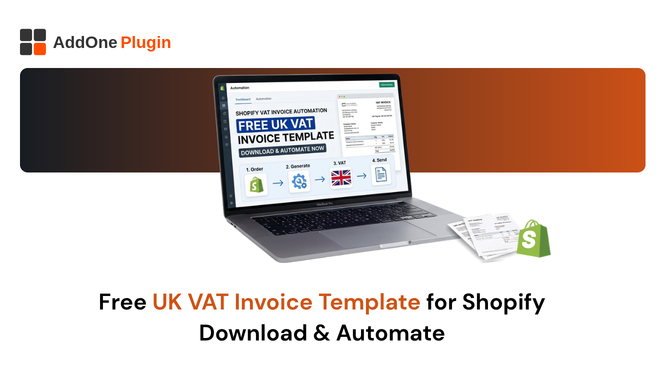
Every UK VAT-registered Shopify merchant needs to send compliant VAT invoices to B2B customers. If you are not ready to invest in an invoicing app yet, a properly structured template is the right starting point. If you are already using a template and spending fifteen minutes per invoice filling it in, this guide will also show you why it does not need to stay that way.
This page gives you a free, HMRC-compliant UK VAT invoice template, explains every mandatory field and why it must be there, and shows you the path from manual templates to full automation when you are ready to scale.
What a UK VAT Invoice Must Include (HMRC Checklist)
HMRC is specific about what makes a VAT invoice legally valid. Before customising any template or sending any invoice, make sure these fields are present.
The 11 Mandatory Fields at a Glance
HMRC Notice 700/21 requires all of the following on a full VAT invoice:
- A unique, sequential invoice number
- The date the invoice was issued
- The date of supply (the tax point), if different from the invoice date
- Your legal business name and registered address
- Your VAT registration number (GB + 9 digits)
- Your customer’s name and address
- A description of the goods or services supplied
- The quantity and unit price per item
- The rate of VAT applicable to each item (20%, 5%, or 0%)
- The total amount excluding VAT
- The total VAT charged
If your template is missing even one of these fields, your customer cannot use the invoice to reclaim input VAT on their return. HMRC will reject the claim, your buyer will chase you for a corrected document, and payment will be delayed. Start with all eleven, every time.
Simplified vs Full Invoice: When to Use Each
For retail sales under £250, HMRC allows a simplified invoice that omits the customer’s name and address, the quantity and unit price per item, and the net amount before VAT. The simplified invoice still needs your name, address, VAT number, supply date, description, total VAT-inclusive price, and the VAT rate.
For any sale over £250, and for any B2B sale where the buyer needs to reclaim VAT, a full invoice is required regardless of the amount. Most Shopify B2B merchants default to the full format for all orders to avoid any risk of sending a simplified invoice when a full one is needed.
Common Mistakes That Make a Template Non-Compliant
The most common template errors that invalidate a UK VAT invoice:
- Using Shopify’s order number as the invoice number. Order numbers are not sequential in the way HMRC requires, and they may reset or have gaps due to cancelled orders
- Missing the VAT registration number, or displaying it without the “GB” prefix
- Showing a single combined tax line without breaking down rates for mixed-rate orders
- Not separating the net amount and the VAT amount (showing only the VAT-inclusive total)
- Missing the date of supply when it differs from the invoice date
- Using your trading name when your legal business name is different
Check your current template against this list before sending another invoice.
Download the Free UK VAT Invoice Template
The free template below is structured for compliance. Customise it with your business details before use.
What Is Included in the Template
The free template includes all eleven HMRC-required fields laid out in a professional, clean format. It includes:
- A header section with your business name, address, and VAT number on the left and the invoice details (number, date, tax point date) on the right
- A customer details section for the buyer’s name and address
- A line-item table with columns for description, quantity, unit price, VAT rate, and VAT amount
- A totals section showing the net total, total VAT, and total
- A footer section for payment terms and bank details
How to Customise It With Your Business Details
Replace the placeholder text in the header with your legal business name, registered business address, and VAT registration number. Update the payment terms and bank details in the footer to match your actual payment instructions. Save a master version as your standard template, and duplicate it for each new invoice.
The invoice number field must be updated manually for each invoice, maintaining a sequential series. Start from 001 or from wherever your current sequence sits. Never reuse a number.
When to Use This Template (and When to Stop)
The free template is appropriate for merchants processing a small number of B2B invoices each month, where the time cost of manual completion is acceptable, and where the risk of manual error is manageable. If you are processing more than ten B2B invoices per month, the template is costing you meaningful time. If you have missed a field or made a transcription error even once, it has already created a compliance risk.
The template is a starting point, not a permanent solution. As soon as your B2B order volume makes manual invoicing feel like work, it is time to automate.
Why Free Templates Break Down as Your Store Grows
The limitations of manual invoicing are not problems you can work around at scale. They are structural constraints that compound with every order you process.
Manual Data Entry Errors on Every Invoice
Every time you fill in a template manually, you introduce the possibility of error. Wrong VAT number, wrong invoice date, transposed invoice number, incorrect VAT rate on a product, wrong customer address. Each of these errors creates a non-compliant document. Each non-compliant document is a potential audit exposure and a guaranteed buyer complaint.
At five invoices a month, occasional errors are annoying but manageable. At fifty, they are a systematic problem. At five hundred, they are a crisis.
No Sequential Numbering or Audit Trail
A manual template has no built-in sequential numbering mechanism. You maintain the number series yourself, in your head or in a spreadsheet. When you cancel an invoice, skip a number by mistake, or lose track of where you are in the sequence, you create gaps. HMRC and EU tax authorities treat unexplained invoice number gaps as potential evidence of unreported transactions. Even an innocent administrative error requires a formal explanation.
No Automatic Delivery You Are Copying and Pasting Forever
Every invoice generated from a template requires you to open the template, fill it in, save the PDF, open your email client, attach the PDF, address the email, and send it. Then you save a copy for your records, update your invoice register, and move to the next one. This process takes five to fifteen minutes per invoice. Across a growing wholesale operation, it is a significant administrative burden that pulls you away from activities that actually grow the business.
How to Automate What the Template Does Without the Template
The good news: you do not need to abandon the template workflow immediately. You can start with the free template and transition to automation when the volume justifies it. Here is what that transition looks like.
InvoiceForge Generates Every UK VAT Invoice Field Automatically
InvoiceForge reads your Shopify order data and generates a complete, HMRC-compliant VAT invoice automatically. All eleven mandatory fields are populated from your account settings and the order record. Your VAT number, legal name, and address come from your InvoiceForge profile. The customer details come from the Shopify order. The line items, quantities, prices, and VAT rates come from Shopify’s tax-configured product data. The invoice number is assigned sequentially and locked.
You fill in nothing. You check nothing. The invoice is compliant from the first one.
Branded PDFs Sent to Customers Without Touching a Spreadsheet
Once InvoiceForge is configured, every B2B order triggers an automatic invoice generation and email delivery. The buyer receives a branded PDF in their inbox with the correct fields, the correct layout, and your logo. You receive a copy at your accountant’s email address. The invoice is stored in InvoiceForge’s dashboard, searchable and downloadable any time.
The template stays in your archive as a backup. It is never used again.
From Free Template to Free App: The Upgrade Path
InvoiceForge’s free tier handles all core invoicing features: VAT-compliant invoices, sequential numbering, auto-send, credit notes for refunds, and ABN display for Australian orders. You do not need to upgrade to a paid plan to eliminate manual invoicing. Install free, configure in under 30 minutes, and start automating from your next order.
When your order volume grows beyond the free tier’s limits, upgrading to a paid plan keeps the same features running at scale. The transition from free template to free app to paid scale is a linear upgrade path with no dead ends.
FAQ UK VAT Invoice Templates for Shopify
Can I Use a Word or Excel Template for HMRC Compliance?
Yes, for the document content. HMRC does not specify that invoices must be generated by any particular software. A Word or Excel template that includes all eleven mandatory fields and is saved as a PDF is legally valid. The practical risks are the ones outlined above: manual error, no sequential numbering enforcement, and the time cost of manual completion. These are operational risks, not legal risks per se. But they compound into compliance risks when errors are made.
For MTD for VAT purposes, your records must be kept digitally and fed into MTD-compatible accounting software without manual re-entry. Saving PDFs in a folder does not satisfy MTD’s digital record-keeping requirement. Connecting InvoiceForge to Xero or QuickBooks, with invoices flowing directly into your accounting software, does.
Is InvoiceForge’s Free Tier Really Free?
Yes. InvoiceForge’s free tier is fully functional for merchants processing up to the monthly order limit with no credit card required. The free tier includes VAT-compliant invoice generation, auto-send, credit note generation, sequential invoice numbering, and branded PDF templates. There is no watermark on documents and no feature behind a paywall on the free tier.
When your order volume grows beyond the free tier’s limit, you can upgrade to a paid plan. The transition is seamless, and your invoice settings, templates, and history carry forward.
The free template gets you started. InvoiceForge gets you scaled. Both paths lead to HMRC-compliant UK VAT invoices for every B2B order from your Shopify store.
Install InvoiceForge free from the Shopify App Store and generate your first automated UK VAT invoice in under thirty minutes. No template, no copy-paste, no manual entry required.