
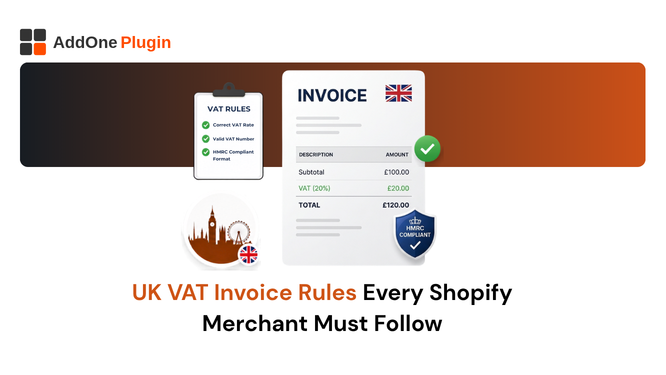
If you sell to businesses in the UK and your invoices are missing even one required field, your buyers cannot reclaim their VAT. That means they will either chase you for a corrected document or question whether they should be buying from you at all. HMRC is specific about what a valid VAT invoice must contain, and the bar has only risen since Making Tax Digital became mandatory.
This guide covers every UK VAT invoice rule that Shopify merchants need to know in 2026, from the eleven mandatory fields to the differences between full and simplified invoices, MTD record-keeping obligations, and how to automate compliance. Hence, you never send a non-compliant document again.
What HMRC Requires on a UK VAT Invoice
HMRC’s requirements for VAT invoices are set out in the VAT Act 1994 and detailed in Notice 700/21. These rules apply to all VAT-registered businesses in the UK, whether you are a sole trader, a limited company, or a Shopify Plus merchant with thousands of monthly orders.
The 11 Mandatory Fields on a Full VAT Invoice
A full VAT invoice must include all of the following. Missing any one of them makes the document legally invalid for tax purposes:
- A unique and sequential invoice number
- The date the invoice was issued
- The date of supply (the tax point), if different from the invoice date
- Your legal business name and address
- Your VAT registration number (format: GB + 9 digits)
- Your buyer’s name and address
- A clear description of the goods or services supplied
- The quantity and unit price for each line item
- The rate of VAT applicable to each item (20%, 5%, or 0%)
- The total amount due, excluding VAT
- The total VAT charged
This list is not optional. Every field serves a purpose in HMRC’s audit and verification process. Your buyer’s VAT return team will check for these fields before processing your invoice for input tax recovery.
Simplified VAT Invoices When You Can Use Them (Under £250)
A simplified VAT invoice is permitted for retail sales where the total VAT-inclusive price is under £250. It does not need to show the buyer’s name and address, the quantity, or the net price before VAT. It simply needs your name, address, and VAT number; the supply date; a description of the goods; and the total price including VAT with the VAT rate shown.
The key limitation: simplified invoices cannot be used for B2B sales where the buyer needs to reclaim input tax. If your wholesale or trade customer needs to submit your invoice to their accounts payable team, they need a full invoice regardless of the value.
Modified VAT Invoices for VAT-Inclusive Retail Sales
A modified VAT invoice is a variation used when VAT is included in the stated price rather than shown separately. For retail stores that price is inclusive of VAT (common in B2C), a modified invoice shows the gross price and the VAT amount without requiring a separate net figure on each line.
This format is only valid for sales over £250 where the customer is not VAT-registered. For B2B sales, always use a full invoice that separates net and VAT amounts clearly. Most Shopify B2B merchants stick to the full format as the safe default.
Do You Need to Send VAT Invoices to Every Customer?
No, but the rules for when you must send one are clear, and the consequences of not sending one when required are significant.
B2B Orders When a VAT Invoice Is Legally Required
A VAT-registered business customer is legally entitled to receive a VAT invoice for any purchase from a VAT-registered supplier. You are required to issue that invoice within 30 days of the date of supply. If the customer requests a VAT invoice, you have no legal right to refuse, provided you are VAT-registered.
In practice, most B2B buyers request invoices as part of their standard purchasing process. Their accounts payable departments will not process payment without one. Failing to send a timely, compliant invoice delays your payment just as much as it creates a compliance problem.
B2C Orders When a Receipt Is Enough
For standard retail sales to non-VAT-registered consumers, a receipt or order confirmation is sufficient for most purposes. Your Shopify order confirmation email legally qualifies as a receipt in most B2C scenarios. However, if a B2C customer asks for a VAT invoice, they are entitled to one, and you must provide it within 30 days.
The practical distinction: treat all B2B customers and any customer who requests one as requiring a full VAT invoice. Treat all other B2C transactions as requiring only a receipt. An invoicing app can handle this segmentation automatically based on customer tags.
Cross-Border Sales to EU Customers Post-Brexit
Since January 2021, UK-to-EU sales are treated as exports. UK VAT does not apply to goods exported outside the UK, so cross-border B2B sales to EU customers are zero-rated. Your invoice must show the zero-rate with a note indicating the goods are exported outside the UK.
For cross-border B2C sales to EU consumers, the EU’s distance selling rules apply, not UK rules. You may need to register for VAT in the EU or use the EU’s OSS scheme. UK merchants cannot use the EU OSS scheme since Brexit; you must register through an EU member state.
VAT Rates That Must Appear on Your Shopify Invoices
Getting the VAT rate right on your invoices is as important as including all the required fields. Misapplying VAT rates creates a liability that HMRC will expect you to settle, regardless of what you charged the customer.
Standard 20%, Reduced 5%, and Zero-Rated Items
The UK uses three main VAT rates. The standard rate of 20% applies to most goods and services. The reduced rate of 5% applies to specific items including domestic fuel and power, children’s car seats, and certain energy-saving materials. The zero rate applies to most food, children’s clothing, books and newspapers, and most pharmaceutical products.
Your invoice must show the rate applied to each line item. If you sell a mix of 20% and zero-rated products in one order, those must be listed separately with their respective rates. Grouping them together at a blended rate is not acceptable.
Handling Mixed-Rate Orders on a Single Invoice
When an order contains items at different VAT rates, the invoice must show a separate subtotal for each rate, the amount of VAT at each rate, and the total VAT charged. For example, if an order includes standard-rated tools and zero-rated protective clothing, you list both groups, show the VAT on the tools only, and arrive at the total.
Shopify’s tax settings allow you to assign different VAT rates to different product collections. Pairing this with an invoicing app that reads those tax settings and formats the invoice correctly is the only scalable way to handle mixed-rate orders.
Exempt vs Zero-Rated: Why It Matters on the Document
Zero-rated and exempt supplies look similar from the customer’s perspective (neither involves a VAT charge), but they are treated very differently on your VAT return and must be identified differently on your invoice. Zero-rated supplies count toward your taxable turnover. Exempt supplies do not, and you cannot reclaim input VAT on costs related to exempt sales.
On your invoice, zero-rated items should be listed with a 0% rate shown. Exempt items should be identified as exempt. Using the wrong classification is a compliance error that can distort your VAT return and attract HMRC attention.
Making Tax Digital and Invoice Record-Keeping in 2026
MTD is HMRC’s programme to digitise the UK tax system. For VAT-registered businesses, it has been mandatory since April 2022. In 2026, its scope is expanding, and the implications for Shopify merchants are significant.
MTD for VAT: What Digital Records You Must Keep
Under MTD for VAT, you must maintain a digital record of every sale and purchase in software that can connect directly to HMRC’s systems. This means your invoice records must be stored in a digital format that can be accessed, exported, and submitted without manual re-entry. Keeping PDF invoices in a folder on your desktop does not satisfy the requirement.
Your accounting software (Xero, QuickBooks, Sage) must receive your invoice data digitally, either through a direct Shopify integration or through an invoice app that exports records in a compatible format. Manual data entry of sales figures into your accounting software is a compliance breach under MTD.
MTD for Income Tax April 2026 Changes for Sole Traders
From April 2026, MTD for Income Tax Self Assessment (ITSA) applies to self-employed individuals and landlords with total qualifying income over £50,000. From April 2027, the threshold drops to £30,000. This means your invoicing and record-keeping systems need to capture income data in an MTD-compatible format, not just for VAT but for income tax purposes as well.
Shopify merchants who are sole traders and crossing these thresholds need to ensure that their entire invoicing workflow, from invoice generation through to accounting software, is fully digital and MTD-ready.
The 2029 Mandatory E-Invoicing Roadmap
The UK government has confirmed that mandatory e-invoicing for businesses is coming, with a detailed roadmap expected by the end of 2026 and full implementation targeted for 2029. E-invoicing means invoices issued in structured digital formats that can be read by accounting software without human input, rather than PDF documents that require manual processing.
Germany’s ZUGFeRD mandate (active from 2027) is the nearest example of what this looks like in practice. UK merchants who invest in a compliant invoicing infrastructure now will face significantly less disruption when the UK mandate arrives.
Where Shopify’s Built-In Invoicing Falls Short for UK Sellers
Shopify Tax includes a VAT invoice generator for EU and UK orders, but using it as your primary compliance tool for B2B operations creates significant gaps.
What Shopify’s Native VAT Invoice Feature Covers
When activated, Shopify’s built-in VAT invoice attaches a PDF to the order status page. The customer can view, save, or print it from there. Shopify also offers a Generate and Send option that emails the invoice link to the customer. For simple B2C orders, this covers the basics.
The invoice includes your store name, the order details, and basic VAT information tied to your registered VAT numbers. For merchants with straightforward B2C operations selling primarily in the UK, it may be sufficient.
Gaps: No Simplified Invoices, Limited B2B Fields, No Auto-Email
Shopify’s native invoice does not support simplified VAT invoice formatting. It does not capture or validate the buyer’s VAT number from company profiles (except on Shopify Plus with B2B enabled). It cannot apply reverse charge language. It does not generate sequential invoice numbers that survive order cancellations or edits.
For B2B merchants, the most critical gap is delivery: Shopify does not automatically email a PDF invoice attachment to the buyer at the moment of order. The invoice is only accessible via the order status page, which many B2B buyers never visit after placing an order.
Why UK Merchants Turn to Dedicated Invoice Apps
A dedicated invoicing app solves all of these gaps simultaneously. It generates a compliant PDF with all 11 HMRC-required fields, emails it automatically to the buyer with a PDF attachment, supports credit notes for refunds, and maintains a locked sequential invoice number series. This is what professional B2B invoicing looks like on Shopify.
How InvoiceForge Solves UK VAT Invoice Compliance on Shopify
InvoiceForge is designed to generate fully HMRC-compliant VAT invoices automatically from every Shopify order, without requiring any manual input after setup.
Auto-Generated Invoices With All 11 HMRC-Required Fields
InvoiceForge reads your Shopify order data and populates all eleven mandatory fields from your store settings and the customer’s details. Your VAT number, business name, and address are applied from your account settings. The buyer’s name and address are pulled from the order. The tax breakdown is calculated from Shopify’s tax settings. Nothing is missing, nothing needs to be filled in manually.
This automation applies to every order, whether it is a single-item B2C purchase or a multi-line wholesale order with mixed VAT rates. Install InvoiceForge free from the Shopify App Store and start generating compliant UK VAT invoices from your next order.
Branded PDF Templates Sent Automatically After Every Order
InvoiceForge sends your branded PDF invoice automatically when an order is placed. You choose the trigger: on order creation, on payment, or on fulfilment. The PDF is attached directly to the email, not linked to a page the customer has to find themselves. Your buyer receives a professional, compliant document in their inbox without any action on your part.
You can also set up a CC address so your accountant receives every invoice automatically, feeding your MTD-compatible accounting software without any manual intervention.
Sequential Invoice Numbering and Audit-Ready Records
InvoiceForge maintains a sequential invoice number series that is independent of Shopify’s order numbers. When an order is cancelled or edited, the invoice number is handled correctly, ensuring no gaps appear in your sequence. Gaps in invoice numbering are a red flag in HMRC audits, and InvoiceForge eliminates them.
Every invoice is locked after generation, meaning it cannot be edited retroactively. This creates the immutable audit trail that both HMRC and MTD compliance require.
UK VAT Invoice Checklist for Shopify Store Owners
Use these checklists to verify your invoicing setup before and after going live with UK B2B sales.
Before You Go Live Setup Checklist
- VAT number registered with HMRC and entered in Shopify Settings > Taxes and duties
- Legal business name and registered address confirmed in Shopify store settings
- InvoiceForge installed and configured with your VAT number and business details
- Invoice template reviewed to confirm all 11 mandatory fields are present
- Auto-send trigger set to order creation (or payment, based on your preference)
- Accountant CC email configured for automatic delivery
- Test order processed to confirm correct VAT rates and field display
- MTD-compatible accounting software connected to receive invoice data
Ongoing Compliance Monthly Review Checklist
- Review invoice number sequence for any gaps
- Check that VAT rates are still correctly configured for any new products added
- Confirm that B2B customers with EU VAT numbers are receiving reverse charge invoices
- Verify that your accounting software is receiving and recording all invoice data correctly
- File quarterly VAT return on time via MTD-compatible software
UK VAT invoice compliance is not complex once the right systems are in place. The eleven mandatory fields, the MTD record-keeping obligations, and the distinction between B2B and B2C documents are all handled automatically when your invoicing is handled by a purpose-built Shopify app.
Install InvoiceForge free from the Shopify App Store and generate HMRC-compliant VAT invoices automatically from your very next UK order.