
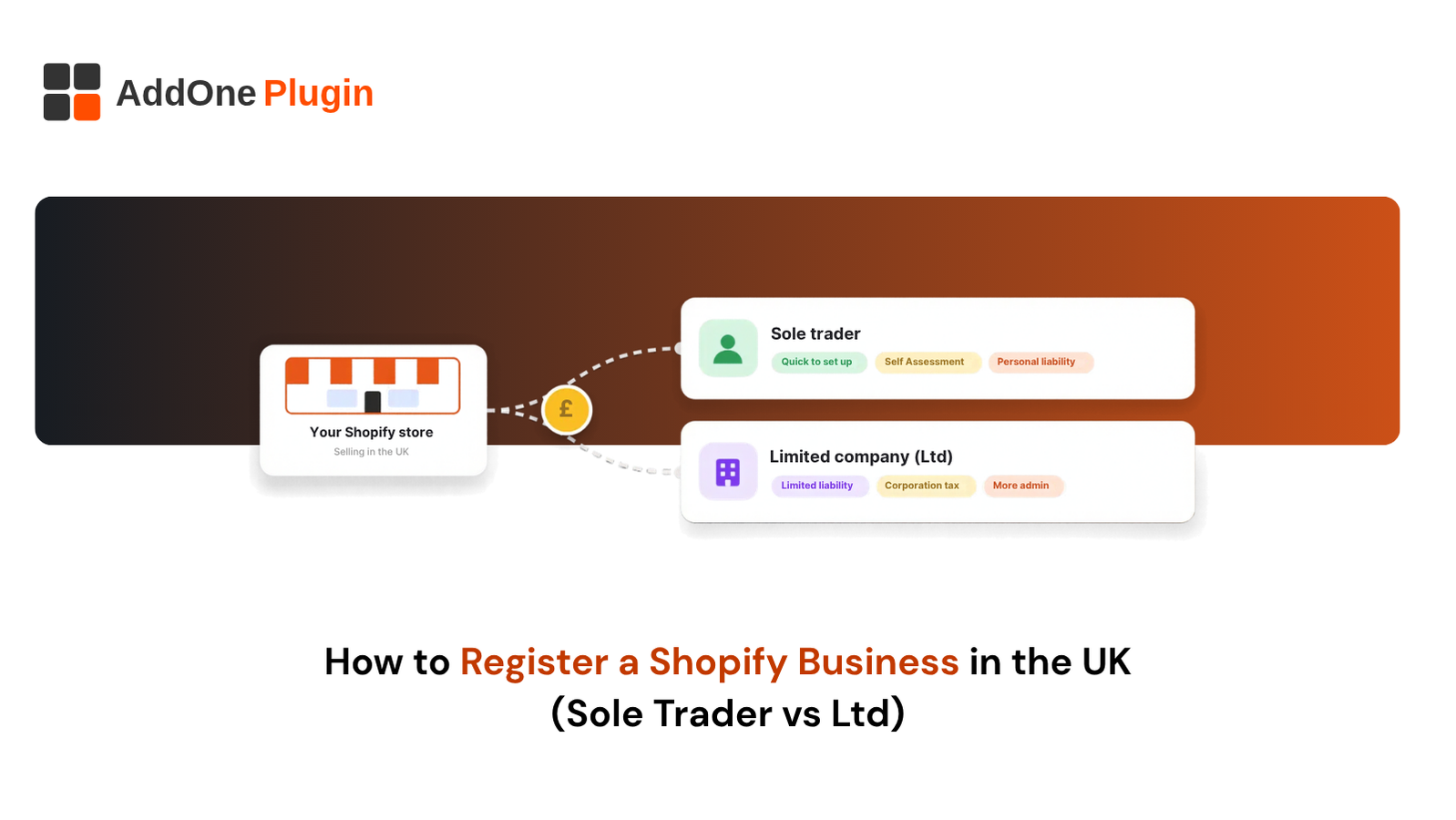
You can open a Shopify store in an afternoon, but the law treats your first sale as the start of a business. To register a Shopify business in the UK, you pick a structure, tell HMRC or Companies House, and add VAT only when your turnover requires it. Get the order wrong and you face penalties, messy books and a checkout that does not match your legal details.
This guide walks you through the process in plain English. You will learn when registration is required, how a sole trader compares with a limited company, the steps for each route, when VAT applies and how to set up your store afterwards. Every figure comes from GOV.UK and Companies House pages checked in October 2026.
Do You Need to Register a Shopify Business in the UK?
Yes, once your store passes a simple test. If your gross trading income is more than £1,000 in a tax year, you must register as self-employed with HMRC for Self Assessment. Under £1,000, the trading allowance may mean you do not need to tell HMRC, although you must still keep records. A limited company is a separate choice you make with Companies House before you start trading.
Selling online counts as trading, just like selling from a shop. Use the three checks below to see where you stand.
When a Side Hustle Counts as a Trade
A side hustle becomes a trade when you sell with the aim of making a profit and you do it repeatedly. Buying stock to resell, making products or listing digital files for sale all point towards trading from your first sale. A day job changes nothing, because GOV.UK confirms you can be employed and self-employed at the same time.
The tax year runs from 6 April to 5 April, and the £1,000 test covers that whole period. Add up everything your store takes before costs, plus any other channel you run as part of the same activity.
The £1,000 Trading Allowance Explained
The trading allowance is a tax exemption of up to £1,000 a year on gross trading income. Gross means sales before costs. If your gross income from all your trades is £1,000 or less, you do not normally need to tell HMRC, unless you cannot use the allowance or you have a reason to register anyway.
Earn more and you choose: deduct the £1,000 allowance, or deduct your actual expenses. When stock, shipping, fees and ads add up to more than £1,000, claiming the costs usually works out better. You cannot use the allowance on income from a company you or someone connected to you owns or controls, or from a partnership you are part of.
Some situations require Self Assessment even under £1,000, such as wanting to claim relief for a loss, pay voluntary Class 2 National Insurance, claim Tax-Free Childcare or claim Maternity Allowance based on self-employment. Read the GOV.UK guidance on tax-free allowances for trading and property income before you rely on the allowance.
Hobby vs Business: Signs HMRC Looks For
There is no single test. HMRC’s guidance on the “badges of trade” looks at the whole picture, including whether you intend to make a profit, how many transactions you make and whether they are systematic and repeated, and whether you sell in the way a trading business would. Not every factor will be present in every case, and some may point in different directions.
A hobby tends to involve occasional sales of things you already own or made for enjoyment, with no plan to grow. A live Shopify store with its own domain, paid ads and a payment gateway looks much more like a business. If you are unsure, treat yourself as trading and check your position with HMRC or an accountant.
Sole Trader vs Limited Company: Which Is Right for Your Shopify Store?
A sole trader is simpler and cheaper to run, but you are personally responsible for every business debt. A limited company is a separate legal entity with limited liability, plus more paperwork and public filings. GOV.UK notes that you can move from one structure to another, and that it is usually easier to move from sole trader to limited company than the other way round.
Weigh four things: your risk, your expected profit, how suppliers and payment providers treat you, and how much admin you will tolerate.
Liability, Tax and Admin Compared Side by Side
This table covers the differences that matter most for an online store.
| Sole trader | Limited company | |
|---|---|---|
| Legal status | You and the business are one person | The company is legally separate from you |
| Liability | Unlimited: you answer for all business debts | Limited to the value of your investment |
| Set-up | Register for Self Assessment | Register with Companies House (£100 online) |
| Tax on profit | Income Tax and National Insurance via Self Assessment | Corporation Tax on company profits, plus personal tax on anything you take out |
| Yearly filings | Self Assessment return | Accounts, Company Tax Return, confirmation statement |
| Public record | No Companies House entry | Company, directors and registered office are public |
| Identity checks | Not applicable | Directors and people with significant control must verify identity |
The same £90,000 VAT registration threshold applies to both structures.
Profit Levels Where a Limited Company Starts to Pay Off
No single profit figure makes a company the better choice. The answer depends on your Income Tax band, National Insurance, dividend tax and how much profit you leave in the company, so treat any simple “switch at £X” rule with suspicion.
What we can confirm is the company side. Corporation Tax is 19% on profits of £50,000 or less and 25% on profits above £250,000, with Marginal Relief between the two. A sole trader’s profit is taxed through Self Assessment instead. Ask an accountant to model your own numbers, because early on personal risk and supplier expectations often matter more than the tax saving.
Banking, Payment Processors and Credibility With Suppliers
Your structure decides whose name sits on your bank account, payment profile and supplier agreements. A limited company opens a business account in the company’s name, which keeps company money apart from yours. A sole trader can run a separate account too, and it makes tax time far easier.
Payment providers ask for details about your business during onboarding, so what you enter in Shopify must match your structure. Some wholesalers prefer to deal with a registered company for trade accounts, so ask before you assume.
Partnerships and Other Structures in Brief
If you run the store with someone else, you can form a business partnership. GOV.UK explains that partners share responsibility for losses and debts, and that each partner pays tax on their share of the profits and sends their own Self Assessment return. A limited liability partnership (LLP) is another route, with a £100 online incorporation fee at Companies House.
GOV.UK also lists other routes such as social enterprises. For most Shopify founders, the real choice is sole trader or limited company.
How to Register a Shopify Business in the UK as a Sole Trader
Registering as a sole trader means registering for Self Assessment. There is no separate form. You can start trading straight away, but you must register once you earn more than £1,000 in a tax year. Three jobs get you set up: register, check your name and start your records.
Registering for Self Assessment With HMRC
The rule is to tell HMRC by 5 October after the end of the tax year in which you started trading. For example, if you started selling between 6 April 2025 and 5 April 2026, the deadline was 5 October 2026. You register through HMRC online with a Government Gateway sign-in and your National Insurance number. HMRC then sends your Unique Taxpayer Reference (UTR), and GOV.UK has a page that tells you when to expect a reply if you are waiting.
If you have missed the date, register straight away. GOV.UK says HMRC will then send you a letter or email with a different deadline for your return, set at 3 months from the date on that letter or email. The payment date does not move: you still pay the tax you owe by 31 January after the tax year ends, or you get a penalty.
You may also receive a “failure to notify” penalty if you registered late and do not pay your full bill by 31 January. Our guide to what Shopify sellers should do after missing a UK tax deadline covers the next steps in detail.
Choosing and Checking Your Trading Name
You can trade under your own name or a business name. A sole trader business name must not include “limited”, “Ltd”, “LLP” or “plc”, must not be offensive and must not be too similar to another company’s trademarked name. If someone complains, you may have to change it.
Put your own name and your business name on invoices and letters. Then check the name is free as a domain, a Shopify store name and a social handle, and search the UK trade mark register before you invest in branding.
Record Keeping and National Insurance
Keep a record of every sale, fee, refund and expense for each tax year. Cash basis has been the default accounting method since 2024-25, so you record income when you receive it and costs when you pay them, unless you opt out. You must keep your records for at least 5 years after the 31 January submission deadline for that tax year.
HMRC works out your Income Tax and National Insurance from your profits when you file. Making Tax Digital for Income Tax also depends on your qualifying income, which is gross self-employment and property income before expenses. HMRC says it applies from 6 April 2026 if your qualifying income on your 2024-25 return was over £50,000, from 6 April 2027 if it was over £30,000 on your 2025-26 return, and from 6 April 2028 if it was over £20,000 on your 2026-27 return.
How to Register a Shopify Business in the UK as a Limited Company
A limited company is registered before you trade, and the online process is quick. You choose a name, supply an address and officer details, pay the fee and receive a certificate of incorporation. Then you set up Corporation Tax with HMRC.
Incorporating With Companies House
Register online through GOV.UK. Companies House charges £100 to incorporate online, and GOV.UK says the company is usually registered within 24 hours. Registering by post costs £124 and takes longer. You can check every current charge on the Companies House fees page.
Create a Government Gateway ID for the company, not your personal one. Prepare the company name, a registered office address, a registered email address, a SIC code, at least one director, at least one shareholder and details of anyone with significant control. You receive a certificate of incorporation that shows your company number and date of formation.
Directors, Shareholders, SIC Codes and Identity Verification
A company needs at least one director aged 16 or over and, if it is limited by shares, at least one shareholder. One person can be both. A person with significant control (PSC) is, for example, anyone who holds more than 25% of the shares or voting rights. The SIC code identifies what the company does, so pick the one that matches online retail or your product type.
Identity verification became a legal requirement for directors and PSCs from 18 November 2025, with a 12-month transition period for companies to get everyone verified by their due dates. You verify online with GOV.UK One Login and normally only once. If you register a company you may need the Companies House personal code you receive after verifying, and with more than one director you need each director’s code.
Corporation Tax Registration and Annual Filings
Registering online usually sets your company up for Corporation Tax at the same time, unless it is dormant. If you registered by post, through an agent or with third-party software, you add Corporation Tax services to your HMRC business tax account when you start doing business.
Diary these deadlines:
- First accounts to Companies House: 21 months after the date you registered.
- Annual accounts to Companies House: 9 months after your financial year ends.
- Corporation Tax payment: 9 months and 1 day after your accounting period ends.
- Company Tax Return: 12 months after your accounting period ends.
- Confirmation statement: at least once every 12 months, currently £50 to file online.
Registered Office Address and Your Shopify Store
Your registered office must be a physical UK address in the country where you register, and it must be “appropriate”: someone must be made aware of post delivered there, and senders must be able to get confirmation of delivery. You can no longer use a Royal Mail PO Box.
The address appears on the public register. If you want privacy, use an accountant’s or solicitor’s address with their permission, or an agent’s address. Your website must also show the company’s registered number, registered office address, where it is registered and its full name including “Limited” or “Ltd”. Put these in your Shopify footer from day one.
When Do You Need to Register for VAT as a Shopify Seller?
You must register for VAT when your taxable turnover for the last 12 months goes over £90,000, or you expect it to pass £90,000 in the next 30 days. You then register within 30 days of the end of the month you crossed the line. Below that level, registration is voluntary. The standard rate is 20%, and the rules apply to sole traders and companies equally.
The VAT Registration Threshold and How to Track It
Taxable turnover is everything you sell that is not VAT exempt or out of scope, including zero-rated, reduced-rated and standard-rated sales. The test is a rolling 12 months, not the tax year, so check it monthly.
GOV.UK gives this example: on 15 July your 12-month turnover first reaches £100,000. You must register by 30 August, and your effective date of registration is 1 September.
Register late and you pay VAT on sales since the date you should have registered, and you may also get a penalty. Export monthly sales from Shopify and keep a running 12-month total. The GOV.UK Register for VAT guidance has the full rules, and our guide to VAT invoicing for digital products on Shopify covers what changes if you sell downloads.
Voluntary Registration: Pros and Cons
You can register before £90,000. The main benefit is reclaiming VAT on business costs such as software, ad platforms, stock and packaging.
The costs are real. You charge VAT on taxable sales, send VAT returns to HMRC (usually every 3 months) and pay any VAT you owe from the date HMRC registers you. Consumers cannot reclaim VAT, so your prices rise or your margin shrinks, while VAT-registered business buyers can usually reclaim it. Run the numbers with an accountant first.
Setting Up VAT and Tax Settings in Shopify
Shopify manages tax in the Taxes and duties area of your settings. For the UK you can use Shopify Tax or manual tax settings, or a paid third-party tax app. Shopify does not file or remit your taxes for you unless you use Shopify Tax and set up automated filing.
Turn on tax collection once your VAT registration is confirmed, then add your VAT number following Shopify’s guide to setting up UK taxes. Decide whether displayed prices include tax, and test a UK order and a non-UK order from cart to confirmation. If you plan to sell into the EU, our guide to EU customs fees for Shopify stores explains the costs that arrive with cross-border orders.
How to Set Up Your Shopify Store Properly After Registration
Registration only protects you if your store tells the same story as your paperwork. Your name, address and tax number must match across Shopify, your payment provider, your bank and your invoices.
Matching Legal Entity Details to Shopify Payments and Checkout
Shopify shows your legal business name on VAT invoices when you set one in your billing address settings. If you do not set one, it uses your store name. A sole trader enters their own name plus any trading name. A limited company enters the full name exactly as it appears on the certificate of incorporation.
Use identical details in your payment provider onboarding, bank account, footer and invoices. Exact matches avoid back-and-forth when providers check what you entered. Add your VAT number everywhere once you register.
Legal Pages UK Stores Must Show
GOV.UK’s guidance on online and distance selling sets out what you must give customers before they order. Cover these points in your pages and checkout:
- Your business name, address, contact details and email address.
- Your VAT number, if you are registered.
- A clear description of the goods, services or digital content, and the total price including taxes and delivery costs.
- How customers can pay, how they can cancel and when they lose the right to cancel.
- Terms and conditions that customers can store or print.
Customers can cancel up to 14 days after delivery, and if you fail to tell them about the right, they can cancel at any time in the next 12 months. Digital downloads have extra rules, including getting the customer to agree to an instant download and confirm they lose the 14-day right. The full list is on the GOV.UK online and distance selling page. You also need a privacy policy that explains how you use customer data, and a qualified adviser should review your legal copy.
Invoicing, Accounting Integrations and a Clean Data Trail
A proper VAT invoice carries a unique sequential number, the time of supply, your name, address and VAT number, the customer’s name and address, a description of what you sold, the VAT rate and the amounts. Sole traders add their name and any business name. Limited companies add the full registered name.
Shopify can generate VAT invoices for eligible orders shipping to the UK or EU once you activate the feature. Customers can save or print them from their order pages, but Shopify does not email them automatically. Connect accounting software, export payouts monthly and keep your VAT records for at least 6 years.
Disclosure: Add One Plugins is our own product arm, and InvoiceForge is our own Shopify app. It is a drag-and-drop PDF invoice builder for Shopify with branded templates, conditional VAT/GST fields, bulk PDF generation, and automatic invoice emails triggered by order status changes. You can find it on the Shopify App Store, and learn more about Add One Plugins on our site. If you also sell to trade buyers, our comparison of Shopify vs WooCommerce for B2B invoicing shows how the platforms handle invoices.
Get a UK-Ready Shopify Store Built by Inshalytics
Before you hire anyone, run a quick check.
Does your footer show your legal name and registered details? Do your tax settings match your VAT status? Do your policies cover cancellation rights? Does checkout collect what your invoices need? Four yes answers mean you are in good shape.
Any no is worth fixing before you scale ad spend.
Inshalytics is a digital marketing agency, not an accounting firm, so we never advise on tax. We build the store around the decisions you and your accountant make.
Store Setup, Tax and Shipping Configuration for UK Sellers
We set up your store structure, collections and product data, then configure tax settings, shipping zones and rates to match your registration choices. We enter your legal details in the right places and test UK and international orders from cart to confirmation.
You supply the facts from your accountant, such as VAT status and whether prices include tax. We turn them into working settings and document each one, so you can show your accountant exactly how the store is set up.
Checkout, Legal-Page and Invoice Customisation
We place your legal pages where customers expect them, add the footer details a limited company must show and set up your checkout fields and order emails. A qualified adviser should review your legal copy.
We can also customise invoices and order confirmations so they match your brand and carry the details your records need. Every change is tested on a live order before we hand it over, and we send you a short note listing what we changed and why.
Ongoing SEO and Conversion Support After Launch
A compliant store still needs traffic. After launch, we build the content and technical SEO foundation that brings buyers in, then improve product pages and checkout flow based on what the data shows. Each month we review what is working, report in plain language and agree the next priorities with you, so your growth plan stays tied to real results.
Ready for a store that is built right from day one? Let’s talk about how we can build your UK-ready Shopify store.
Your Next Steps After Registering
Registering is the start of the job, not the finish. You now have a legal structure, a tax account and a store that must match both. Register on time, track VAT monthly, keep clean records and bring in an accountant early.
If you want a store configured around those decisions, Inshalytics builds UK-ready Shopify stores and keeps them growing through SEO. Book a free consultation and we will map your setup step by step. Your paperwork protects you, and a well-built store lets you sell with confidence.
A 30-Day Launch Checklist
Work through this list in order:
- Days 1 to 3: confirm your structure, then register for Self Assessment or incorporate.
- Days 4 to 7: open a business bank account and verify your identity if you are a director or PSC.
- Days 8 to 12: enter your legal details in Shopify and your payment provider.
- Days 13 to 17: publish your legal pages and check checkout wording.
- Days 18 to 22: configure tax settings and test UK and international orders.
- Days 23 to 26: connect accounting software and set a monthly sales and fee export.
- Days 27 to 30: set a monthly VAT turnover check and diary every filing deadline.
Questions to Ask an Accountant
Take these to your first meeting:
- Which structure fits my expected profit and risk this tax year?
- Should I register for VAT voluntarily, and how will it affect pricing?
- Which accounting method and software suit my store?
- How should I pay myself if I form a company?
- Does Making Tax Digital for Income Tax apply to me, and when?
- What Shopify records do you need each month?
This article is general information, not tax or legal advice. Rules and rates change, so confirm your position with a qualified accountant or HMRC before you act.