
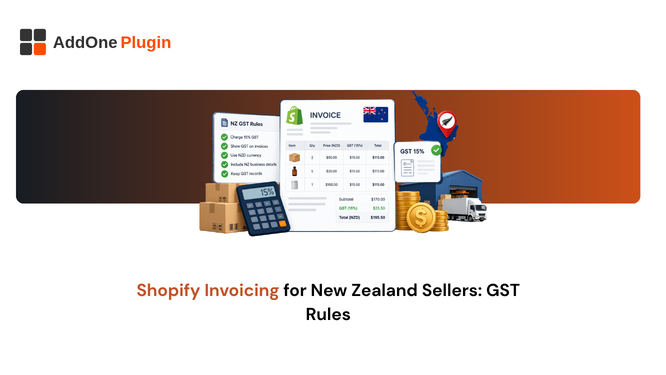
New Zealand keeps GST simple: one rate, one tax authority, and few exceptions. That makes Shopify invoicing in New Zealand more straightforward than in many countries, but the details still matter. The invoice information you need depends on the sale amount, your customers expect clear GST treatment, and mistakes show up when you file.
This guide explains how GST works for NZ Shopify sellers, what invoice information the IRD requires, where Shopify’s defaults need help, and how to set up compliant invoicing. You will also see the mistakes to avoid, so your GST returns stay clean.
How Does GST Work for New Zealand Shopify Sellers?
New Zealand charges GST at 15 percent on most goods and services. Businesses with taxable turnover above the registration threshold must register with Inland Revenue (IRD), charge GST on taxable sales, file returns, and claim GST on business purchases. Exports and some supplies are treated differently.
Start with registration and the special cases.
GST Registration and Thresholds
You must register for GST when your taxable turnover reaches NZ$60,000 in a 12-month period, or is expected to within the next 12 months. You may register voluntarily below that level, which lets you claim GST on business costs.
Once registered, you charge GST on taxable sales and show your GST number on invoices where required.
Zero-Rated Exports and Exempt Supplies
Goods you export are generally zero-rated, which means GST at 0 percent, with the sale still reported on your return. Some supplies, such as financial services and residential rent, are exempt, which is a different treatment with different consequences for claiming costs.
Confirm the treatment of each product type you sell, especially services and digital products. Actionable takeaway: tag your Shopify products by GST treatment before you build invoices.
What Must a New Zealand Tax Invoice Include?
A New Zealand sale needs documentation that scales with its value: small sales need basic records, mid-range sales need your GST number and the GST amount, and higher-value sales also need the buyer’s identifying details. The IRD calls this taxable supply information, and it does not require a document titled “Tax Invoice.”
Older guidance described full and modified tax invoices, and many businesses still use those terms, so check the current IRD wording.
Requirements for Full and Modified Tax Invoices
For sales of $200 or less, you do not need to issue formal tax invoice details, but you must keep enough records to substantiate the sale. For sales over $200 up to $1,000, the information must include your GST number and the GST amount, or a statement that the price includes GST. For sales over $1,000, add the buyer’s name and one identifying detail, such as an address, phone number, email, or NZ Business Number.
Registered customers can ask for this information on sales over $200, and you must provide it within 28 days unless you agree otherwise.
Required Details for GST Return Support
Keep the records that back your returns: invoice number, date, description of goods or services, price, and GST amount, plus refund and credit documents. Records generally need to be kept for at least seven years.
Your accounting system should hold the same data your invoices show. Mismatches create work at filing time.
Compare how another market handles the same problem in our guide to Shopify invoicing for Canadian sellers.
How Does Shopify Handle NZ GST?
Shopify can apply New Zealand’s 15 percent GST and display prices with or without tax, but its default order documents do not always carry the information a business customer needs. Use Shopify to calculate GST, and add invoicing on top for larger and B2B orders.
Check the details in two places.
Tax Settings and Inclusive Pricing
Enter your GST registration in Shopify’s tax settings, and decide whether your prices include GST. Most New Zealand consumer stores show GST-inclusive prices, and B2B stores often show GST-exclusive prices.
Consistency matters. Mixed display rules across products confuse customers and complicate reporting.
Where Default Shopify Invoices Fall Short
Default order confirmations may lack your GST number, a clear GST amount, or the buyer details needed for sales over $1,000. They also do not issue credit notes in the format accountants expect.
Add an invoice solution or custom template so each order carries the right information automatically.
How Do You Set Up GST-Compliant Shopify Invoicing in New Zealand?
To set up GST-compliant Shopify invoicing in New Zealand, configure GST in Shopify, customize your invoice template, handle overseas customers and exports correctly, and issue credit notes for refunds. Test orders at each value tier before you go live.
Follow these steps.
Step 1: Configure GST Settings in Shopify
Add your GST number and confirm the 15 percent rate applies to New Zealand shipping addresses. Choose between GST-inclusive and GST-exclusive display, and review shipping tax settings.
Place test orders and compare the GST on screen with your own calculation.
Step 2: Customize Your Invoice Template
Build a template that shows your trading name, GST number, invoice date and number, description of items, price, and GST amount. Add buyer name and a contact or identifying detail for high-value orders.
If you serve both consumers and businesses, create variants. If you would rather not maintain templates by hand, try InvoiceForge, our Shopify invoicing app.
Step 3: Handle Overseas Customers and Exports
Exported goods are generally zero-rated, so apply 0 percent GST to orders shipped outside New Zealand and keep evidence of export, such as shipping documents. Configure Shopify’s shipping zones so overseas addresses receive the right treatment.
Check the rules for services and digital products separately.
Step 4: Manage Refunds and Credit Notes
Issue a credit note for each refund that references the original sale and shows the GST returned. Handle partial refunds the same way, with the GST proportioned.
Sync credit notes to your accounting system so your GST return reflects the adjustment in the right period.
How Add One Plugins Automates Shopify Invoicing for New Zealand Sellers
We automate invoice creation so every order carries the right GST information without anyone editing documents by hand. The system adapts to order value, customer type, and destination.
Two areas matter most.
Compliant Invoices Without Manual Work
We configure invoice templates and rules that apply the right fields by order value, add buyer details for larger orders, and generate credit notes for refunds. Zero-rated export orders are handled by destination.
Connecting Invoices to Your Accounting Software
We connect invoice and GST data to your accounting software, so your returns start from accurate records and your bookkeeper stops rekeying orders.
For a worked example, see how to automate Shopify invoices in Sage 50.
Ready to simplify GST invoicing for your NZ store? Let’s talk about how Add One Plugins can help.
What Common Mistakes Should New Zealand Sellers Avoid?
The common mistakes are mixing GST-inclusive and GST-exclusive pricing, applying GST to exports, and keeping incomplete records. All three are easy to prevent with consistent settings and a standard process.
Review these before your next return.
Mixing GST-Inclusive and Exclusive Pricing
Showing some prices with GST and others without leads to wrong totals and customer complaints. Choose one display rule per store or customer group, and apply it everywhere.
Make sure invoices state whether the displayed price includes GST.
Record-Keeping Gaps
Missing buyer details on higher-value sales, absent credit notes, and records deleted too early are frequent audit findings. Keep invoices, credit notes, and supporting documents in one place for at least seven years.
Automating storage reduces the risk. For sellers who also ship to Saudi Arabia, see our guide to ZATCA e-invoicing for Shopify sellers.
Conclusion
New Zealand GST invoicing comes down to a few habits: apply 15 percent GST consistently, include the information that matches each sale’s value, zero-rate exports with evidence, and issue credit notes for refunds. Shopify handles the calculation, and your invoice process handles the paperwork.
Review your tax settings, upgrade your invoice template, and connect the data to your accounting system. If you want a setup that runs on its own, get a free consultation to see how Add One Plugins can automate GST-compliant invoicing for your New Zealand store. Accurate invoices keep your returns simple and your customers confident.