
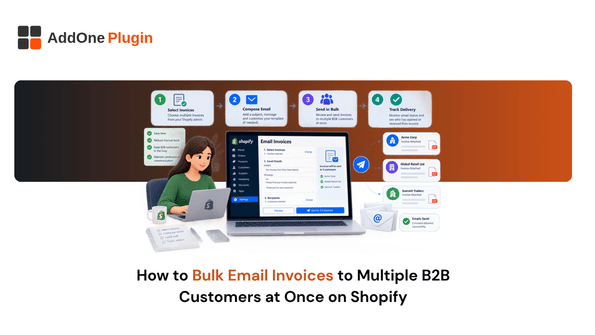
Ask in any Shopify merchant forum whether you can email invoices to multiple B2B customers in one action, and you’ll find the same frustrated thread repeated over and over. Shopify’s native tools send one invoice at a time, and for a seller with dozens of wholesale accounts, that adds up to real hours every billing cycle. Here’s what’s actually possible today and how to set up something closer to true bulk sending.
Why Shopify Doesn’t Support This Natively
Shopify’s invoice sending was built around individual draft orders, not batches, and that design choice is exactly what makes bulk sending feel harder than it should be.
The one-invoice-at-a-time limitation
Sending an invoice from a draft order is a per-order action. There’s no native “select multiple orders and email invoices to all of them” button anywhere in the admin.
The CC workaround merchants currently use (and why it doesn’t scale)
Some merchants get around part of this by CCing an accounts-payable email address on each invoice manually, opening a second tab to check a metafield, then pasting it in. That works for a handful of invoices a week, but it falls apart fast once you’re managing more than a few B2B accounts.
What “Bulk Email Invoices” Actually Requires
Before looking at solutions, it’s worth being specific about what a true bulk-send actually needs to get right.
Matching the right invoice to the right recipient
Every invoice needs to land with the correct customer, and B2B customers often want it sent to a specific accounts-payable contact rather than the general buyer email. A bulk process needs to respect that mapping, not just blast the same list.
Handling accounts-payable CCs across dozens of customers
Many B2B buyers expect their AP department to receive a copy of every invoice automatically. Doing this manually, one CC at a time, is exactly the kind of repetitive task that should be handled by a system instead of a person.
Is Bulk Invoice Emailing Possible on Shopify?
Native Shopify limits you to individual sends, but there is a path to something closer to true batch sending.
What native tools allow
Natively, you can add a CC field to an individual invoice email, and as of a recent Shopify update you can even CC multiple recipients on that one invoice. What you still can’t do is select several orders at once and send all their invoices in a single action.
Where an invoicing app adds bulk-send capability
A dedicated invoicing app is the realistic path to actual bulk sending, generating and dispatching invoices for a batch of orders in one pass rather than one at a time. If bulk sending is the specific capability you need, it’s worth confirming exactly what your invoicing app supports before building a monthly process around it, since bulk-send functionality varies between tools.
Setting Up Bulk Invoice Sends Without Errors
Once you have a way to send in batches, a couple of habits keep the process from creating new problems.
Building your customer/recipient list correctly
Keep accounts-payable contacts and general buyer emails stored consistently, ideally on the customer or company record itself, so a bulk send doesn’t require manually looking up who should receive what each time.
Avoiding duplicate or missed sends
Before running a bulk send, filter out orders that were already invoiced individually, so customers don’t end up with the same invoice twice. A clear “sent” status on each order or invoice record is what makes this filtering possible.
Automating This Going Forward
The real fix for bulk invoicing isn’t running a better manual batch each month, it’s removing the batch process altogether.
Auto-send rules so this becomes a non-event every billing cycle
Setting up rules that automatically send an invoice, with the right CC, the moment an order is ready to bill, means there’s no monthly batch to run in the first place. It’s worth checking whether your invoicing tool supports this kind of rule-based auto-send, since that’s the capability that actually eliminates the manual work rather than just speeding it up.
Bulk emailing invoices isn’t something Shopify handles natively, and the manual CC workaround only holds up at very low volume. The real fix is removing the batch entirely with auto-send rules tied to order status, rather than running a faster manual process every month. Our guide on bulk printing and exporting Shopify invoices covers the related print and export side if that’s also part of your monthly routine.