
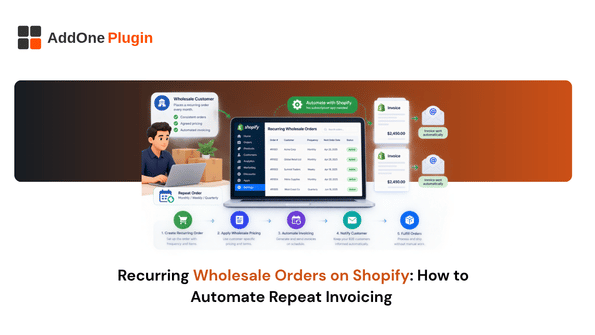
Ask most people how to automate repeat orders on Shopify and the answer is almost always “install a subscription app.” For a lot of wholesale sellers, that answer doesn’t actually fit. Subscription apps assume card-on-file billing and a fixed cycle, and plenty of B2B reordering runs on negotiated net terms with an irregular cadence instead. Here’s how to automate recurring wholesale orders without forcing your business into a subscription model that doesn’t match how you actually sell.
Why Subscription Apps Don’t Fit Most Wholesale Reordering
Subscription tools solve a real problem, but it’s a different problem than the one most wholesale sellers actually have.
Card-on-file billing vs. negotiated net-terms invoicing
Subscription apps are built around a stored card being charged automatically on a schedule. Wholesale B2B customers usually pay on Net 30 or Net 60 terms against an invoice, not a card charge, which means the core mechanism most subscription apps rely on doesn’t apply.
Irregular reorder cadence that doesn’t map to a fixed billing cycle
A subscription assumes the same interval every time, every 30 days, every month. Wholesale reordering is often close to that but not exact, a customer might reorder every 28 to 35 days depending on their own sales, and forcing that into a fixed subscription schedule creates friction rather than removing it.
What “Automating” Repeat Wholesale Orders Actually Looks Like
Once you set aside the subscription-app assumption, automating repeat orders comes down to two things: not rebuilding the order from scratch, and not manually generating the invoice each time.
Duplicating a past draft order instead of rebuilding it
Rather than recreating a repeat customer’s order line by line, duplicating their most recent draft order and adjusting quantities as needed gets you most of the way to a “repeat order” experience without any subscription infrastructure at all.
Auto-generating and sending the invoice for each repeat order
The invoice for that repeat order should be generated the same way every time, without you or your team manually recreating it. This is the piece that actually saves time, since building the order itself is usually the quicker half of the process.
Setting Up Repeat Order Automation
With the mechanism clear, setting this up is mostly a matter of identifying which accounts qualify and templating the process.
Identifying accounts with a predictable reorder cycle
Look at your order history for customers who reorder the same or similar products on a roughly consistent interval. These are your best candidates for a repeat-order process, even an informal one.
Templating the order so it’s a one-click repeat, not a rebuild
For each of those accounts, keeping a saved or duplicated version of their standard order ready to go means fulfilling the next cycle is a matter of confirming and adjusting, not starting from a blank cart.
Keeping Invoicing in Sync With Repeat Orders
The order side of this is the easier half. Making sure invoicing keeps pace with every repeat order is what actually determines whether this saves time long term.
Auto-send rules tied to order creation, not a subscription billing engine
Rather than relying on a subscription app’s billing engine, an auto-send rule tied to order confirmation, generate and send the invoice the moment the repeat order is confirmed, achieves the same automation without requiring card-on-file billing at all. InvoiceForge is built to trigger this kind of automatic generation as soon as an order is ready to bill.
Applying the right payment terms every time, automatically
Each repeat order should carry the same payment terms as the customer’s account, applied consistently rather than re-entered by hand each cycle. Getting this wrong is a common source of payment delays, since an inconsistent due date confuses accounts-payable teams on the receiving end.
When You Should Use a Subscription App Instead
None of this means subscription apps are the wrong tool, they’re just the wrong tool for this specific situation.
Signals that you’ve outgrown the manual/semi-automated approach
If your recurring wholesale volume grows to the point where card-on-file billing actually makes sense for your customers, or you’re managing dozens of accounts on truly fixed intervals, that’s the point where a dedicated subscription app starts to earn its complexity. Our guide on InvoiceForge and Recharge subscription orders covers what that setup looks like once you’re there.
Automating recurring wholesale orders doesn’t require a subscription app if your customers are paying on negotiated terms rather than a stored card. Duplicating past orders and auto-generating the invoice at confirmation gets you most of the benefit without forcing your business model to match a tool that wasn’t built for it. If invoice generation is still the manual step slowing this down, InvoiceForge is built to trigger it automatically the moment a repeat order is confirmed.