
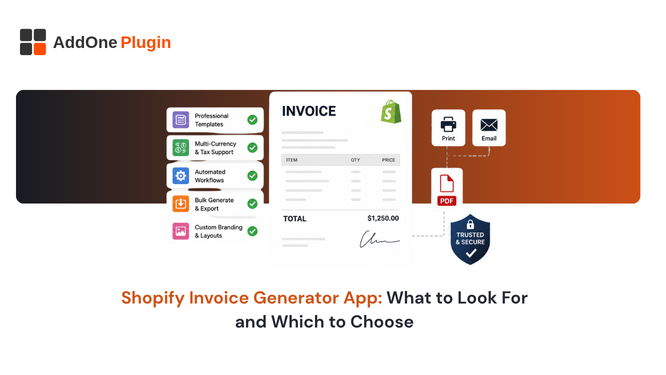
Ranked “best apps” lists are useful, but they hand you a conclusion instead of the reasoning behind it. This guide gives you the actual criteria, so you can evaluate any invoice generator app yourself, including ones that launch after this article is published and were never part of any existing roundup. By the end you should be able to open any app’s listing page and know within a few minutes exactly where it stands on each criterion that matters, rather than relying on star ratings that rarely explain what specifically earned or lost a point.
Order Printer vs. True Invoicing App
Before comparing feature lists, confirm which category an app actually belongs to. An order printer app regenerates documents from live order data every time, which means a document can change if the order changes later, for example after a partial refund. A true invoicing app creates a fixed, permanent record at the moment it is generated, and that record never changes again regardless of what happens to the underlying order afterward.
This is the single most consequential distinction in the entire category, and it is also the one most listings gloss over, since both types of app use nearly identical marketing language to describe what they do. The only reliable way to tell them apart is to test the behavior directly: generate a document, then modify the underlying order, and see whether the original document changes.
The Distinction That Changes Your Shortlist
If you need audit-proof documents, especially for B2B or international tax compliance, this distinction alone should narrow your shortlist significantly before you even look at pricing or design features that tend to dominate a typical app listing page. Our guide on invoice apps compared by feature and limitation covers this split in more depth, including a side-by-side table showing exactly which category several popular apps fall into.
Evaluation Criteria #1: Automation Depth
Check whether “automatic” actually means the document generates and delivers with zero manual steps, or whether it means a download link gets inserted into an email that only creates a document when a customer clicks it. These are very different levels of automation despite both being marketed using nearly identical language on an app’s listing page, and the difference only becomes obvious once you actually test the app against a real order rather than reading the description on the App Store.
Evaluation Criteria #2: Document Types Covered
Count how many document types the app actually supports natively: invoices, packing slips, receipts, credit notes, quotes, and proforma invoices. A store that needs all six but only has an invoice-only app ends up managing two or three separate subscriptions to cover the full order lifecycle, each with its own template system that has to be maintained and kept visually consistent with the others across your brand.
It is worth listing out, before you evaluate any single app, which of these six document types your store genuinely needs today and which you are likely to need within the next year as you add wholesale accounts or expand internationally. An app that covers only what you need right now can quietly become the reason you are managing three subscriptions a year from now instead of one.
Evaluation Criteria #3: Compliance and Numbering
Check whether the app supports a separate, sequential invoice numbering system independent of your Shopify order number, since several major tax jurisdictions require gap-free sequential numbering as a matter of law rather than convention. Our invoice number format guide covers exactly what to look for here, including the specific EU VAT requirement that catches out a lot of merchants who assumed their order numbering was already sufficient for compliance purposes.
Evaluation Criteria #4: Accounting Integration
Confirm whether the app exports directly to QuickBooks, Xero, or CSV, or whether you will need to pay for a second app just to move invoice data into your books. This single feature can offset the entire cost difference between a free plan and a paid one, and it is worth testing the actual export, not just checking whether the feature is listed, since export quality varies considerably between apps that all claim to support the same destination software but implement it with very different levels of care.
Evaluation Criteria #5: Pricing as You Scale
Free plans are rarely free forever. Check what specifically triggers an upgrade, whether it’s order volume, document type, watermark removal, or accounting export, and make sure that trigger lines up with where your store is actually headed in the next six to twelve months rather than where it sits today.
A practical way to stress-test any pricing page is to imagine your order volume tripling and ask which specific limit you would hit first. If the answer is unclear from the pricing page itself, that ambiguity is worth resolving before you build your entire workflow around an app whose true cost at scale is not actually transparent upfront, since discovering the real cost after your team has already built habits around a tool is a much harder problem to walk back from.
Applying the Checklist to InvoiceForge
Running this checklist against InvoiceForge specifically, rather than just taking a feature list at face value, is a fair way to test whether the criteria above hold up in practice rather than only in theory on paper.
Where It Scores and Where to Verify for Your Use Case
InvoiceForge automation triggers on real order events, paid, fulfilled, refunded, without requiring a customer to click a download link, and its free plan includes all six document types with no watermark on any of them. Accounting export to QuickBooks and Xero sits on the Starter paid plan, which reflects the real cost difference between generating documents and maintaining a live integration with third-party accounting software that requires ongoing maintenance as those platforms change their own APIs over time.
Where you should verify for your specific use case: confirm the free plan’s order volume limits match your current scale, and check whether your specific tax jurisdiction’s numbering requirements are fully covered by the app’s sequencing options before committing your entire invoicing workflow to it. Our head-to-head comparison with Order Printer Pro and comparison with Sufio apply this same checklist against two of the most common alternatives merchants consider, which is a useful sanity check even if you ultimately land somewhere else entirely after doing your own comparison.
It is worth applying this same five-point checklist to any app you are currently using too, not just candidates you are evaluating fresh. An app that scored well when you first installed it can drift out of alignment with your needs as your store grows, particularly around document types and accounting integration, two areas that tend to matter more at scale than they did on day one.
A good evaluation checklist should survive contact with any app you point it at, including ones you have not tried yet and ones that do not even exist as you are reading this. Run this checklist against InvoiceForge’s free plan and see where it holds up for your specific store and your specific compliance requirements.