
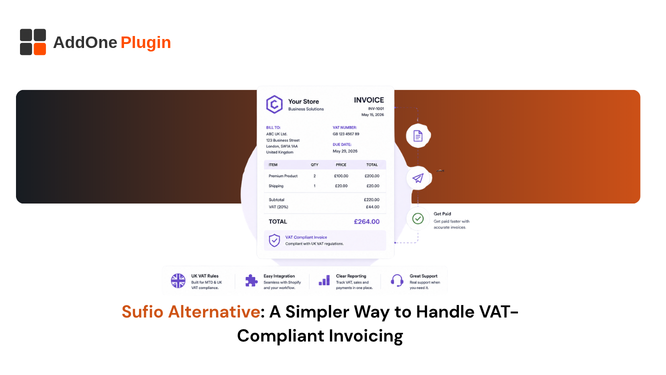
Sufio is one of the most capable invoicing apps on the Shopify App Store, and that is exactly the problem for a lot of merchants. If you are searching for a Sufio alternative, chances are you do not need 40 languages, enterprise-grade customization, or a pricing tier built for six-figure order volume. You just need clean, VAT-compliant invoices without the setup overhead. This guide walks through why merchants look for something simpler, what to actually look for in an alternative, and where a lighter-weight app like InvoiceForge fits.
Why Shopify Merchants Look for a Sufio Alternative
Sufio built its reputation on depth. Dozens of languages, granular template controls, and compliance coverage across 50-plus countries make it a genuinely strong platform for merchants operating at real international scale. For a Shopify Plus brand shipping globally, that depth is the whole point of the app.
For a smaller B2B seller, the same depth can turn a five-minute setup into a multi-day project. The feature set does not shrink to match a smaller store; it stays the same size, and someone still has to configure and maintain all of it.
Pricing that scales faster than your order volume
Sufio’s plans are built around invoice volume and feature tier, and merchants frequently outgrow the entry plan faster than their actual order count would suggest. That happens because B2B-critical features, PO numbers, VAT validation, and multi-currency support, often sit on higher tiers rather than the base plan. A store issuing 40 B2B invoices a month can find itself paying for a mid-tier plan simply to access fields that a simpler tool includes by default.
A feature set built for enterprise, not solo or small B2B sellers
Multi-currency commercial invoices, HS codes, country-of-origin fields, and 40-language translation are essential for a high-volume exporter shipping into a dozen markets. For a merchant issuing invoices mainly in one or two languages to a defined set of business customers, most of that surface area goes unused. It still has to be configured, tested, and kept up to date, even when nobody is relying on it day to day.
Setup and template complexity for stores that just need compliance
Getting a Sufio template to look and behave exactly right often means working through variables, conditional logic, and multiple settings panels across languages, currencies, and document types. That is a reasonable trade-off for a store that genuinely needs the flexibility. For a store that just needs a compliant, branded invoice out the door, it is friction that delays getting the app live at all.
This shows up in a very ordinary way: a merchant installs Sufio expecting a quick setup, then spends the better part of a week going back and forth between template settings and support documentation just to get the invoice number format and VAT fields looking right for a single market. None of that time is wasted exactly; the app is doing what it was built to do, but it is time a smaller team often does not have to spare in the first week after installing a new tool.
What to Look for in a Simpler VAT-Compliant Invoicing App
Not every app that markets itself as “simpler” is actually compliant, so it helps to know which features are non-negotiable before you start comparing options side by side.
Automatic VAT/GST invoice generation
The invoice should generate itself the moment an order is placed, paid, or fulfilled, not require a manual click for every single order. Automatic generation is the baseline for any tool that calls itself a compliance solution rather than a print utility. If you find yourself clicking “generate” one order at a time, the app has not actually solved the problem.
PO numbers and business details without custom code
If you sell B2B, purchase order numbers, business registration details, and VAT/GST numbers need to appear on the invoice without you editing Liquid code by hand. A genuinely simple app treats these as default fields you fill in through settings, not custom fields you build from scratch.
Fast setup without a dedicated admin
A good litmus test: can one person get a compliant, branded invoice out within an hour of installing the app, using the default template and their own logo? If the honest answer is no, the app is solving a different problem than the one a smaller B2B store actually has.
Is Sufio Overkill for a Small or Mid-Size B2B Store?
Sufio makes sense once you are managing multi-country compliance, translated invoices, and high order volume across many markets; it becomes overhead once you are mainly issuing standard VAT/GST invoices to a manageable set of B2B customers in one or two regions.
When Sufio’s depth genuinely pays off
If you ship to a dozen countries with different languages and tax rules, or you run a Shopify Plus store with dedicated operations staff who maintain templates and settings as part of their job, Sufio’s feature depth earns its complexity. You are paying for capability you are actually using, and the setup investment amortizes across a large order volume.
When it becomes unnecessary overhead
If you sell mainly to one or two regions, issue invoices in one or two languages, and your B2B needs come down to VAT numbers, PO numbers, and clear payment terms, you are paying, in setup time, ongoing maintenance, and often cost, for capability that sits unused. That gap tends to widen the smaller your team is.
A useful way to check where you actually sit: list every Sufio feature you have configured, then mark which ones you have touched in the last three months. If most of the list goes untouched, that is a reasonably strong signal that you are paying for coverage rather than using it, and it is worth at least comparing what a narrower, compliance-first tool would cost you instead.
How InvoiceForge Delivers VAT Compliance Without the Complexity
Automatic VAT/GST-compliant invoice generation
InvoiceForge generates a compliant invoice automatically as orders come in, with the required VAT/GST fields already in place for your primary markets. There is no separate configuration step to unlock compliance; it is the starting point of the product rather than an add-on tier.
Simple setup, no code required
Templates are configured through settings, not Liquid, HTML, or CSS. Adding your logo, adjusting your business details, and confirming your tax fields takes minutes, which means getting a branded, compliant invoice live is a same-day task rather than a project with its own timeline.
Pricing that fits smaller B2B operations
Instead of a feature ladder built around enterprise exporters, InvoiceForge’s plans are built around what a growing B2B store actually needs: compliant invoices, PO numbers, and payment terms, without paying extra to unlock the fields that make an invoice legally usable in the first place.
Switching From Sufio to InvoiceForge
If Sufio’s complexity is costing you more time in setup and maintenance than it is saving you in capability, moving to a lighter tool is a reasonable operational decision, not a downgrade in what your business can do.
What migration looks like
Your historical invoices stay in your Sufio account for record-keeping purposes; there is no need to migrate past documents to switch tools going forward. New orders begin generating through InvoiceForge from the point you activate your new template, so there is no gap in compliant documentation for orders placed after the switch.
Most merchants run the two apps in parallel for a short overlap window: set up InvoiceForge, confirm a handful of test invoices look right, then switch off Sufio’s automatic sending once you are confident the new setup is generating correctly for every order type you handle. This avoids the risk of a gap in coverage during the transition itself, which is the part of any app switch that tends to cause the most anxiety.
Getting started
For a full, feature-by-feature comparison rather than the narrative version above, see InvoiceForge vs Sufio: which app is better for B2B. If you are still working out exactly which VAT fields your invoices legally need before you switch anything, start with what a VAT invoice actually requires on Shopify.
A simpler invoicing app is not about doing less. It is about matching the tool to the job in front of you. If your store’s B2B needs are compliance and clarity rather than enterprise-scale customization across dozens of markets, InvoiceForge gets you there without the overhead Sufio was built to handle at a different scale. For the country-specific compliance details behind any of this, our full VAT invoice guide for the UK, EU, and Australia is the place to go deeper.