
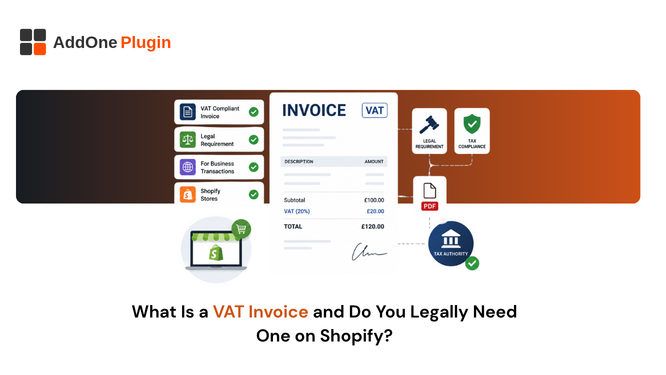
If a B2B customer has ever asked you for “a proper VAT invoice” and you were not entirely sure how that differs from the order confirmation Shopify already sends, you are not alone. A VAT invoice is a specific, legally defined document, and getting it wrong can mean penalties, failed audits, or a customer who cannot reclaim tax they are legitimately owed. Here is what a VAT invoice actually is, when Shopify merchants are required to issue one, and what Shopify does and does not handle for you automatically.
What Is a VAT Invoice, Exactly?
A VAT invoice is a formal document issued by a VAT-registered business that itemizes the value-added tax charged on a transaction, including specific legally required fields that go beyond what a standard receipt provides. It exists to let tax authorities verify what was charged and to let VAT-registered buyers reclaim the tax on eligible purchases they have made.
VAT invoice vs standard receipt
A receipt simply confirms that payment was received for a purchase. A VAT invoice is a request for payment, or a formal record of one, that also functions as a tax document with legal weight a plain receipt does not carry. Many businesses treat the two as interchangeable, which is precisely where compliance problems tend to start.
The confusion is understandable. Both documents can look nearly identical at a glance, a header, a list of items, a total. The difference is entirely in the specific fields present and the legal function those fields serve, not in how professional or polished the document looks.
Required fields on a compliant VAT invoice
At minimum, a VAT invoice needs your business name, address, and VAT number, the buyer’s details, a unique sequential invoice number, the issue date, a description of the goods or services sold, the tax rate applied, and the total amount including VAT. Full VAT invoices, as opposed to simplified versions, are typically required for B2B transactions and need the most complete version of this field list.
Simplified VAT invoices exist for lower-value transactions in some jurisdictions and require fewer fields, but relying on the simplified version for a B2B sale where the full version is actually required is a common, easily avoidable mistake. When in doubt, the full version covers you in more scenarios.
When Shopify Merchants Are Legally Required to Issue One
Not every sale needs a full VAT invoice, but a large share of B2B and cross-border EU and UK activity does, often without merchants realizing exactly when the requirement kicks in.
Selling B2B within the EU/UK
If you sell to VAT-registered businesses in the EU or UK, a VAT invoice is typically required, and it needs to show both your VAT number and the buyer’s, particularly in cases where the reverse charge mechanism applies to the transaction.
VAT registration thresholds
Once your store crosses the VAT registration threshold in a given country, for example, £90,000 in the UK, you are required to register, begin charging VAT, and issue compliant invoices on qualifying sales going forward. This threshold is easy to miss if you are tracking revenue by channel rather than in aggregate.
Reverse charge and cross-border sales
When VAT is not charged because the buyer self-accounts for it under the reverse charge mechanism, the invoice still needs to state that explicitly, rather than simply showing 0% VAT with no accompanying explanation. Leaving that note off is a common, avoidable compliance gap.
Cross-border sales outside the reverse charge scenario carry their own rules too. Exports outside the EU generally are not charged VAT at all, but the invoice still needs to reflect that correctly and, in many cases, needs to be retained as evidence that the goods actually left the country.
Does Shopify Generate VAT Invoices Automatically?
Shopify can generate a basic VAT invoice natively for stores selling into the EU or UK, but only if you are using Shopify Tax and have your VAT registrations configured correctly, and it is not automatically emailed to customers.
What Shopify Tax’s native VAT invoice covers
When enabled, Shopify displays a VAT invoice on the order status page that customers can view, save, or print themselves. It pulls your registered legal business name and VAT ID automatically from your store settings, which is a genuinely useful starting point.
Where it falls short for full compliance
The native version is not automatically sent by email, does not support independent sequential numbering across manual and automatic orders, and offers no credit note workflow for handling refunds. For a B2B seller, depending on invoices being proactively delivered and properly, gaplessly numbered, this is a meaningful gap rather than a minor inconvenience.
There is also a configuration trap worth knowing about: the native VAT invoice feature only activates correctly if your VAT registrations are set up and current in your Shopify tax settings. A store that registered for VAT after already configuring taxes sometimes finds the feature silently not working as expected, simply because the registration step was never revisited.
How InvoiceForge Handles VAT Invoicing Automatically
The gap between “technically has VAT fields” and “actually sends a compliant invoice without anyone remembering to check” is where most of the real risk sits, and it is the specific gap this kind of automation is built to close.
Automatic generation on order, payment, or fulfillment
Invoices are generated the moment your chosen trigger fires, rather than waiting for a customer to find and download one from an order status page they may never revisit. You choose the trigger that matches how your business actually operates, whether that is the moment an order is placed, the moment payment clears, or the moment an order ships.
Legally required fields included by default
Business details, VAT numbers, sequential numbering, and tax breakdowns are part of the default template from day one, not something you have to research and build yourself. See how automatic VAT invoice delivery to B2B customers works for the full delivery workflow.
Multi-country VAT/GST support
Templates adapt to the compliance requirements for your primary selling markets, so you are not maintaining separate documents by hand for each region you sell into. For GST-specific requirements, see Australia GST invoicing on Shopify.
Getting VAT-Compliant Without the Guesswork
Quick compliance checklist
- Confirm your VAT registration status in every country where you are required to register, not just your home market.
- Check whether your invoices include a unique, sequential invoice number with no gaps.
- Verify VAT numbers are captured and displayed for B2B customers where the reverse charge mechanism applies.
- Make sure invoices are delivered automatically, rather than left for customers to track down themselves.
- Review whether your reverse-charge and export notes use the correct, current wording for each region you sell into.
Where to go deeper by country
Requirements vary meaningfully by country, and a single article cannot cover every jurisdiction’s specific rules in useful depth. Our full country-by-country VAT invoice guide for the UK, EU, and Australia covers the specific rules for each region in detail. For UK-specific requirements, see UK VAT invoice rules for Shopify merchants, and for Germany, see Germany’s Shopify invoice compliance rules.
A VAT invoice is not just paperwork. It is a legal document your B2B customers rely on for their own tax filings, and one your tax authority can audit years after the sale. Getting the fields right, automatically, from day one, is far easier than fixing a backlog of non-compliant invoices after the fact.
If you are only now realizing your invoices may have been missing required fields, the fix is rarely as dramatic as it sounds. Correcting the template going forward and, where genuinely necessary, reissuing corrected documents for a defined recent window is usually enough. What matters is not letting the gap continue once you know about it.