
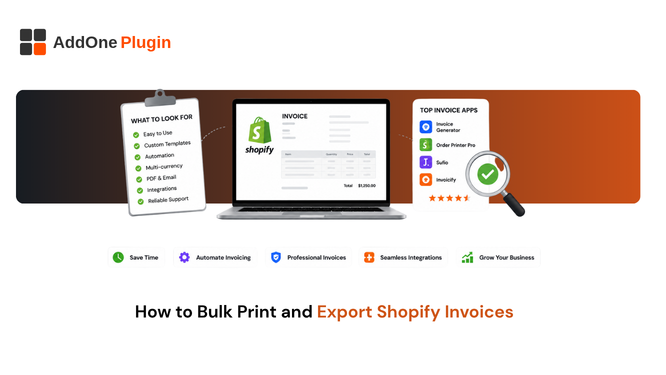
Printing invoices one at a time works fine until it does not, usually right around the point where your order volume makes it a daily time sink that eats into hours you do not have to spare. Here is how bulk printing and exporting Shopify invoices actually work, exactly where Shopify’s native tools cap out, and what to look for in a workflow that scales past that limit without adding more manual work.
Shopify’s Native Bulk Printing Limits
Shopify’s built-in Order Printer app handles bulk actions reasonably well at small scale, but with real ceilings worth knowing before you build a daily or weekly process around it.
The 50-order cap
You can select and print up to 50 orders at a time through Order Printer. Beyond that, Shopify’s own guidance is to export orders to a CSV file instead, which solves a data-export problem, not the problem of generating print-ready, formatted invoices at scale.
For a store doing 30 orders a week, this cap never becomes visible. For a store doing 30 orders a day, it turns a five-minute task into a recurring chore involving multiple manual batches, each one needing to be started, waited on, and downloaded separately before moving to the next.
Browser-based PDF inconsistencies
Because Order Printer relies on your browser’s print dialog rather than generating a true server-side PDF, the same invoice template can render with different margins, fonts, and page breaks depending on whether it was saved from Chrome, Safari, or Firefox. Filenames follow Shopify’s default naming pattern, with no built-in way to customize them through the app, which becomes a real organizational headache once you are managing hundreds of files.
This inconsistency is easy to miss when one person handles printing for the whole store, since they get used to whichever quirks their own browser and setup introduce. It becomes obvious the moment a second team member, on a different machine, generates the same batch and gets visibly different-looking documents for what should be identical invoices.
How to Bulk Export Invoices at Scale
Getting past the native limits generally means either running multiple 50-order batches manually, which is tedious but workable at moderate volume, or moving to a tool built specifically for volume from the ground up.
Filtering orders by date range and status
Whatever tool you are using, start by filtering to the exact set of orders you actually need, by date range, fulfillment status, or financial status, rather than exporting everything and sorting through it afterward. A clean filter upfront saves a much messier cleanup step later.
This matters more than it sounds. A broad, unfiltered export mixed with cancelled and refunded orders creates confusion later about which documents actually represent completed sales, especially if the export gets handed to someone outside your immediate team.
Exporting as a single combined PDF
For sending to an accountant or archiving for your own records, a single combined PDF covering the full batch is far more usable than dozens or hundreds of separate individual files that someone then has to open one by one.
Keeping filenames and numbering consistent
Consistent, predictable filenames, and unbroken sequential invoice numbers matter more at scale than they might seem to at first glance, since a gap or an accidental duplicate is much harder to spot manually in a batch of 500 invoices than it would be in a batch of 10.
A simple convention, invoice number plus date, applied consistently across every export, saves real time later when you or your accountant need to locate a specific document among thousands without opening each one to check.
Can You Bulk Print Invoices From Shopify POS Too?
Yes, but POS and online orders are typically handled as separate exports, since Shopify’s native Order Printer app supports printing from both the admin and the POS app, though not as a single combined batch by default.
In-store vs online order exports
Orders taken through Shopify POS and orders taken through your online store both generate through the same underlying order data structure, but bulk print and export actions are usually run separately for each channel rather than pulled together automatically.
Combining POS and online invoices
If your accountant needs a single combined view across both channels for reconciliation, that typically means running two separate exports and merging them yourself, unless your invoicing app is built to handle both channels natively in one unified export.
It’s worth deciding upfront which approach fits your reporting needs. Some businesses are perfectly happy reconciling channels separately since their POS and online sales sit in different parts of the business anyway; others need one combined ledger and should factor that into which tools they choose.
What to Look for in a Bulk Export Workflow
Whether you build this in-house or lean on a dedicated invoicing app, the workflow that actually holds up at scale has the same three properties.
No hard cap tied to a single batch
The export should not force you back into 50-order chunks once your volume grows. Ask directly whether an app’s bulk export is genuinely unlimited by date range, or whether it quietly inherits the same ceiling Order Printer has.
Consistent, compliant formatting across every invoice
Every invoice in the batch should follow the same compliant template regardless of how it was triggered, so a batch of 500 invoices looks and reads identically to a batch of five, which matters when an accountant or auditor is reviewing them side by side.
A single, clean download
The end result should be one accountant-ready file, not dozens of separate downloads someone then has to merge by hand. That single detail is usually what determines whether a “bulk export” feature actually saves time or just moves the tedium somewhere else.
Building a Repeatable Bulk Export Habit
A monthly or quarterly routine
Set a standing reminder to export and archive invoices on a fixed schedule, monthly at minimum, rather than only running an export the one time an accountant or auditor actually asks for one. A habit built in advance is far less stressful than a scramble under deadline pressure.
Tie this to an existing routine you already run, your month-end close, your VAT return filing, so it does not depend on someone remembering a separate task. Attaching a new habit to an old one is far more reliable than hoping a calendar reminder gets acted on.
Backing up for record-keeping
Store exported batches somewhere independent of your Shopify admin itself, since retention requirements in most countries extend well beyond what you would want to rely on Shopify alone to retain indefinitely. See how long you actually need to keep invoices, by country, for the specific retention windows that should shape how you archive.
Bulk printing should not be the bottleneck that slows down your monthly close. If you are regularly running into Shopify’s 50-order cap, or losing time to inconsistent browser-generated PDFs, that is a reliable sign your invoicing process has outgrown the free native tool. See the full InvoiceForge feature set for what a purpose-built alternative looks like and how automation removes manual order paperwork from the process entirely.
The underlying pattern is consistent across most of these tools: whatever is manual today becomes the bottleneck first as volume grows. Bulk export is usually one of the earliest signs, precisely because it is one of the few invoicing tasks most teams still do by hand even after automating everything else.
[…] rules tied to order status, rather than running a faster manual process every month. Our guide on bulk printing and exporting Shopify invoices covers the related print and export side if that’s also part of your monthly […]