
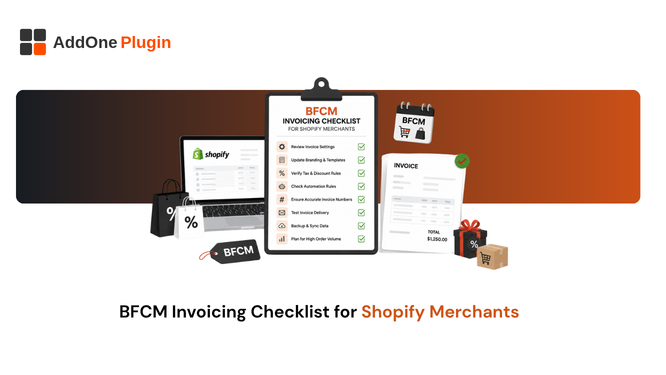
Every BFCM checklist covers site speed, discount codes, and inventory buffers. Almost none of them mention what happens to your invoicing when order volume triples overnight. If your back-office paperwork is not ready for BFCM, you will find out the hard way, usually the week after, when reconciliation turns into a mess nobody budgeted time for. Here is the invoicing-specific checklist most guides skip entirely.
Why Invoicing Breaks Down During BFCM
Marketing and fulfillment get the pre-BFCM attention, and rightly so. Invoicing quietly breaks in the background because nobody stress-tested it before the weekend actually arrived.
Order volume spikes past native limits
Shopify’s native Order Printer app caps bulk actions at 50 orders. On a normal week, that limit rarely surfaces as a problem worth thinking about. On Black Friday, it means dozens of manual batches instead of one, each one needing to be selected, generated, and downloaded separately while your team is already stretched thin on every other front.
Think through what that actually looks like in practice: someone on your team, likely already handling customer service tickets and shipping questions, now also needs to run print batches every hour or two throughout the weekend just to keep pace. That is not a good use of anyone’s time during your busiest days of the year.
Manual template edits under time pressure
Teams sometimes try to add a holiday note or adjust a template field in the days right before BFCM. Doing that under time pressure, on a template you rarely touch the rest of the year, is exactly when a small mistake, a misplaced variable, a typo in a legal field, slips into every single invoice generated that week without anyone catching it until after the fact.
If a template change genuinely needs to happen before BFCM, make it at least a week out, not two days before, and test it against a real order before trusting it at volume. A rushed edit on November 24th has a much higher chance of shipping a mistake than the same edit made calmly on November 15th.
Missed VAT/GST fields on rushed orders
Higher volume means more edge cases surface at once: a new country you do not usually sell to in meaningful numbers, a B2B order that needs a PO number, a VAT-exempt customer whose exemption needs to be reflected correctly. Under normal volume, a team member would likely catch and flag these individually. Under BFCM volume, with everyone focused on keeping the site up and orders shipping, they get missed.
The Pre-BFCM Invoicing Checklist
Run this the week before, not the morning of, so you have time to actually fix anything the test uncovers.
Test your templates and automation before the surge
Place a handful of test orders across your different order types, B2C, B2B, international, and confirm invoices generate correctly and automatically for each one. Do not assume a template that worked correctly in January still works correctly today; tax rates, product catalogs, and settings all change over the course of a year.
Confirm VAT/GST fields for all regions you sell to
If BFCM traffic brings in orders from countries you do not normally see much volume from, confirm your templates handle those tax rules correctly before the orders actually start arriving, not after a customer flags a missing field on their invoice.
International traffic tends to spike disproportionately during BFCM, since shoppers across many countries are drawn in by the same sales event. A region that made up 2% of your normal order volume can easily make up 10% or more of your BFCM weekend, which is exactly the wrong time to discover a gap in your VAT setup for that market.
Set up automatic reminders for unpaid B2B orders
If you take B2B orders on payment terms, confirm your reminder sequence for unpaid invoices is active and correctly configured before volume increases, not after invoices have already started going unpaid at a scale that is harder to chase down manually. See how to set up automatic invoice reminders for unpaid orders for the full setup process. If your bulk printing process also needs a stress test before BFCM, see how to bulk print and export Shopify invoices.
What Should You Check the Morning After BFCM?
The morning after BFCM, reconcile your total order count against your total invoice count for the weekend before doing anything else, since a mismatch is the fastest way to catch a process failure early, while it is still fixable.
Reconciling invoice counts against orders
A gap between orders placed and invoices generated usually points to a specific failure point: a template error on a particular order type, an automation that silently stopped triggering partway through the weekend, or an edge case your setup was never built to handle in the first place.
Pull both numbers from the same time window and compare them directly rather than eyeballing whether things “seem about right.” A 2% gap sounds small until you realize it represents dozens of customers who did not receive proper documentation for a purchase they are actively expecting to see reflected on their books.
Catching missed or duplicate invoices
Duplicate invoices are almost as costly as missing ones, since they create confusion for customers who receive two documents for one order, and extra reconciliation work for your own books. Spot-check a representative sample from your single highest-volume day rather than trying to review everything manually.
A duplicate is usually easier to trace than a missing invoice, since it typically points to an automation trigger that fired twice, often from a retry mechanism kicking in during a moment of high traffic or a brief outage. Once you find one, check whether the same trigger condition affected other orders in the same window.
How InvoiceForge Keeps Up During Peak Volume
The test that matters is simple: does invoice generation on your busiest day look any different, technically, than on your quietest one. If the answer is no, volume was never actually the risk.
Automatic invoice generation with no manual clicks
Invoices generate on your chosen trigger for every order, whether that is 10 orders or 10,000 in a single day, without anyone manually clicking through a batch or babysitting the process during your busiest weekend of the year.
Built to handle order spikes without a manual bottleneck
Because invoice generation is triggered automatically per order rather than run in manual batches, a store’s busiest day looks the same to the system as its quietest one. The volume itself is not the constraint; a manual step in the process is.
Consistent VAT/GST-compliant formatting under load
Every invoice follows the same compliant template regardless of volume, so a rushed BFCM weekend does not translate into rushed or inconsistent compliance on the documents your customers actually receive.
Your BFCM-Ready Invoicing Setup
Final pre-launch checklist
- Test orders placed and invoices confirmed across every order type you expect to see.
- VAT/GST fields verified for the regions most likely to generate BFCM traffic.
- Reminder automation confirmed active for unpaid B2B orders.
- A named person responsible for the morning-after reconciliation, so it is not left to whoever happens to notice first.
Post-BFCM cleanup steps
Reconcile order and invoice counts, spot-check for duplicates, and archive the weekend’s invoices for your records once you are confident everything generated correctly. See how automation keeps order paperwork on autopilot for the broader workflow this checklist sits inside.
BFCM rewards the merchants who prepared before the surge, not the ones scrambling during it. Invoicing is one of the easiest parts of that preparation to skip, and one of the most painful parts to fix after the fact, once a backlog of orders is already sitting there without proper documentation.
Treat this checklist the same way you would treat a site-speed or inventory check: something you run every single year, regardless of how smoothly last year’s BFCM went. Systems change, tax rules change, and your order mix changes, which means last year’s clean result is not a guarantee for this year.