
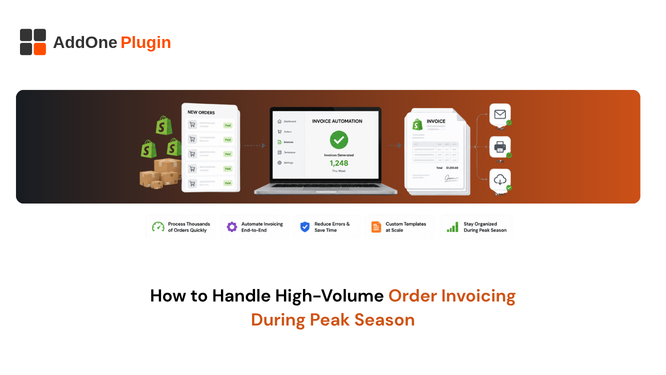
BFCM is not the only peak your store will hit. Back-to-school, end-of-financial-year sales, regional shopping events, any of these can push order volume well past what your invoicing setup was originally built to handle. This is less about surviving one weekend and more about whether your invoicing system can genuinely scale at all, year-round, without you rebuilding your process every time volume spikes.
What Breaks First When Order Volume Spikes
The same failure points tend to show up regardless of which specific peak triggers them, which is exactly why it is worth solving this once rather than repeatedly.
Native tools hit their limits fast
Shopify’s built-in Order Printer app is capped at 50 orders per bulk action, and it relies on browser-based printing rather than server-side PDF generation, both of which become genuine friction points well before most merchants expect them to. A store that has never questioned its invoicing setup often discovers these limits for the first time during its first real volume spike, at the worst possible moment to be troubleshooting.
Manual review can’t keep pace
If any part of your invoicing process depends on someone manually checking each order before generating a document, whether that is confirming a VAT number, applying a discount correctly, or catching an unusual order type, that step becomes the bottleneck the moment volume doubles. A process that worked fine at 50 orders a day quietly fails at 500, not because anything is technically broken, but because there simply are not enough hours to do the same manual check at ten times the frequency.
The failure mode here is rarely dramatic. Nobody decides to stop checking orders carefully. Instead, checks get rushed, corners get cut without anyone quite deciding to cut them, and the quality of manual review quietly degrades exactly when order volume, and the stakes of getting it wrong, are at their highest.
Compliance gaps multiply with volume
A missing VAT number or an unformatted PO number is a minor annoyance at 20 orders a day, easily caught and corrected. At 400 orders a day, the same 2% error rate becomes a real compliance and customer-service problem, generating dozens of incorrect documents that someone now has to identify, correct, and reissue after the fact.
The math here is worth sitting with for a moment. A 2% error rate sounds negligible until you multiply it against your actual peak-day volume, at which point it turns into a specific, unpleasant number of customers holding incorrect paperwork, and a specific number of hours your team will spend fixing it after the fact instead of doing anything else.
Building an Invoicing System That Scales
The fix is not working faster manually, since there is a hard ceiling on how much faster any team can move. It is removing the manual step from the process entirely.
Event-driven automation vs on-demand generation
Systems that generate invoices automatically when an order is placed, paid, or fulfilled scale linearly with your order volume, since the same automated trigger fires whether it is the first order of the day or the thousandth. Systems that require someone to click “print” for each batch do not scale the same way; they simply require more clicking as volume grows.
The distinction matters most exactly when you can least afford to notice it. An event-driven system’s performance during a 10x spike looks identical to its performance on a quiet Tuesday, which is precisely the property you want from anything you are relying on during your busiest days.
Sequential numbering that holds up under volume
Your invoice numbering needs to stay strictly sequential even when hundreds of orders come in within the same hour, without gaps or duplicates that create audit headaches later. This is harder than it sounds under genuine concurrency, and it is worth confirming your system handles it correctly before you rely on it during your actual peak, not after.
A quick way to test this: place several orders in rapid succession, seconds apart, and confirm the resulting invoice numbers are genuinely sequential with no collisions or skips. Systems built without this in mind sometimes pass casual testing but fail under real concurrent load.
Automated delivery instead of manual sending
If invoices have to be manually attached and sent for every order, that queue backs up fast at volume, and it backs up precisely when your team has the least slack to absorb extra manual work. Automated email delivery removes the bottleneck entirely, freeing your team to handle the parts of peak season that genuinely need a human.
How Much Order Volume Can Shopify’s Native Tools Handle?
Shopify’s native Order Printer app caps bulk printing at 50 orders at a time and relies on your browser’s print function, which was never built for sustained high-volume use and will slow down or fail on larger batches.
The 50-order print cap explained
Beyond 50 orders, Shopify’s own recommendation is to export to CSV instead, which solves a data problem, not a document-generation problem. A CSV export gives you the underlying order data, but it does not give you 500 formatted, print-ready, compliant invoices, which is usually what you actually need in that moment.
Where browser-based printing fails at scale
Because the same template can render differently across browsers, high-volume printing runs also introduce a formatting-consistency risk that compounds with every additional order in the batch, and with every additional team member running exports from a different machine. See how to bulk print and export Shopify invoices for a closer look at working around this specific limitation.
How InvoiceForge Scales With Your Order Volume
The underlying principle is straightforward: a process built around an automatic trigger does not need to work harder as volume grows, because nothing about the trigger changes whether it fires once an hour or a hundred times an hour.
Automatic, event-triggered invoice creation
Every order generates its own compliant invoice the moment your chosen trigger fires, with no manual step in between placing the order and the invoice reaching the customer. See how order paperwork automation works end-to-end for the full mechanics behind this.
No manual bottleneck at high volume
Because generation and delivery are automated, a 10x spike in order volume does not require a 10x increase in team effort to keep up, which is the difference between a system that scales and one that simply breaks more slowly.
Reliable VAT/GST compliance regardless of order count
The same compliance template applies to order one and order ten thousand, so volume does not introduce new compliance risk the way a manual process inevitably does as fatigue and time pressure set in.
Peak-Season-Proofing Your Invoicing
Systems checklist
- Confirm invoice generation is fully automated, with no manual click required per order.
- Test your setup at a volume higher than you expect, not just your average day, to see where it actually breaks.
- Verify sequential numbering holds up when many orders land within the same hour.
- Confirm delivery, not just generation, is automated, since a generated-but-unsent invoice solves nothing for the customer waiting on it.
When to review your setup
Review before your next known peak period, not after volume has already exposed a gap you had to explain to a frustrated customer. See the recommended app stack for a growing Shopify store for how invoicing automation fits alongside the rest of your operational tooling.
Peak season is not a once-a-year event anymore for most stores; it is a recurring stress test that shows up several times a year in different forms. Building an invoicing system that genuinely scales once means you stop rebuilding it every single time volume spikes, which is time and stress most teams would rather spend elsewhere.