
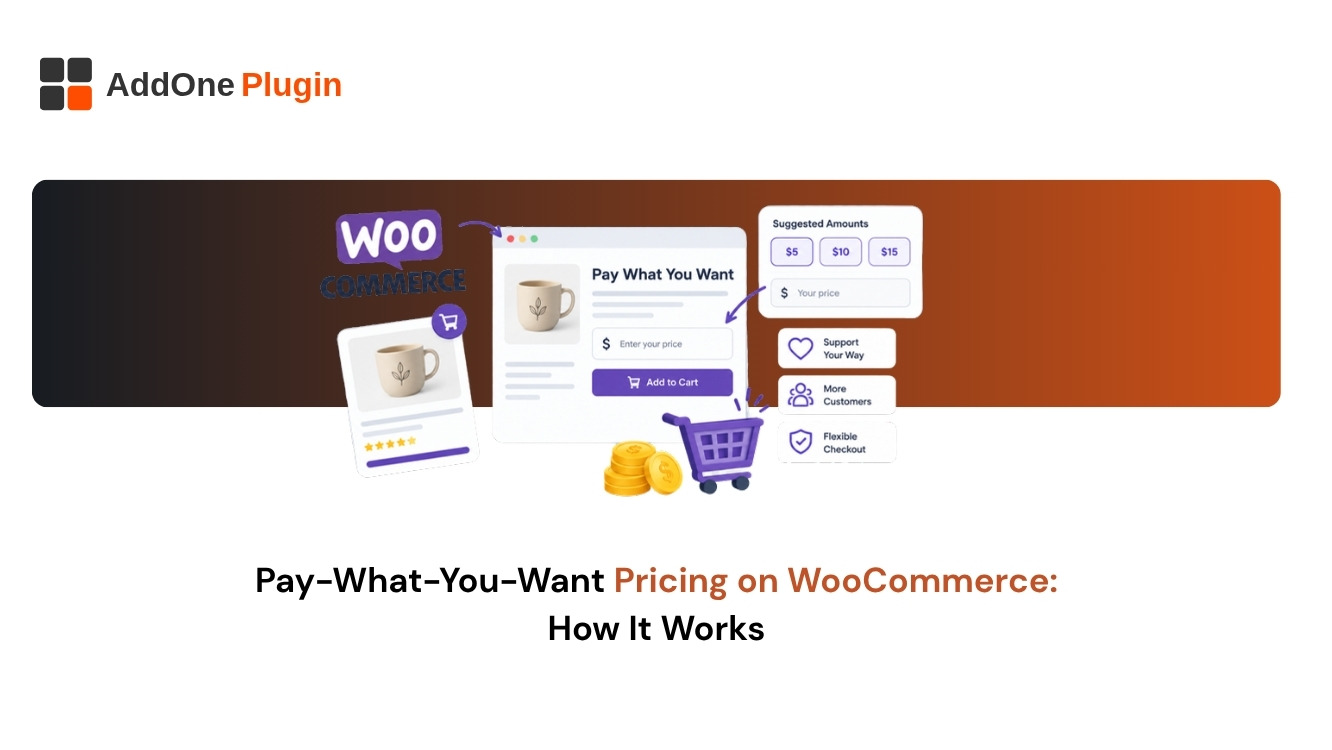
What if your customers set the price? It sounds risky, yet pay what you want WooCommerce pricing works well for the right products. A musician sells an album, a nonprofit accepts donations, and a creator tests how much their audience values a template, all by letting buyers choose the amount at checkout.
This guide explains how pay-what-you-want pricing works in WooCommerce, who should use it, how to set it up, and how to protect your margins. You will finish with a practical plan for testing flexible pricing without giving away the store.
What Is Pay-What-You-Want Pricing in WooCommerce?
Pay-what-you-want pricing in WooCommerce lets customers enter their own price for a product, usually within limits you set. A minimum, a suggested amount, and sometimes a maximum guide the choice. WooCommerce does not include this in its core, so you add it with an extension or custom code.
The feature changes one thing: who sets the final price.
How the Customer Experience Works
On the product page, the customer sees a price field, often pre-filled with your suggested amount. They type the price they want to pay and add the product to the cart. The cart, checkout, taxes, and order records then use that custom amount.
A clear label such as “Enter your price” and a visible minimum prevent confusion. Customers who see a suggested amount tend to stay close to it.
Pay-What-You-Want vs. Fixed and Dynamic Pricing
Fixed pricing gives every customer the same amount. Dynamic pricing changes the price by rules, such as quantity, user role, or date. Pay-what-you-want hands the decision to the buyer.
The model fits products where perceived value varies from person to person, and where your marginal cost is low. It fits poorly for physical goods with fixed costs per unit.
Who Should Use Pay-What-You-Want Pricing?
Pay-what-you-want pricing suits stores with low marginal costs, such as digital products and donations, and stores that want to learn what their audience values. It suits few physical products, because each sale still costs you materials and shipping.
Check your cost structure before you test it.
Digital Products, Donations, and Creative Work
Music, ebooks, templates, presets, courses, and charitable donations all carry little or no cost per additional sale. A customer who pays more than your minimum adds profit, and a customer who pays the minimum still adds revenue.
Donation-style products also work well for fundraisers, where supporters often choose to give above a suggested amount.
Stores Testing Price Sensitivity
If you are unsure what to charge, a short pay-what-you-want trial shows what customers will pay. Run it on one product for a set period and compare the average paid amount against your current fixed price.
Use the result to set a fixed price later. Actionable takeaway: treat the pilot as research, not a permanent strategy.
Once you know what customers will pay, role-based pricing for WooCommerce lets you set different prices for different groups.
How Do You Set Up Pay-What-You-Want in WooCommerce?
To set up pay-what-you-want in WooCommerce, install a name-your-price extension or build custom code, enable the option on the product, set minimum, maximum, and suggested prices, and test the cart and checkout. Extensions handle most of the technical work.
Follow these steps.
Step 1: Pick a Plugin or Build a Custom Solution
Extensions such as Name Your Price add a price field to product pages and handle the cart logic. They suit most stores and take minutes to configure.
Custom development makes sense when you need special rules, such as different minimums by customer group or integration with a loyalty program. Start with an extension and move to custom work when you hit its limits.
Step 2: Set Minimum, Maximum, and Suggested Prices
Open the product edit screen and enable the pay-what-you-want option. Set a minimum price that covers your costs, a suggested price that anchors the choice, and a maximum if you want to prevent typos.
Check that your minimum covers payment processing fees. Fixed gateway fees can erase the margin on very low payments.
Step 3: Configure Cart and Checkout Behavior
Test how the custom price flows through the cart, coupons, taxes, and shipping. Decide whether coupons apply to pay-what-you-want items, and whether customers can edit the price in the cart.
Place orders at the minimum, the suggested price, and a high price. Confirm each shows correctly in the order record and confirmation email.
What Are the Benefits and Risks of Letting Customers Name Their Price?
The benefits are higher engagement, goodwill, and occasional payments above your usual price. The risks are customers paying the minimum, abuse of very low or zero prices, and margin erosion on products with real costs. Limits and good anchoring reduce the risks.
Weigh both sides before you launch.
Revenue and Engagement Upside
Choice builds goodwill. Some customers pay more than a fixed price because they value the product or want to support you. Others buy who would have skipped a higher price.
The model also produces useful data on how your audience values your work.
Pricing Abuse and Margin Risks
Without a floor, some customers will pay almost nothing. Others may test the field with unusual values. Protect yourself with a sensible minimum, input validation, and a maximum.
Avoid pay-what-you-want on products with significant per-unit costs, unless your minimum covers them.
How Do You Get the Most Out of Pay-What-You-Want Pricing?
You get the most from pay-what-you-want pricing by anchoring with a suggested price, setting a sensible minimum, and tracking average order value over time. Small design choices shape what customers pay.
Three habits make the difference.
Using Suggested Prices and Anchoring
The suggested price acts as an anchor. A visible suggestion near your target price pulls payments toward it. Some stores show several preset buttons, such as three amounts and a custom field.
Test different anchors over time and compare results.
Setting Sensible Minimums
Set the minimum at or above your break-even point after fees. A low but real minimum, such as a few dollars, filters out abuse and keeps the offer feeling fair.
Tracking Average Order Value by Price Tier
Export order data and group payments into tiers: minimum, suggested, and above suggested. Track how the mix changes after you adjust the anchor or minimum.
For a deeper reporting setup, see how to export Shopify sales data to Power BI. The modeling principles carry over to WooCommerce data.
How Add One Plugins Helps You Implement Flexible Pricing
We build the pricing logic your store needs, then connect it to reporting so you can see how it performs. A flexible price is only useful if you can measure what customers choose.
Our work covers both the setup and the analysis.
Custom Pricing Logic for WooCommerce
We configure extensions or build custom pricing rules, including minimums by product category, customer group limits, and handling of tax, coupons, and shipping. We test the entire checkout path, including edge cases.
Browse our WooCommerce plugins to see what we build.
Reporting on Pricing Performance
We set up reporting that shows the average price paid, the distribution of payment amounts, and the revenue impact compared with fixed pricing.
Ready to test flexible pricing the smart way? Let’s talk about how Add One Plugins can help.
Conclusion
Pay-what-you-want pricing works when your costs are low, your audience values choice, and your limits are clear. Set a firm minimum, anchor with a suggested price, and measure what customers pay.
Start with one product and a time-limited test, then decide whether to keep it, adjust it, or move to fixed pricing. If you want help building and measuring the setup, get a free consultation to see how Add One Plugins can support flexible pricing in your store. The best price is the one your data supports.