
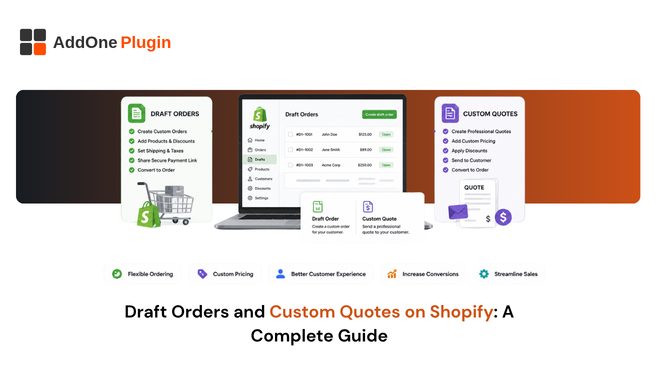
Not every B2B sale starts at checkout. Negotiated pricing, custom line items, and formal quotes all happen outside the normal storefront flow, and Shopify’s draft orders feature is the tool built for exactly that scenario. Here is how draft orders work, how to use them as B2B quotes, and what happens to your compliance paperwork once one converts into a real, paid order.
What Draft Orders Are and When to Use Them
Draft orders are created by store staff directly in the Shopify admin, not by customers through your storefront, which gives you room to customize the sale before it is ever finalized or shown to the buyer as a total.
Manual orders vs storefront checkout
A regular order is placed by a customer through checkout, fully automated from start to finish with no manual intervention required. A draft order, by contrast, is assembled manually by your team, giving you direct control over pricing, line items, and terms before the customer ever sees a final total or receives a payment request.
Custom pricing, discounts, and reserved inventory
You can add custom line items for products or services that are not in your standard catalog, apply discounts unavailable through the storefront, reserve inventory for a specific customer while a deal is being finalized, and adjust pricing on individual line items without touching your product catalog at all.
This flexibility is exactly what makes draft orders useful for negotiated B2B sales, where the price a customer actually pays rarely matches your published catalog rate once volume discounts or account-specific terms come into play.
Using Draft Orders as B2B Quotes
For B2B sellers, draft orders effectively double as an informal quoting tool. It is well short of a full request-for-quote system with negotiation threads and version history, but it is genuinely functional for most straightforward negotiated sales.
Sending a draft order as an invoice link
Once a draft order is built out with the correct pricing and terms, you send the customer a payment invoice link. They review the details and complete payment through that link, which converts the draft order into a real, completed order automatically.
Because the customer sees this as their formal quote, it is worth treating the draft order itself, line items, pricing, and any notes, as a document you would be comfortable having reviewed by their finance team, not just an internal working draft.
Locking prices for negotiated deals
You can lock the prices on a draft order so they do not shift if you happen to update product pricing elsewhere in the store before the customer actually pays. This is genuinely useful for holding a quoted price steady for an agreed period, particularly with slower-moving B2B sales cycles.
Without a price lock, a routine catalog price update, run for entirely unrelated reasons, could silently change the total on a quote that is still awaiting a customer’s approval, creating a mismatch nobody intended and a conversation nobody wants to have.
Adding PO numbers to draft orders
For B2B customers with internal procurement requirements, you can attach a purchase order number to the draft order before sending it, so that reference carries through to the final order once payment is completed. See how to add PO numbers to Shopify invoices for the full setup process.
How Do You Turn a Draft Order Into a Real Order?
A draft order converts to a real order either when the customer completes payment through the invoice link you send them, or when you manually mark it as paid on your end, such as for an offline bank transfer or a payment received outside Shopify entirely.
Sending the payment invoice link
This is the most common path for converting a draft order: send the link, the customer pays, and the order is created automatically the moment payment goes through, with no extra step required from your team.
Marking as paid manually
If payment happened outside Shopify, a wire transfer, cash, or any other offline method, you can mark the draft order as paid directly within the admin, which also converts it into a completed order just as effectively as an online payment would.
What happens next in your records
Once converted, the order behaves like any other Shopify order for reporting, fulfillment, and, depending entirely on your setup, invoicing. This is the point where a lot of stores discover that “converted” and “properly invoiced” are not automatically the same thing.
It is worth walking through this conversion once, deliberately, as a test rather than assuming it works the way you expect. Create a test draft order, send it to yourself, pay it, and check exactly what document lands in your inbox afterward.
What Happens to the Invoice Once a Draft Order Is Paid
This is the step most stores never actually check until a B2B customer asks why their invoice does not look like the compliant, branded document they were expecting.
Automatic compliant invoice generation on conversion
The invoice Shopify sends by default when a draft order converts is fundamentally a payment request, not necessarily a fully compliant VAT or GST invoice with all the fields your tax authority requires. A dedicated invoicing app can generate the fully compliant version automatically at the same trigger point, so nothing falls through the gap between “order converted” and “invoice issued.”
VAT/GST details carried through from the quote
If the customer’s VAT number and business details were captured correctly when the draft order was originally created, those details should carry through to the final invoice automatically, without needing to be manually re-entered by anyone on your team.
PO numbers preserved on the final invoice
Any PO number attached at the quote stage should appear on the final, compliant invoice as well, so the paper trail stays complete and traceable from the original quote all the way through to final payment.
For procurement-driven B2B customers, this traceability is not a nice-to-have. Their own accounts payable process often will not release payment against an invoice that does not reference the correct PO number, which turns a small formatting gap into a genuine payment delay.
From Quote to Compliant Invoice
Workflow recap
- Build the draft order with pricing, PO number, and complete customer details.
- Send the invoice link, or mark it as paid manually if payment happened offline.
- Confirm that a fully compliant invoice, not just a basic payment receipt, generates automatically at the point of conversion.
Setting this up
See how InvoiceForge handles proforma invoices and quotes and understand net invoicing and payment terms for wholesale customers for a deeper look at the quote-to-payment side of this workflow beyond just the draft order mechanics themselves.
Draft orders solve the quoting problem well. What happens to the invoice after the customer actually pays is a separate question entirely, and one worth checking carefully before you rely on the default Shopify flow for anything genuinely compliance-sensitive.
The gap between the two rarely announces itself. Most stores only discover it when a B2B customer asks for a proper invoice after already receiving Shopify’s default payment confirmation, at which point it is a support request instead of something handled automatically from the start.