
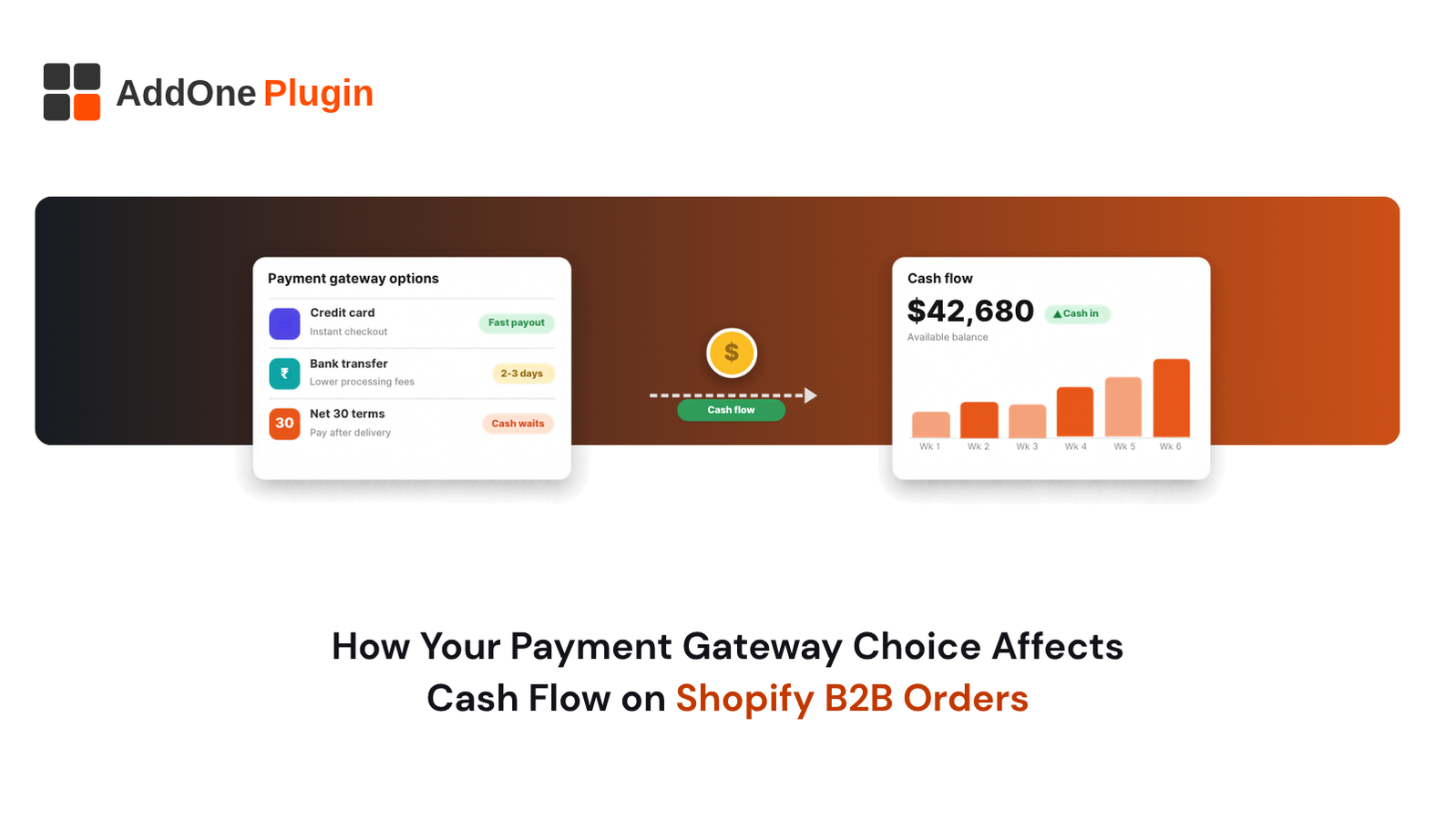
A single $5,000 wholesale order paid by credit card can lose more than $100 to processing fees before the box leaves your warehouse. Then the payout lands days later, and the payment terms you offered stretch the wait even further. Payment gateway cash flow on Shopify B2B orders comes down to three levers: what each payment method costs, how fast money reaches your bank, and how long you let buyers wait to pay.
This guide compares cards, ACH, wires and net terms, shows which approach fits which buyer, and walks through a worked cash-flow example. You also get a setup checklist and a list of questions to ask before you switch providers. Every dollar figure in the worked examples is illustrative, so swap in your own numbers. Fee and feature details are accurate as of October 2026 and change often, so confirm them with your provider.
Why Your Payment Gateway Choice Hits B2B Cash Flow Harder Than B2C
Retail stores process hundreds of small payments, so a gateway’s quirks average out. Wholesale works the other way. You process fewer, larger payments, and a single slow payout or frozen balance changes what you can buy next week.
Think of your gateway as a pipe between the buyer’s bank and yours. In retail, a narrow pipe still carries a steady trickle. In B2B, one order can fill the pipe, so its width, speed and valves decide whether you can pay your supplier on time. The three problems below show up in almost every wholesale store, and each one has a fix you control.
Larger Order Values Make Percentage Fees Expensive
Card fees scale with the order. As of October 2026, Stripe’s US pricing page lists 2.9% + 30 cents for domestic card payments and 0.8% with a $5.00 cap for ACH Direct Debit. We use those published figures here as a benchmark, because they make the effect of order size easy to see. On an illustrative $5,000 order, the card fee is $145.30, while the ACH fee is $5.00 because the cap applies.
That gap of roughly $140 per order lands directly on your margin. Wholesale margins are usually thinner than retail margins, so the same fee takes a bigger bite out of what you keep.
Your own rates may differ. Shopify’s pricing page lists online card rates for Shopify Payments that vary by plan, so check the numbers for your plan and country before you plan around any example in this article.
Payout Timing vs. Payment Terms: Where Cash Gets Stuck
Your cash is stuck twice on a B2B order. First, the buyer holds it for the length of the payment terms. Second, the gateway holds it until the payout arrives.
Shopify’s Help Center explains in its payout timing guide that settlement time varies by country, risk level and payment method, and that only business days count. Funds from payments captured on Friday, Saturday and Sunday are grouped into one payout. After funds are paid out, they can take an additional 1 to 3 days to show in your bank account, depending on your bank.
Stack those delays on top of Net 30 and your supplier invoice can come due before your customer’s money arrives. Map the full timeline for your store, from order date to cash in your bank, using your own payout schedule.
Chargebacks and Holds on High-Value Orders
A disputed $8,000 order hurts far more than a disputed $80 order. When a customer disputes a card payment with their bank, the payment amount and any dispute fees can be deducted from your account while you gather evidence.
Shopify Payments can also place a reserve on an account, which is a temporary hold on a portion of your transactions to protect against disputes and refunds. Shopify’s Help Center says it assesses risk indicators when deciding on a reserve, so rapid changes in order size or business model are worth discussing with your account contact before they happen.
Protect yourself with clean records. Keep signed purchase orders, delivery confirmations and buyer emails together for every large order. Steer your biggest buyers toward ACH or bank transfer, where card disputes do not apply, although bank-based methods carry their own return risk, covered below.
How Do Payment Methods Compare for Shopify B2B Cash Flow?
Cards settle fastest but cost the most. ACH costs far less but takes longer and can fail or be disputed. Wire transfers move large sums, though banks charge fees and the buyer has to send the details manually. Net terms carry no processing fee on the terms themselves, but they delay your cash by 7 to 90 days.
Each method trades speed, cost and risk differently, so the right answer changes with the order size and the buyer.
Credit and Debit Cards (Fast, but Fees Add Up)
Cards give you the quickest path to cash. The buyer pays at checkout, and the funds enter your payout cycle right away. There is no invoice to chase.
The cost is the percentage fee. At Stripe’s published US rate of 2.9% + 30 cents, a $2,000 order costs $58.30 to process, and the same page lists extra charges for international cards. Your own gateway may price differently, so run the same sum with your real rate.
Cards also carry the highest dispute risk. Use them for small and first-time orders, where speed and certainty matter more than a few points of fee. For repeat buyers with large orders, offer a cheaper option.
ACH, Wire Transfers and Real-Time Payments
ACH moves money directly between bank accounts. Fees are low, which is why it suits large wholesale orders. Stripe lists ACH Direct Debit at 0.8% with a $5 cap, so even a $50,000 order carries a $5 fee on that pricing.
Shopify’s Help Center says ACH Direct Debit is available on Shopify Payments for B2B orders, with conditions. As of October 2026 the store must be in the United States and accept USD, must have fulfilled more than 100 orders, and must have completed identity verification, and the buyer needs a US bank account.
Confirmation can take up to 4 business days, and Shopify describes ACH as a non-guaranteed payment method, so failures and disputes can still occur. Plan for a settlement window and a return risk.
Wire transfers are typically fast and hard to reverse, but banks charge fees and buyers must enter your details by hand, which invites errors and manual matching on your side. Ask your bank for its incoming wire fee and expect the buyer’s bank to charge its own. Support for other bank-transfer or real-time payment methods at Shopify checkout varies by region and provider, so check what your gateway offers before you promise it to buyers.
Net Terms and Pay-Later Options
Net terms let a buyer receive goods now and pay on a set date. According to Shopify’s Help Center, B2B payment terms include Net 7, 15, 30, 45, 60 and 90, plus due on fulfillment. A fixed date is available on individual draft orders. The default is no terms, meaning payment is due immediately.
Pay-later options come in two forms. In the first, you carry the credit and wait for the buyer. In the second, a third-party platform pays you up front and collects from the buyer later, usually for a fee.
The first costs you working capital. The second costs you a fee but protects your cash. Fees for third-party net-terms platforms vary by vendor and buyer profile, so get written pricing from each vendor before you compare.
Side-by-Side: Fees, Speed and Risk
Use this table as a starting point. Card and ACH fee figures come from Stripe’s US pricing page as a benchmark. For the other rows, get the figures from your bank or vendor.
| Method | Typical fee | Speed to your bank | Main risk |
|---|---|---|---|
| Credit or debit card | 2.9% + 30 cents (Stripe US benchmark) | Fastest; follows your payout schedule | Chargebacks and holds |
| ACH debit | 0.8%, capped at $5 (Stripe US benchmark) | Slower than cards; Shopify says up to 4 business days to confirm | Failed or returned payments |
| Wire transfer | Set by the banks involved; ask yours | Depends on the banks | Buyer errors, manual matching |
| Net terms, self-funded | No processing fee on the terms | Delayed by the term you grant | Late or missed payment |
| Net terms, third-party funded | Varies by vendor | Paid up front by the platform, per vendor terms | Platform approval limits |
Which Payment Gateway Is Best for Shopify B2B Orders?
The best gateway matches your order size and buyer mix. Shopify Payments suits many stores because it is built into Shopify and keeps orders, fees and payouts in one place. Add ACH or bank transfer for large orders, and consider a net-terms platform when buyers want credit and you want to be paid up front.
No single gateway wins every case. The sections below show where each option fits, starting with the one built into Shopify and ending with a simple framework you can apply to your own buyers.
Shopify Payments and Native B2B Features (Plus vs. Standard)
Shopify Payments has no extra gateway layer, which keeps reporting and payouts in one place. Shopify’s pricing page lists online card rates that fall as you move up the plans, so your plan affects your per-order cost. Confirm the current numbers on the pricing page before you decide.
On the B2B side, Shopify’s Help Center says payment terms can be set per company location. It also says deposits, such as a 20% deposit at checkout with the balance due on the payment terms, are available only on Shopify Plus. For first-time buyers, the default of payment due immediately still applies.
One detail matters for cash flow. Per the same Help Center page, payments are not automatically captured when payment terms expire. If a buyer saved a credit card for an order, you must charge it manually in your Shopify admin. Build that step into your weekly routine.
Third-Party Gateways (Stripe, Braintree, PayPal)
Shopify’s pricing page notes that third-party transaction fees may apply when you use a payment provider other than Shopify Payments, and that the rate depends on your plan. As of October 2026 the page lists rates from 2% on the lowest plan down to 0.2% on Plus. That fee sits on top of whatever the gateway itself charges, so on large orders the extra layer adds up fast.
Gateway pricing for providers such as Braintree and PayPal varies by contract, volume and region. Ask each provider for a written quote that covers cards, bank debits and disputes, then add Shopify’s transaction fee for your plan to get the true all-in cost.
Choose a third-party gateway for a reason Shopify Payments cannot meet, such as a payment method your buyers insist on or a region Shopify Payments does not serve. Without such a reason, the extra fee layer rarely pays off.
B2B-Specific Processors and Net-Terms Platforms
Some platforms specialize in business payments. They offer invoice-based checkout, bank-debit collection and net-terms financing, where the platform pays you and then collects from the buyer.
These tools solve two problems at once. Your buyers get credit, and you get cash without carrying the receivable. The tradeoffs are fees, buyer approval limits and one more system to reconcile.
Compare platforms on four points: fee per invoice, how fast you get paid, who owns the credit risk, and how orders sync back to Shopify. Get each answer in writing from the vendor, because the terms differ and change.
A Simple Decision Framework by Order Size and Buyer Type
Use these illustrative bands as a starting point, then adjust to your margins:
- Small orders and first-time buyers: Take cards at checkout. Speed and certainty beat saving a few dollars.
- Mid-size repeat orders: Offer ACH or bank transfer alongside cards, and nudge buyers toward the cheaper option.
- Large orders: Require a deposit or prepay by ACH or wire, then ship.
- Trusted accounts that need credit: Offer Net 30 with a credit limit, or route them through a net-terms platform.
Revisit the bands every quarter. A buyer who starts on cards often graduates to terms, and a smooth reorder experience helps keep them there. Our guide to B2B order history and reorder tools on Shopify covers how to make repeat purchasing easier.
How Do Net Payment Terms Affect Your Cash Flow?
Net payment terms delay your cash by the number of days you give the buyer, so you finance their inventory. A Net 30 order ships now and pays next month, and Net 60 doubles the gap. You need enough working capital to cover supplier bills, payroll and restocking during that wait.
Longer terms can win orders, but they also raise your funding need. Run the math before you offer them.
Terms also change who you attract. Larger buyers often expect longer terms, while smaller shops may lean on terms because their own cash is tight. Know which buyers you want, and set terms that fit your balance sheet, not theirs.
Net 15, 30, 60 and 90: What Each Does to Working Capital
Here is an illustrative example. Assume you ship $40,000 of wholesale orders every month and every buyer pays exactly on the due date. These numbers are made up to show the pattern.
- Net 15: About $20,000 sits unpaid at any time.
- Net 30: About $40,000 sits unpaid.
- Net 60: About $80,000 sits unpaid.
- Net 90: About $120,000 sits unpaid.
Add the payout delay on top, since cash reaches your bank a few business days after the buyer pays. On Net 30, if your goods cost 60% of the sale price, you still pay suppliers for roughly $24,000 of inventory each month while you wait.
Doubling your terms doubles the cash you need. Many sellers cap terms at Net 30 for new accounts and extend further only after a clean payment history.
Early-Payment Discounts and Deposits
An early-payment discount rewards buyers who pay fast. The classic form is “2/10 net 30”: take 2% off if the buyer pays within 10 days, otherwise pay the full amount in 30.
On an illustrative $5,000 invoice, the buyer saves $100 by paying 20 days early. That works out to roughly 37% annualized, which is expensive money for you. Offer it only when your cash need is urgent or your cost of capital is high.
Deposits solve a different problem. Shopify’s Help Center says you can require a percentage deposit at checkout, with the balance due on the payment terms, and that deposits can be paid by card or a manual method such as a bank deposit. As of October 2026 the same page states that deposit requirements are available only on the Shopify Plus plan.
Buyer Credit Checks and Limits
Terms are a loan, so treat them like one. Before you extend Net 30, collect a credit application, trade references and a business registration. Check the references before you approve the first order.
Set a credit limit for each account and start low. Raise it after the buyer pays on time two or three times. Pause shipping when an invoice runs past due.
Shopify’s payment terms control when payment is due. Whether your setup also enforces a credit limit automatically is a separate question, so check Shopify’s documentation or your apps, and track limits in your own process until you have confirmed it.
For the invoicing side, see our comparison of Shopify and WooCommerce B2B invoicing.
Setting Up Your Shopify B2B Payment Gateway for Faster Cash Collection
The best gateway still underperforms if checkout, invoicing and follow-up are loose. These four steps turn your payment choices into faster cash. Our team at Inshalytics works on Shopify checkout and payment flows for wholesale sellers, and the same steps work if you handle the setup yourself.
Start with the buyer’s path, because every extra click or unclear payment option delays the money. Then build the back office so each payment is easy to match, track and chase. The goal is simple: fewer days between shipping an order and seeing cash in your bank. Work through the sections in order, and test each change before you move to the next.
Checkout Configuration by Customer Segment
Split your buyers into segments, then set payment rules for each. Shopify lets you assign payment terms to a company or to individual company locations, so each account can get the right treatment.
A practical setup looks like this:
- New buyers: Pay at checkout by card or ACH, no terms (the Shopify default).
- Established buyers: Net 30 after a clean first order.
- Large accounts: Deposit at checkout, balance on terms, if your plan supports deposits.
Do not give a new buyer terms they have not earned. A buyer who sees “Net 60” will pick it, so assign terms by account instead of leaving them open to everyone.
Invoicing, Reconciliation and Accounting Sync
Cash collection slows when your books do not match your bank. Each payout bundles many orders, minus fees, so someone must tie them together.
Pull Shopify’s payout reports and match each payout to the orders inside it. Record gateway fees as a separate expense line, so margins stay accurate. Sync orders, payments and refunds to your accounting tool daily, not monthly.
Send invoices the day you fulfill, with the due date, payment link and PO number printed clearly. Buyers pay faster when the invoice is easy to approve. Our guide to B2B order management on Shopify covers the workflow behind this.
Disclosure: InvoiceForge is our own Shopify app. It is a drag-and-drop PDF invoice builder for Shopify with branded templates, conditional VAT/GST fields, bulk PDF generation, and automatic invoice emails triggered by order status changes. You can see it in the Shopify App Store if that fits your process.
Collections Workflow for Overdue Invoices
After terms expire, Shopify shows the order as overdue in the customer’s account, but it does not capture payment on its own. Your process fills that gap.
Use a simple cadence:
- Send a reminder three days before the due date.
- Send a notice on the due date with the payment link.
- Follow up at 7 days past due with a direct email or call.
- Place new orders on hold at 14 days past due until the balance clears.
Write the cadence into your terms so buyers know it in advance. Firm, predictable follow-up protects both the relationship and your cash.
Testing the Buyer Experience End to End
Test checkout as a buyer, not as an admin. Create a test company for each segment and place real orders through each path.
Check that the right payment options appear, terms display correctly, the deposit amount is accurate, and confirmation emails read clearly. Then confirm the payout and the accounting entry match the order.
Want a second set of eyes? We offer a free B2B checkout and payment-flow review. We walk your buyer journey, flag cash-flow leaks and recommend fixes.
Next Steps: Choosing and Implementing the Right Gateway Setup
You now have the pieces: fees, speed, risk and terms. Next, measure your own numbers, then change one lever at a time so you can see what works. If you change fees, payouts and terms in the same month, you cannot tell which change moved your cash. Start with the audit below, then use the questions that follow to pressure-test any provider you consider.
If you import goods to sell, remember that duties and tariffs also sit between your supplier invoice and your cash. Our guide to US tariffs and de minimis changes for Shopify sellers shows how landed cost changes the margin you are protecting.
A Cash Flow Audit Checklist
Work through this list with your last three months of B2B orders:
- Total B2B sales, split by payment method.
- Total processing fees paid, as a percentage of sales.
- Average days from order to cash in your bank.
- Dollar amount of unpaid invoices, grouped by age.
- Number of chargebacks, returned payments and payout holds.
- Share of orders on each payment term.
- Cash needed each month for supplier bills and payroll.
Compare the results with the terms you intended to offer. The gap shows you where cash is leaking.
Questions to Ask Before You Switch Gateways
Before you move providers, get written answers to these questions:
- What are the exact fees for cards, ACH and international payments?
- What are the payout schedule and the hold or reserve policy for new or fast-growing accounts?
- How are disputes handled, and what do they cost?
- Does the gateway support payment terms, deposits and invoices on your Shopify plan?
- Does it sync cleanly with your accounting tool?
- What happens to saved payment methods if you leave?
Test any new gateway on a small group of buyers first. Roll out wider only after payouts and reconciliation work as expected.
Conclusion
Your gateway is a cash flow decision, not just a checkout setting. Cards deliver speed at a price, ACH cuts fees on large orders, and net terms win sales while tying up your working capital. Match each method to the buyer, cap your terms, and follow up on every invoice.
Start with the audit. Measure your fees, your days to cash and your overdue balances, then fix the biggest leak first.
Ready to collect faster? Request a free B2B checkout and payment-flow review from Inshalytics, and our team will map your buyer journey and show you where cash gets stuck.
This article is general information, not tax or legal advice. Fees, plan features and payout rules change, so confirm current details with your payment provider and Shopify before you decide.