
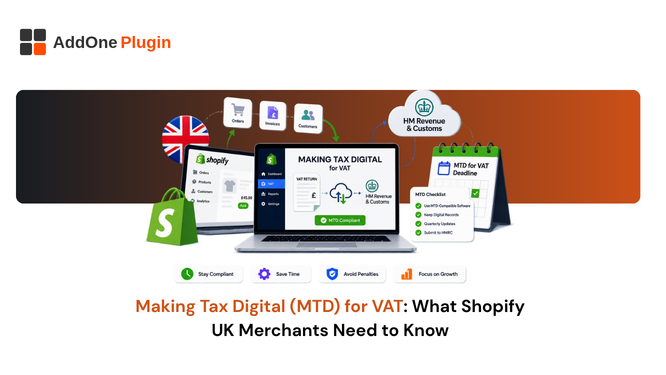
HMRC’s Making Tax Digital rules apply to every VAT-registered business in the UK, and that includes the large majority of Shopify stores selling into the UK market. If you’re VAT-registered and still moving numbers from a spreadsheet into a tax return by hand, you’re already out of step with the law, whether or not HMRC has flagged it yet. The rules aren’t new, but the gap between what merchants think they’re doing and what MTD actually requires shows up constantly, especially once a store adds a second sales channel or starts handling B2B orders differently from retail ones. This guide breaks down what Making Tax Digital for VAT actually requires, where Shopify’s built-in tools stop short, and what a compliant digital record-keeping setup looks like for a Shopify merchant.
What Is Making Tax Digital (MTD) for VAT?
Making Tax Digital for VAT is HMRC’s requirement that VAT-registered businesses keep their records in digital form and submit VAT returns through software that connects directly to HMRC’s systems. It replaced the old process of typing figures into HMRC’s online portal by hand.
Why HMRC Introduced MTD
HMRC built MTD to reduce the errors that come from manual re-keying and to close the gap between what businesses report and what they actually owe, a gap HMRC has referred to as the “tax gap” in its own policy papers. Under the previous system, a business could summarize a quarter’s VAT activity into nine boxes without HMRC ever seeing the underlying transactions. A transcription error made once, copying a total from a spreadsheet into the wrong box, could go unnoticed for years. MTD asks for a fuller, digitally traceable picture instead, built from the individual records rather than a hand-typed summary, which makes that kind of quiet error far less likely to survive unnoticed.
Who MTD for VAT Applies To
MTD for VAT has applied to every VAT-registered business regardless of turnover since April 2022. There’s no small-business exemption based on revenue anymore, which wasn’t always the case. When MTD first launched in April 2019, it only applied to businesses above the VAT registration threshold; the expansion to all VAT-registered businesses, including those who registered voluntarily while under the threshold, came later. If your Shopify store is VAT-registered, whether that’s because you crossed the £90,000 threshold or you registered voluntarily below it, MTD rules apply to you in full, with only narrow exemptions available for reasons like insolvency or digital exclusion.
The Three Core MTD Requirements for Shopify Merchants
MTD compliance comes down to three connected requirements, and Shopify merchants tend to trip up on the third one without realizing it.
Keeping VAT Records Digitally
Your VAT records, meaning the details of supplies made and received, their value, and the VAT rate applied, need to exist in digital form from the point they’re created. A spreadsheet counts, as long as it’s a genuine digital record and not a summary you typed up afterward from a paper trail. HMRC has been explicit that the requirement is about how the record originates, not just what format it ends up in.
Filing Returns Through MTD-Compatible Software
Returns must go to HMRC through software on HMRC’s approved list, connecting via API. Manually typing figures into the old HMRC portal is no longer an option for MTD-registered businesses, even if the underlying numbers are accurate. This is often the part merchants find least disruptive, since most modern accounting platforms already support MTD filing natively, and the switch is usually a one-time setup step rather than an ongoing burden.
Maintaining Digital Links Between Systems
This is the requirement most Shopify merchants underestimate. Once data leaves your store, every subsequent transfer between systems, from Shopify to a spreadsheet, from a spreadsheet to your accounting software, needs to happen through an automated digital link. Copying and pasting figures by hand breaks the chain, even if every number is correct. Even emailing a spreadsheet to your accountant so they can import it into their own software counts as an acceptable digital link under HMRC’s guidance, but retyping those same figures into a second spreadsheet does not, which is a distinction that catches out businesses who assume any digital transfer is automatically compliant.
Does Shopify Meet MTD Requirements on Its Own?
Shopify calculates VAT at checkout and gives you reporting on what was collected, but it doesn’t file MTD returns and it doesn’t guarantee an unbroken digital link into your accounting software on its own.
What Shopify Handles Natively
Shopify applies your configured VAT rates automatically at checkout and gives you payout and order reports you can pull whenever you need them. For a straightforward store with one sales channel and simple products, this native reporting covers a meaningful part of the record-keeping requirement, and plenty of small VAT-registered merchants get by on exactly this setup, paired with MTD-compatible bridging software, without ever needing anything more complex.
Where the Gaps Sit for VAT-Registered Sellers
The gaps show up once your setup gets more complicated: multiple sales channels, B2B orders with different VAT treatment than retail, or payout data that bundles fees, shipping, and VAT together in a way that needs separating before it’s usable for a return. Shopify’s standard reports weren’t built to hand off cleanly into MTD-compatible filing software, which is exactly where a dedicated invoicing layer earns its place.
How B2B Invoicing Fits Into Your MTD Digital Link
B2B sellers have an extra wrinkle here. A wholesale order often carries different VAT treatment than a retail one, and that distinction needs to survive the trip from your store into your accounting records.
Structured Invoice Data vs Manual Exports
A manual CSV export that you clean up in a spreadsheet before importing it elsewhere is exactly the kind of break in the digital link that MTD doesn’t allow. What you want instead is invoice data that’s already structured and VAT-correct at the point it leaves Shopify, so nothing needs re-keying or reformatting downstream.
Keeping Audit-Ready VAT Invoice Records with InvoiceForge
This is where InvoiceForge fits into the picture. It generates a proper UK VAT invoice directly from your Shopify orders, with the VAT treatment already applied correctly for UK B2B and retail sales, so the record leaving your store is already in the shape your accounting software or MTD-compatible bridging tool expects. It’s worth being precise about what this does and doesn’t cover: InvoiceForge keeps your invoice-level VAT records structured and exportable, but it doesn’t file your VAT return to HMRC. You’ll still need MTD-compatible accounting or bridging software for the filing step itself.
Getting MTD-Compliant: A Practical Checklist
Getting compliant is more about setting up the right chain of tools than it is about any single complicated task.
Registering for MTD with HMRC
If you’re VAT-registered and haven’t signed up for MTD yet, you can do it directly through HMRC’s online portal or through the sign-up flow built into most MTD-compatible accounting software. Registration itself takes a few minutes; the bigger job is making sure your record-keeping already meets the digital requirements before you flip the switch.
Choosing MTD-Compatible Accounting Software
Check any tool you’re considering against HMRC’s published list of MTD-compatible software before committing. Don’t take a vendor’s word for it, confirm it directly on gov.uk, since being “accounting software” and being MTD-compatible aren’t automatically the same thing. If you’re still working out your broader VAT invoicing setup across markets, our VAT invoice guide for UK, EU, and Australia sellers is a useful next stop.
Common Compliance Mistakes to Avoid
The most common slip is treating a well-organized spreadsheet as sufficient on its own. It isn’t, unless it’s paired with bridging software that creates a genuine digital link to HMRC. The second most common mistake is assuming that because Shopify calculates VAT correctly at checkout, the record-keeping requirement is automatically satisfied further downstream. It isn’t; calculation and compliant record-keeping are two separate obligations. A third mistake worth watching for is inconsistency across sales channels: a merchant selling through Shopify, a marketplace, and an in-person POS setup needs all three feeding into the same compliant chain, not three separate, loosely connected processes that only get reconciled at quarter-end.
Building a Compliant Record-Keeping Chain
MTD for VAT isn’t a one-time filing change, it’s a standing requirement to keep every part of your VAT record digital from the moment a sale happens to the moment it’s reported. For a Shopify store, that means looking at the whole chain: how VAT is calculated at checkout, how invoices are generated and stored, and how that data reaches your accounting software without a manual step in between. The businesses that struggle with MTD tend to be the ones treating it as a filing-day problem rather than a standing setup, scrambling to reconstruct digital links right before a return is due instead of having them run automatically all quarter. Get each link in that chain right once, and MTD compliance becomes a background process rather than a quarterly scramble.